
Kdenlive video editor 22.12 is out! How to Install Kdenlive 22.12 via PPA in Ubuntu 22.10 and Ubuntu 22.04 Systems.
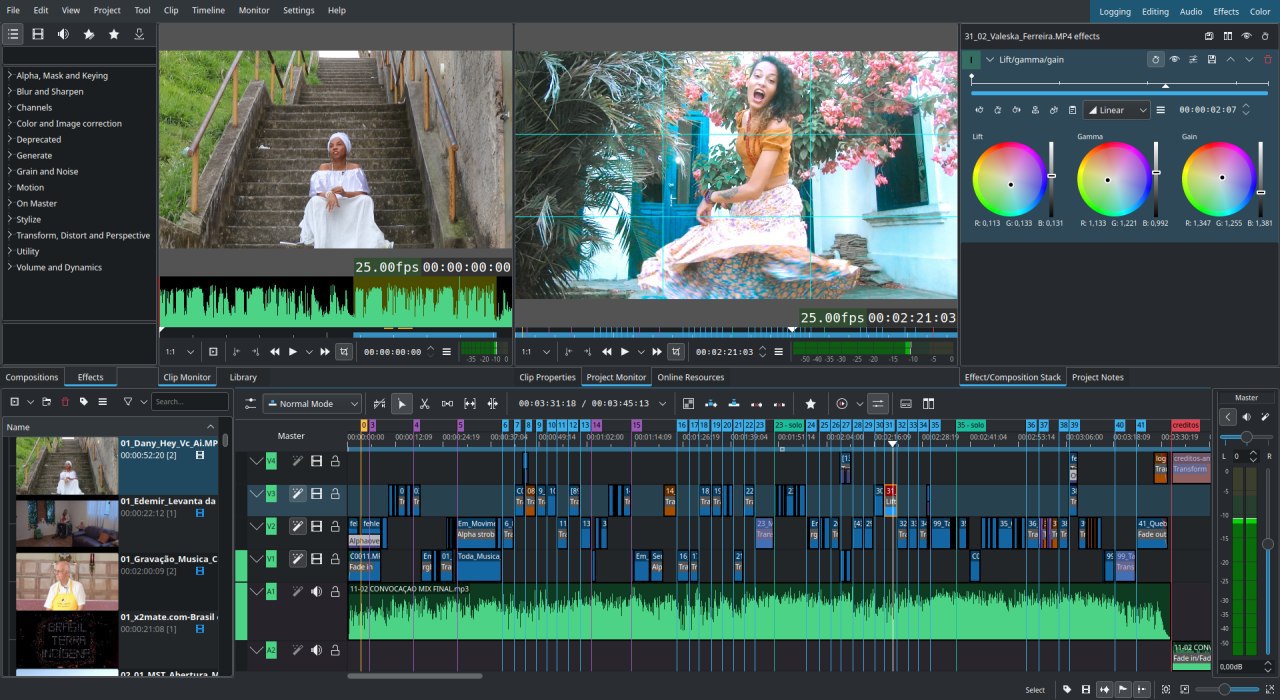
Kdenlive is an open source video editor built on Qt and the KDE Frameworks libraries. The Kdenlive supports multi-track video editing. Being based on the powerful FFmpeg libraries, Kdenlive can use almost any audio and video formats directly without the need to convert or re-encode your clips.
The Kdenlive version 22.12 comes with more than 350 commits, bringing new features, bug fixes.
Kdenlive 22.12 Noteworthy Changes
- Quickly remove space or clips in your timeline: remove spaces after playhead and remove all clips after playhead.
- You can hide the menu bar, the menu will now be available through a hamburger menu in the toolbar.
- The settings pages hav been revamped and the unused and useless options have been removed.
- Online Resources: New Pixabay Video provider and improved performance for search.
- Audio capturing: Add setting to disable countdown.
- Audio: Add Pipewire as SDL output, fix several issues with audio level on the mixer widget.
- Fixed color picker on Wayland.
- Fix several situations where clips from bin or monitor could not be dropped to timeline.
- Improved logic for finding relocated files.
- [UnB contribution] Add description to save stack effect dialog.
- Lots of fixes for subtitle import
Install Kdenlive 22.12 via PPA in Ubuntu
Run the following commands in terminal to install Kdenlive 22.12 via PPA in Ubuntu 22.10, Ubuntu 22.04 and other Linux Ubuntu Derivatives:
sudo add-apt-repository ppa:kdenlive/kdenlive-stable
sudo apt update
sudo apt install kdenlive
sudo dpkg -r melt libmlt-data
Once installed, opne Kdenlive from Ubuntu menu.