
Install Okular PDF editor and viewer for Linux Ubuntu Systems. Okular by KDE is one of the best free pdf editors for Linux Ubuntu.
Okular PDF editor and viewer
Okular PDF editor and viewer is developed by the KDE open-source community. Okular is a multi-platform document viewer which allows you to read PDF documents, comics and EPub books and even lets you browse images and visualize Markdown documents.
The Okular PDF editor supports many formats, including PDF, EPub, DjVU and MD for documents; JPEG, PNG, GIF, Tiff, WebP for images; CBR and CBZ for comics.
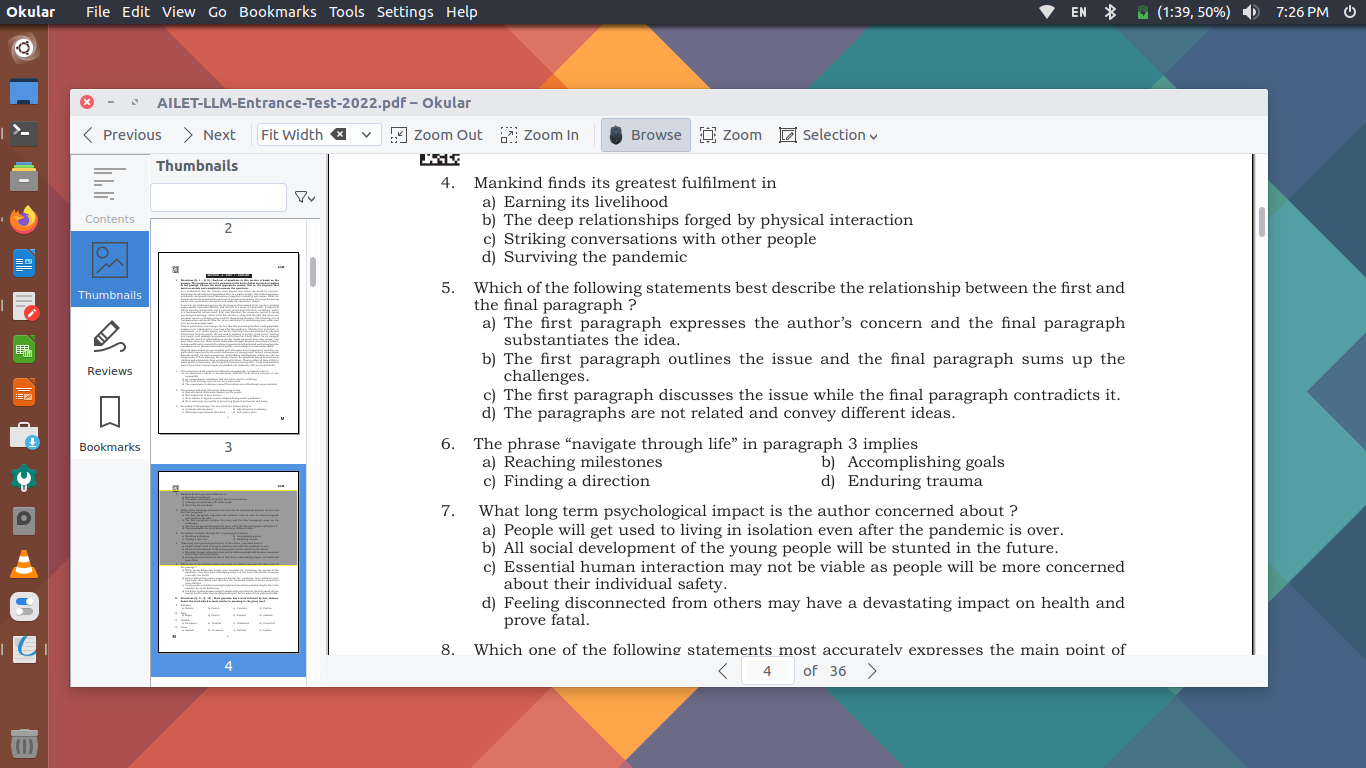
Not just for reading your documents, Okular allows you to make some minor editing tasks to your PDF documents. Here are some of its notable editing features:
- Annotate your PDFs: With Okular’s ‘Annotation mode’, you can easily add inline and popup notes, highlight and underline text, or even add your own text. It also allows you to copy text or images from the PDF document and paste it somewhere else, reading text aloud thanks to the Qt speech module and verifying signatures.
- Select and View any Text: With Okular’s ‘Selection mode’, you can copy and paste almost anything from your documents to elsewhere. You can also use the ‘Magnifier mode’.
- Thumbnail and Content Panel: Okular features Thumbnails panel and the ‘Content panel’ for all supported documents.
- Digital Signature Support: You can view and verify digital signatures embedded in PDFs. Users can even sign PDFs.
At the time of publishing this article Okular 23.08 was the latest stable release. https://kde.org/announcements/changelogs/gear/23.08.0/#okular
Install Okular Pdf Editor For Linux Ubuntu
Ubuntu and Debian users can install Okular Pdf Editor using the following command:
$ sudo apt install okularIf someone wants to install Okular via flathub, he/she can execute the following command:
sudo flatpak remote-add --if-not-exists flathub https://flathub.org/repo/flathub.flatpakrepo
flatpak install flathub org.kde.okular -y
Once installed, you can launch Okular directly from your Terminal using the “okular” command or “flatpak run org.kde.okular” (for those who installed Okular via flathb).