
• Skip to primary navigation
  • Skip to main content
  • Skip to primary sidebar
Source Digit

Source Digit

Linux, Ubuntu Tutorials & News, Technology, Gadgets & Gizmos

  • Home
  • How To
  • Ubuntu
  • Instagram
  • Blogging
  • Android
  • WordPress
  • +More
    • Cloud Computing
    • Gadgets
    • Social Media
    • Technology
  • Write for Us
Home / Archives for Linux Browser Command Line

Linux Browser Command Line

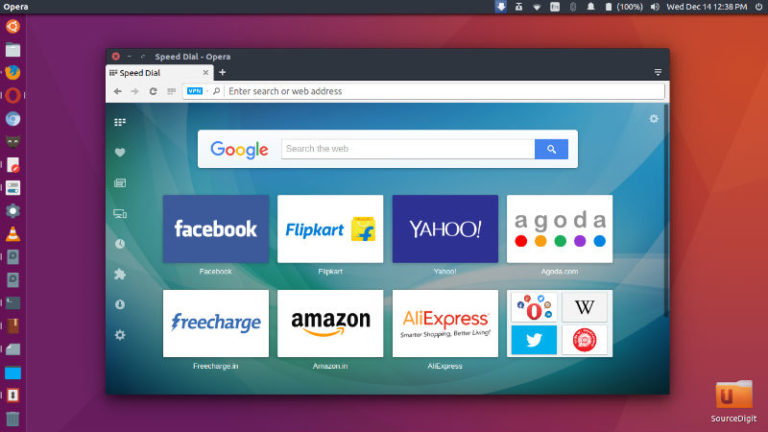
Opera 49 Released – Install Opera 49 Web Browser On Ubuntu Linux

Opera 49 adds snapshot tool with editing tools. Opera 49 comes with a direct VR Player and the browser has been sharpened to look its best on HiDPI screens. Opera 49 Features Opera 49 offers a snapshot tool with editing features, including a selfie camera, to help you add raw emotion to your screenshot. Capture […]

5 Best Internet Browsers For Ubuntu Linux Systems
5 Best web browsers for Linux Ubuntu Systems. Find out which are the best Internet browser for Ubuntu and which one is the fastest browser for Ubuntu among all of them. Install Ubuntu web browsers via command line (terminal). 1. Mozilla Firefox Mozilla Firefox is the default web browser from Linux Ubuntu Systems. For those […]

Primary Sidebar

Latest Posts

How To Run Fsck Manually In Linux To Fix Unexpected Inconsistency

How To Fix Broken Packages On Ubuntu From Terminal

Re Execute The Previous Command In Linux Ubuntu Command Line

How Much RAM Is Needed For Ubuntu PC

How To Find Large Files And Directories In Linux Command Line

How To Use Clear Command History In Linux Terminal

Linux Command To Check RAM Size In Ubuntu Terminal In GB

How To Install Proprietary Drivers In Linux Ubuntu Using Terminal

How To Shutdown Linux With A 15 Minute Delay And Message

Free AI Courses With Certificate For Beginners In India

© 2026 Source Digit • Linux, Ubuntu Tutorials & News, Technology, Gadgets & Gizmos

  • Home
  • About
  • Privacy Policy
  • Terms & Conditions
  • Contact Us
  • Sitemap