
Shotcut an open source, cross-platform video editor for Linux Ubuntu. Install Shotcut video editor software on Ubuntu 15.04, Ubuntu 14.04, Ubuntu 14.10 and Derivatives.
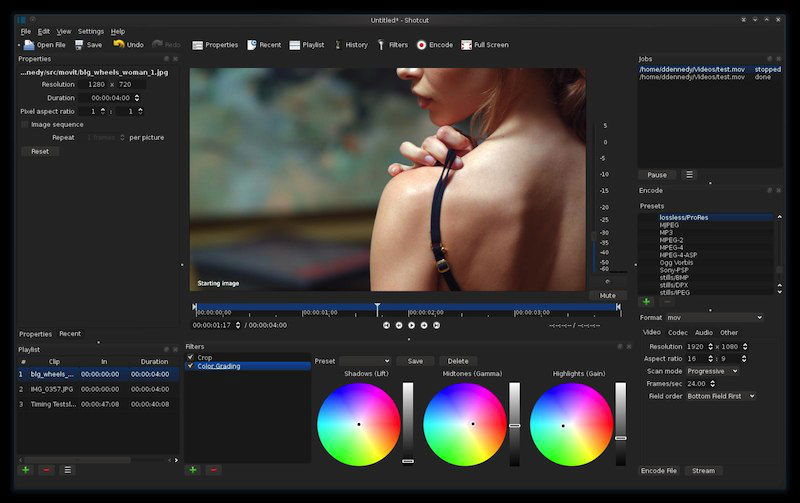
Shotcut 15.07.02 brings the following new features:
- 4K UHD support
- 5 new video filters:
- Old Film: Dust
- Old Film: Grain
- Old Film: Projector
- Old Film: Scratches
- Old Film: Technocolor
- 5 new audio filters:
- Bass & Treble (3-band graphic equalizer)
- Band Pass
- High Pass
- Low Pass
- Notch
- Added Insert Track and Remove Track
- New default Encode settings produce a better quality H.264 MP4 file
- Composite now defaults to on/enabled for new video tracks
Install Shotcut Video Editor
Shotcut is not available via any repository (PPA). Shotcut is only available as pre-compiled libraries and can be downloaded and installed via the official website.
Install Shotcut on 32 bit Linux Ubuntu Systems
Run the following commands in Terminal to install Shotcut on 32 bit Linux Ubuntu systems:
$ wget https://github.com/mltframework/shotcut/releases/download/v15.07/shotcut-debian7-x86-150702.tar.bz2

$ tar -xjvf shotcut-debian7-x86-150702.tar.bz2

$ sudo rm -rf /opt/shotcut

$ sudo mv Shotcut /opt/shotcut

$ sudo ln -sf /opt/shotcut/Shotcut.app/shotcut /usr/bin/shotcut
Install Shotcut on 64 bit Linux Ubuntu Systems
Run the following commands in Terminal to install Shotcut on 64 bit Linux Ubuntu systems:
$ wget https://github.com/mltframework/shotcut/releases/download/v15.07/shotcut-debian7-x86_64-150702.tar.bz2

$ tar -xjvf shotcut-debian7-x86_64-150702.tar.bz2

$ sudo rm -rf /opt/shotcut

$ sudo mv Shotcut /opt/shotcut

$ sudo ln -sf /opt/shotcut/Shotcut.app/shotcut /usr/bin/shotcut
Once installed, start Shotcut from Ubuntu Dash or via Terminal. Type shotcut in Terminal and press enter.
[Error] Shotcut does not start on Linux
Some file managers do not like the launcher icon provided with the binary download from this site. The launcher icon was tested successfully on GNOME Nautilus and KDE Dolphin.
- open a terminal/console window
- cd to the location where you have extracted Shotcut
- enter Shotcut.app/shotcut
Please do not try to run bin/shotcut; always use the wrapper script in the Shotcut.app folder!
If it still does not start, then it should report that some libraries could not be loaded.