
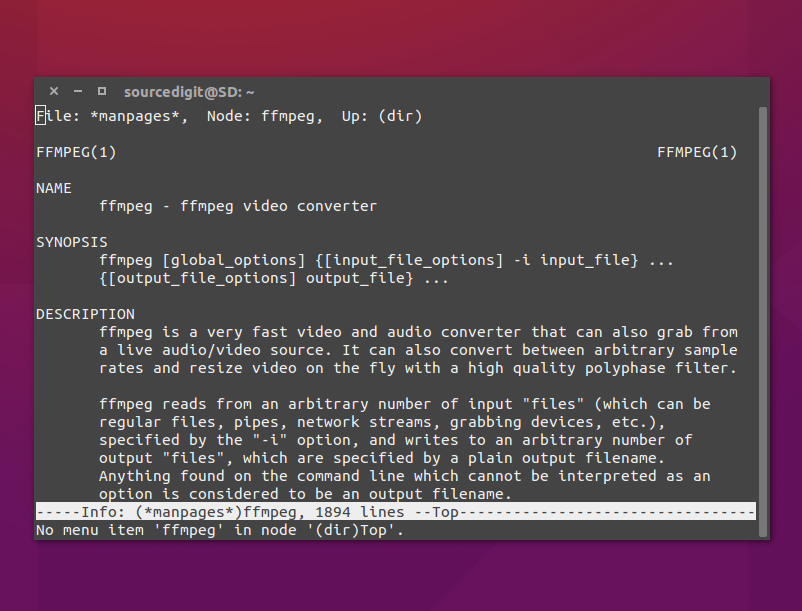
Install FFmpeg 3.1 on Ubuntu 16.04. How To Use Ffmpeg Ubuntu. FFmpeg 3.1 “Laplace” Multimedia Framework has been released. FFmpeg multimedia framework lets you convert audio and video files on Linux Ubuntu. FFmpeg is a collection of libraries and tools to process multimedia content such as audio, video, subtitles and related metadata.
FFmpeg Tools
- ffmpeg is a command line toolbox to manipulate, convert and stream multimedia content.
- ffplay is a minimalistic multimedia player.
- ffprobe is a simple analysis tool to inspect multimedia content.
- ffserver is a multimedia streaming server for live broadcasts.
- Additional small tools such as aviocat, ismindex and qt-faststart.
FFmpeg 3.1 “Laplace” Changelog:
– DXVA2-accelerated HEVC Main10 decoding
– fieldhint filter
– loop video filter and aloop audio filter
– Bob Weaver deinterlacing filter
– firequalizer filter
– datascope filter
– bench and abench filters
– ciescope filter
– protocol blacklisting API
– MediaCodec H264 decoding
– VC-2 HQ RTP payload format (draft v1) depacketizer and packetizer
– VP9 RTP payload format (draft v2) packetizer
– AudioToolbox audio decoders
– AudioToolbox audio encoders
– coreimage filter (GPU based image filtering on OSX)
– libdcadec removed
– bitstream filter for extracting DTS core
– ADPCM IMA DAT4 decoder
– musx demuxer
– aix demuxer
– remap filter
– hash and framehash muxers
– colorspace filter
– hdcd filter
– readvitc filter
– VAAPI-accelerated format conversion and scaling
– libnpp/CUDA-accelerated format conversion and scaling
– Duck TrueMotion 2.0 Real Time decoder
– Wideband Single-bit Data (WSD) demuxer
– VAAPI-accelerated H.264/HEVC/MJPEG encoding
– DTS Express (LBR) decoder
– Generic OpenMAX IL encoder with support for Raspberry Pi
– IFF ANIM demuxer & decoder
– Direct Stream Transfer (DST) decoder
– loudnorm filter
– MTAF demuxer and decoder
– MagicYUV decoder
– OpenExr improvements (tile data and B44/B44A support)
– BitJazz SheerVideo decoder
– CUDA CUVID H264/HEVC decoder
– 10-bit depth support in native utvideo decoder
– libutvideo wrapper removed
– YUY2 Lossless Codec decoder
– VideoToolbox H.264 encoder
Install FFmpeg On Ubuntu
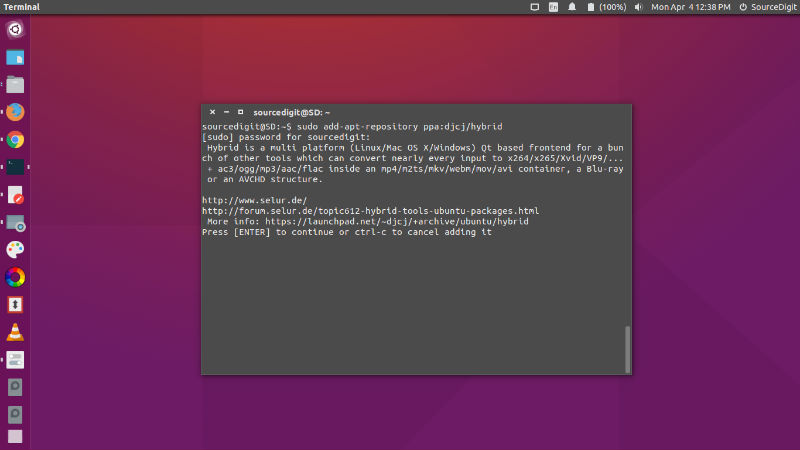
Run the following commands in Terminal to install FFmpeg 3.1 “Laplace” in Ubuntu:
$ sudo add-apt-repository ppa:djcj/hybrid

$ sudo apt-get update

$ sudo apt-get install ffmpeg
Once installed use the FFmpeg to convert audio and video files on Linux Ubuntu Systems.
FFmpeg is a command line tool for converting audio and video files. The FFmpeg tool is very fast video and audio converter that can also grab from a live audio/video source.