
Atom Text Editor for Linux Ubuntu Systems. Install Atom 1.9.0 (Stable) Text Editor on Ubuntu 16.04 Systems. Learn how to update to Atom 1.9.0 on Ubuntu and Linux Mint Systems. Atom is a powerful multi-platform text editor developed by GitHub. It is known for its powerful features and an intuitive graphical user interface. The Atom text editor supports macros, auto-completion and split screen.
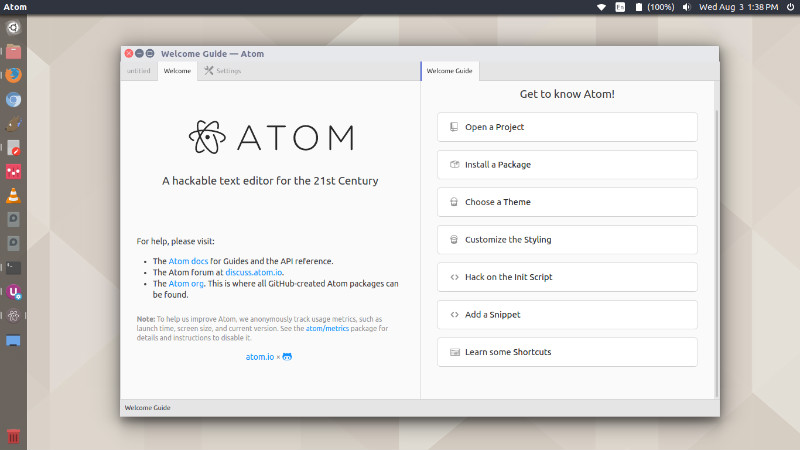
Atom text editor has the following features:
- Cross-platform editing – Atom works across operating systems. You can use it on OS X, Windows, or Linux.
- Built-in package manager – Search for and install new packages or start creating your own—all from within Atom.
- Smart autocompletion – Atom helps you write code faster with a smart, flexible autocomplete.
- File system browser – Easily browse and open a single file, a whole project, or multiple projects in one window.
- Multiple panes – Split your Atom interface into multiple panes to compare and edit code across files.
- Find and replace – Find, preview, and replace text as you type in a file or across all your projects.
Install Atom 1.9.0
Atom 1.9.0 is the latest stable release of the Atom Text Editor, It has been released with the following changes:
- Display Layers, which are going to bring speed improvements as well as new features like free-form folds (via the Fold Selection command) and an improved soft-wrapping algorithm.
- Electron Upgrade (v0.37.8), which features many performance improvements and enables efficient ligatures rendering on all the platforms.
- Drag and Drop Layout Management, that provides a very intuitive way for organizing the workspace.
- Enhanced Reliability When Saving Files, which minimizes the risk of losing files when a hard crash occurs.
- Shell Commands Compatibility On Windows, that makes the atom command compatible with both Cygwin and Msys.
Install Atom via WebUpd8 PPA
Run the command given below to install the latest Atom from WebUpd8 PPA:
$ sudo add-apt-repository ppa:webupd8team/atom

$ sudo apt-get update

$ sudo apt-get install atom