
How to Install Audacious music player in Ubuntu Linux. Audacious 3.8 beta 1 can be installed on Ubuntu or Linux Mint Systems, via WebUpd8 PPA.
Audacious 3.8 beta 1 – New features:
- Folders can be added from various URI protocols (
ftp,mtp, etc.) via GIO - Audio effects and equalization can optionally be applied to a stream recording
- Option to display MMM:SS instead of H:MM:SS
- Automatic selection of the best available output bit depth
- Album artist support for FLAC and Vorbis files (read-write)
- Support for the freedesktop.org startup notification protocol
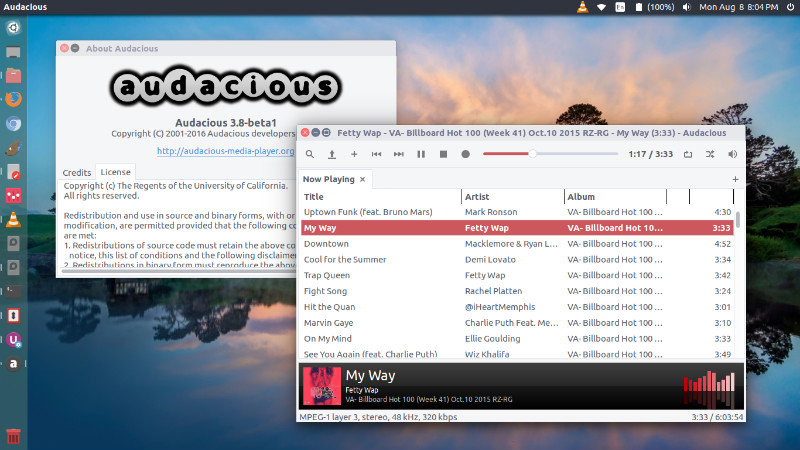
Existing features ported to the Qt interface:
- Context (right-click) menu in the playlist
- Copy-and-paste of playlist entries
- “Open Containing Folder” command
- Desktop notifications and file deletion (with the appropriate plugins)
- Access to the full set of FileWriter options
Bugs fixed since 3.7.2
- Silenced an error message at the end of some MP3 files
- Fixed various problems seeking within a PSF file
- Resolved build errors when cross-compiling
- Fixed undefined behavior detected by -fsanitize=undefined compiler flag
- Silenced a “no such property” warning with older GTK+ versions
Other notable changes
- Plugins from 3.7.x or earlier will need to be rebuilt for 3.8. Some plugins may require source code updates as well. In particular, input plugins are now required to provide a combined read_tag() function, rather than separate read_tuple() and read_image().
- The ./configure script for audacious-plugins has been cleaned up, and is now better about reporting unmet plugin dependencies.
Known issues
- Drag-and-drop of playlist entries has not yet been implemented in the Qt interface
- It is not possible to close and reopen the primary instance of Audacious without first closing all instances
- On Windows, audtool can control only the primary instance.
Install Audacious 3.8 beta 1
Audacious 3.8 beta 1 can be installed on Ubuntu or Linux Mint Systems, via WebUpd8 PPA. Run the following commands in Terminal to install Audacious 3.8 beta 1 via the main WebUpd8 PPA:
sudo add-apt-repository ppa:webupd8team/unstable

sudo apt update

sudo apt install audacious
Once installed, open the Audacious from Ubuntu Dash or Terminal.
Ampache Browser Plugin
Róbert Čerňanský contributed a new plugin to browse music on an Ampache server. Most of the implementation resides in a separate support library, available here.
Please note that the new Ampache web plugin is only available for Ubuntu 16.10 and 16.04.