• Skip to primary navigation
  • Skip to main content
  • Skip to primary sidebar
Source Digit

Source Digit

Linux, Ubuntu Tutorials & News, Technology, Gadgets & Gizmos

  • Home
  • How To
  • Ubuntu
  • Instagram
  • Blogging
  • Android
  • WordPress
  • +More
    • Cloud Computing
    • Gadgets
    • Social Media
    • Technology
  • Write for Us
Home / How To / Install Oranchelo (Flat-Design) Icon Theme On Ubuntu 16.04

Install Oranchelo (Flat-Design) Icon Theme On Ubuntu 16.04

By Sourabh / September 6, 2016 Category: How To, Ubuntu

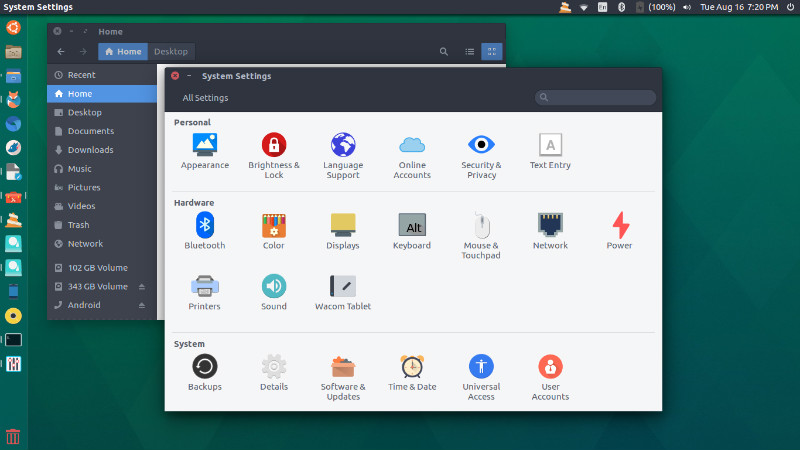
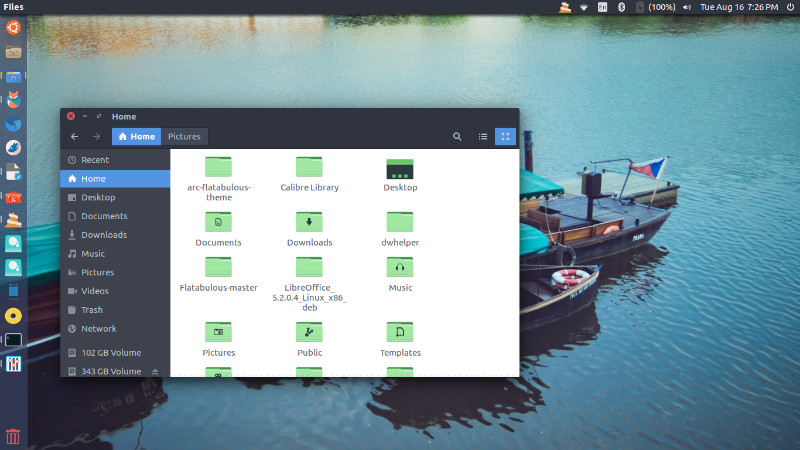
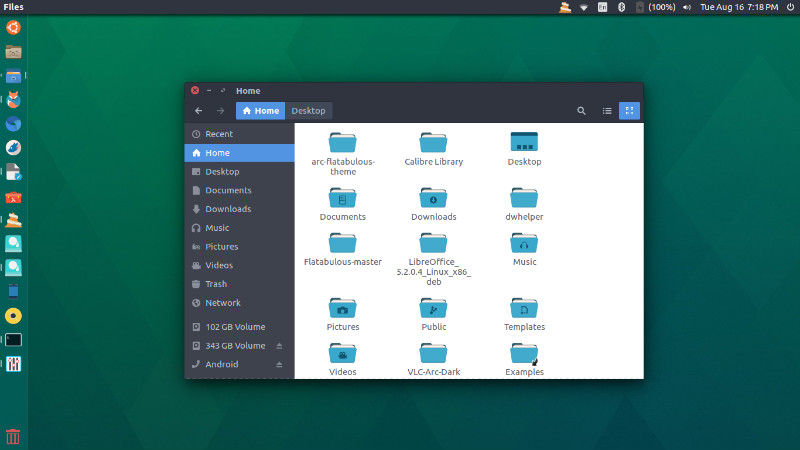
Install Oranchelo Flat Icon Theme on Ubuntu 16.04. Oranchelo Icon Theme is based on Super Flat Remix Icon Theme and is inspired Corny icons” by Patryk Goworowski. Oranchelo Icon Theme is a package of icons created with the design techniques “flat” and “Flat Long Shadow”.

Install Oranchelo Icon Theme On Ubuntu
oranchelo-ubuntu

oranchelo-ubuntu-01
oranchelo-green

You can install the theme on Ubuntu Systems, using Terminal. Run the following commands in Terminal to install the theme:

sudo add-apt-repository ppa:oranchelo/oranchelo-icon-theme
sudo apt-get update
sudo apt-get install oranchelo-icon-theme

You can also download equivalent .deb for 14.04 Trusty Tahr or 16.04 Xenial Xerus.

Use Oranchelo Icon Theme on Ubuntu

Once installed, the Oranchelo icon theme can be used via Ubuntu Tweak or Unity Tweak Tool. If you aren’t sure how to install themes on Ubuntu, read the following tutorial:

How To Install Themes & Icons In Ubuntu 16.04


Tags: Oranchelo Flat Icon Theme Ubuntu, Oranchelo Flat Icon Theme Ubuntu 16.04, Oranchelo Flat Theme Ubuntu, Oranchelo Flat Theme Ubuntu 16.04, Oranchelo Icon Theme Linux, Oranchelo Icon Theme on Ubuntu, Oranchelo Icon Theme Ubuntu, Oranchelo Icon Theme Ubuntu 16.04, Oranchelo Icon Theme Ubuntu 16.10, Oranchelo Theme Ubuntu 16.04, Oranchelo Theme Ubuntu 16.10, Ubuntu 16.04 Oranchelo Flat Icon Theme, Ubuntu 16.04 Oranchelo Theme, Ubuntu 16.10 Oranchelo Flat Icon Theme, Ubuntu 16.10 Oranchelo Theme, Ubuntu Oranchelo Flat Icon Theme, Use Icon Theme on Ubuntu, Use Oranchelo Icon Theme on Ubuntu

Primary Sidebar

Latest Posts

How To Fix Broken Packages On Ubuntu From Terminal

Re Execute The Previous Command In Linux Ubuntu Command Line

How Much RAM Is Needed For Ubuntu PC

How To Find Large Files And Directories In Linux Command Line

How To Use Clear Command History In Linux Terminal

Linux Command To Check RAM Size In Ubuntu Terminal In GB

How To Install Proprietary Drivers In Linux Ubuntu Using Terminal

How To Shutdown Linux With A 15 Minute Delay And Message

Free AI Courses With Certificate For Beginners In India

Best AI Plugins For WordPress To Use In 2026

© 2026 Source Digit • Linux, Ubuntu Tutorials & News, Technology, Gadgets & Gizmos

  • Home
  • About
  • Privacy Policy
  • Terms & Conditions
  • Contact Us
  • Sitemap