
• Skip to primary navigation
  • Skip to main content
  • Skip to primary sidebar
Source Digit

Source Digit

Linux, Ubuntu Tutorials & News, Technology, Gadgets & Gizmos

  • Home
  • How To
  • Ubuntu
  • Instagram
  • Blogging
  • Android
  • WordPress
  • +More
    • Cloud Computing
    • Gadgets
    • Social Media
    • Technology
  • Write for Us
Home / Ubuntu / Install Typora Markdown Editor On Ubuntu 16.04 Linux

Install Typora Markdown Editor On Ubuntu 16.04 Linux

By Sourabh / September 30, 2016 Category: How To, Ubuntu

Typora Markdown Editor for Linux Ubuntu. Here’s how to install Typora Markdown Editor on Ubuntu 16.04 LTS. Typora will give you a seamless experience as both a reader and a writer. It removes the preview window, mode switcher, syntax symbols of markdown source code, and all other unnecessary distractions. Replace them with a real live preview feature to help you concentrate the content itself.
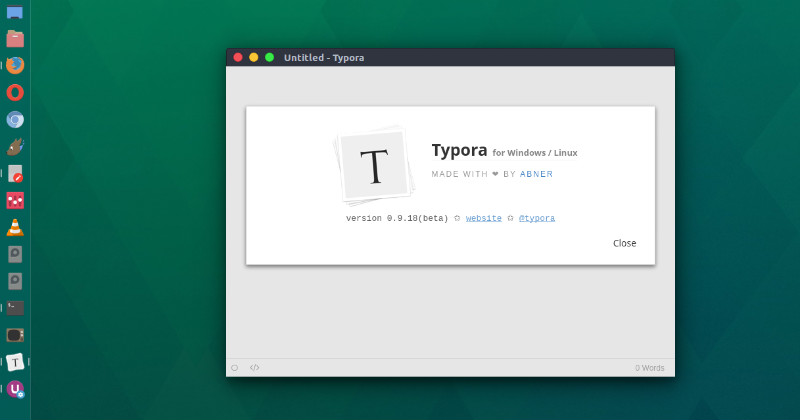
typora-linux

Useful features:

  • Typora use the feature: Live Preview, meaning that you could see these inline styles after you finish typing, and see block styles when you type or after you press Enter key or focus to another paragraph.
  • Typora support auto save feature, user could enable it from preference panel.
  • Typora support export to PDF or HTML. More data format support as import/export will be integrated in future.
  • Typora is using GitHub Flavored Markdown. To see full markdown Syntax references and extra usage, please check Help->Markdown Reference in menu bar or About panel.
  • Typora is simple, yet powerful. It can work easily on images, lists, tables, code fences, math blocks, toc, etc.

Install Typora Markdown Editor on Ubuntu 16.04

Run the following commands in Terminal to install Typora Markdown Editor on Ubuntu 16.04, Ubuntu 15.04, Ubuntu 14.04 and other Ubuntu Derivatives:

sudo apt-key adv --keyserver keyserver.ubuntu.com --recv-keys BA300B7755AFCFAE
sudo add-apt-repository 'deb https://typora.io linux/'
sudo apt update
sudo apt install typora

Once installed, open Typora from Ubuntu Dash.

Tags: Install Markdown Editor On Ubuntu, Install Typora Markdown Editor For Linux, Install Typora Markdown Editor For Ubuntu, Install Typora Markdown Editor on Ubuntu, Install Typora Markdown Editor on Ubuntu 16.04, Install Typora on Ubuntu, Install Typora on Ubuntu 16.04, Markdown Editor for Ubuntu, Markdown Editor Ubuntu, Markdown Editor Ubuntu 16.04, Markdown Editor Ubuntu 16.10, Typora Markdown Editor, Typora Markdown Editor For Linux, Typora Markdown Editor For Ubuntu, Typora Ubuntu, Ubuntu 16.04 Markdown Editor, Ubuntu 16.10 Markdown Editor, Ubuntu Markdown Editor

Primary Sidebar

Latest Posts

Delete Directory And Contents Recursively Without Prompt On Linux

Check User Login History In Ubuntu Linux Command Line

Use Locate Command To Find File In Linux Terminal By Name

How To Change Terminal Color In Ubuntu Command Line

How To Run Fsck Manually In Linux To Fix Unexpected Inconsistency

How To Fix Broken Packages On Ubuntu From Terminal

Re Execute The Previous Command In Linux Ubuntu Command Line

How Much RAM Is Needed For Ubuntu PC

How To Find Large Files And Directories In Linux Command Line

How To Use Clear Command History In Linux Terminal

© 2026 Source Digit • Linux, Ubuntu Tutorials & News, Technology, Gadgets & Gizmos

  • Home
  • About
  • Privacy Policy
  • Terms & Conditions
  • Contact Us
  • Sitemap