
• Skip to primary navigation
  • Skip to main content
  • Skip to primary sidebar
Source Digit

Source Digit

Linux, Ubuntu Tutorials & News, Technology, Gadgets & Gizmos

  • Home
  • How To
  • Ubuntu
  • Instagram
  • Blogging
  • Android
  • WordPress
  • +More
    • Cloud Computing
    • Gadgets
    • Social Media
    • Technology
  • Write for Us
Home / How To / How To Find File In Ubuntu

How To Find File In Ubuntu

By Sourabh / December 2, 2019 Category: How To, Ubuntu

Learn how to find file in Ubuntu. Here is how to find file location and file directory in Ubuntu, using Catfish tool in Ubuntu. Catfish is a versatile file searching tool using which one can search for folder or find file recursive or find file in all directories.

Catfish is a GTK+ search utility written in python. Its search is powered by find and locate, with search suggestions provided by zeitgeist. The interface is intentionally lightweight and simple, using only GTK+3. You can configure it to your needs by using several command line options. Users can run ‘catfish –help’ to check out the various command line options.
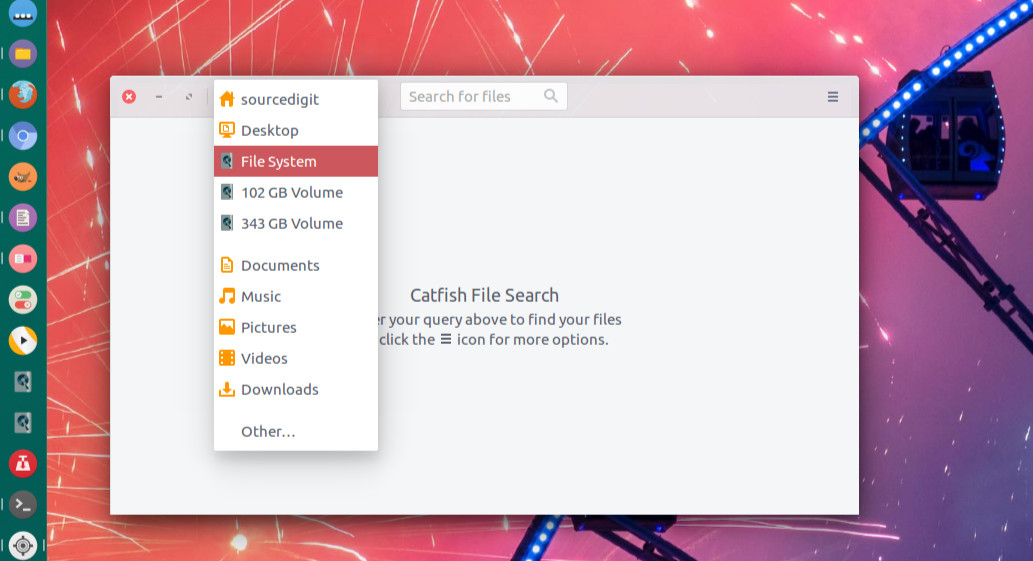
Install Catfish on Ubuntu

Ubuntu and Ubuntu Derivative users can install Catfish File Search Tool using the following command:

sudo apt-get update
sudo apt install catfish

Once installed, open Catfish from Ubuntu Terminal or Dash.

Ubuntu users can also install Catfish from Ubuntu Software Center:

Install Catfish on Ubuntu

Primary Sidebar

Latest Posts

Use Locate Command To Find File In Linux Terminal By Name

How To Change Terminal Color In Ubuntu Command Line

How To Run Fsck Manually In Linux To Fix Unexpected Inconsistency

How To Fix Broken Packages On Ubuntu From Terminal

Re Execute The Previous Command In Linux Ubuntu Command Line

How Much RAM Is Needed For Ubuntu PC

How To Find Large Files And Directories In Linux Command Line

How To Use Clear Command History In Linux Terminal

Linux Command To Check RAM Size In Ubuntu Terminal In GB

How To Install Proprietary Drivers In Linux Ubuntu Using Terminal

© 2026 Source Digit • Linux, Ubuntu Tutorials & News, Technology, Gadgets & Gizmos

  • Home
  • About
  • Privacy Policy
  • Terms & Conditions
  • Contact Us
  • Sitemap