
Install PyCharm Python IDE on Ubuntu 15.04, Ubuntu 14.04 and Ubuntu 14.10. PyCharm is a Python IDE offering unique coding experience. PyCharm enables smart coding assistance with code completion, code inspections, error highlighting, auto-fixes, automated code refactorings and rich navigation capabilities.
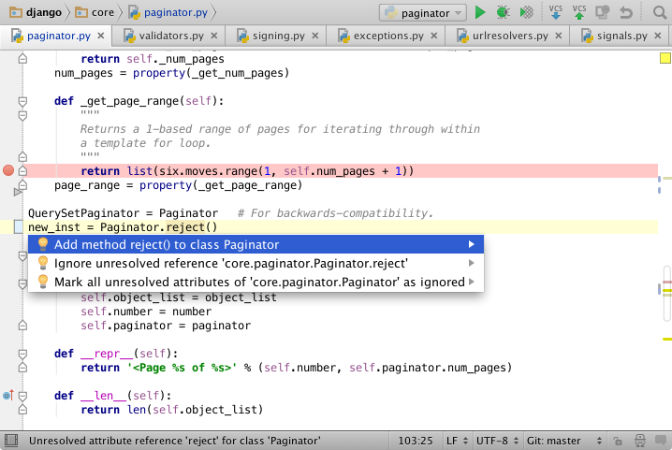
It supports all major Python implementations including JavaScript, CoffeeScript, TypeScript, HTML/CSS, Cython, template languages, AngularJS, Node.js, and more. It comes with a powerful debugger with a graphical UI for Python, JavaScript and CoffeeScript and can be used to run, debug, test, and deploy applications on remote hosts or virtual machines.
PyCharm Python IDE’s smart code editor refactors the code in an intelligent way. It features Rename and Delete, Extract Method, Introduce Variable, Inline Variable or Method, and more refactorings functions. PyCharm offers great framework-specific support for modern web development frameworks such as Django, Flask, Google App Engine, Pyramid, and web2py.
Here’s how to install PyCharm 4.5.3, the latest version available.
Install PyCharm on Ubuntu
PyCharm can be installed on Ubuntu systems via the GetDeb repository. Open Terminal and run the following commands to install PyCharm on Ubuntu 15.04 and derivatives:
$ sudo sh -c 'echo "deb http://archive.getdeb.net/ubuntu vivid-getdeb apps" >> /etc/apt/sources.list'

$ wget -q -O- http://archive.getdeb.net/getdeb-archive.key | sudo apt-key add -

$ sudo apt-get update

$ sudo apt-get install pycharm
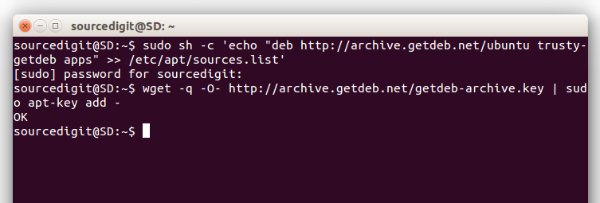
To install PyCharm on Ubuntu 14.04, Linux Mint and derivatives, run the following command:
$ sudo sh -c 'echo "deb http://archive.getdeb.net/ubuntu trusty-getdeb apps" >> /etc/apt/sources.list'

$ wget -q -O- http://archive.getdeb.net/getdeb-archive.key | sudo apt-key add -

$ sudo apt-get update

$ sudo apt-get install pycharm
If you wish to remove and uninstall PyCharm, run the command given below:
$ sudo apt-get remove pycharm