
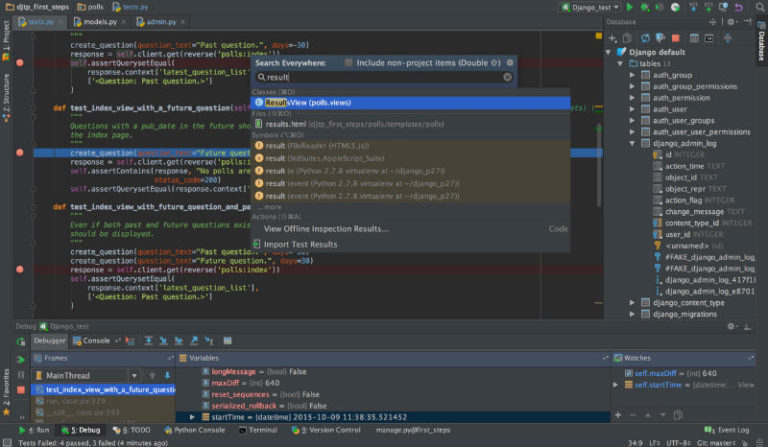
PyCharm 2017.3 is out now. Here’s how to install PyCharm 2017.3 Python IDE in Ubuntu and Linux Derivative Systems. PyCharm Python IDE JetBrains 2017.3 is much faster, more usable, and better for data science. PyCharm 2017.3 PyCharm 2017.3 brings many performance improvements: Python indexing is twice as fast, JavaScript indexing is up to 40% faster, […]
PyCharm Python IDE Ubuntu
PyCharm 2017.2 Released – Install PyCharm Python IDE On Ubuntu
PyCharm 2017.2.2 released for Ubuntu. Install JetBrains PyCharm IDE PyCharm 2017.2.2 for Linux Ubuntu. PyCharm Python IDE comes with complete set of tools for productive development with Python programming language. In addition, the IDE provides high-class capabilities for professional Web development with Django framework and Google App Engine. It has powerful coding assistance, navigation, a […]
Install PyCharm Python IDE On Ubuntu 16.04
PyCharm Python IDE for Linux Ubuntu. Install PyCharm Python IDE on Ubuntu 16.04 Systems. PyCharm Python IDE is an intelligent Python IDE offering unique coding experience. PyCharm provides smart code completion, code inspections, on-the-fly error highlighting and quick-fixes, along with automated code refactorings and rich navigation capabilities. PyCharm’s smart code editor provides first-class support for […]
Install PyCharm Python IDE on Ubuntu 15.04

Install PyCharm Python IDE on Ubuntu 15.04, Ubuntu 14.04 and Ubuntu 14.10. PyCharm is a Python IDE offering unique coding experience. PyCharm enables smart coding assistance with code completion, code inspections, error highlighting, auto-fixes, automated code refactorings and rich navigation capabilities. It supports all major Python implementations including JavaScript, CoffeeScript, TypeScript, HTML/CSS, Cython, template languages, […]