
Cherrytree 0.35.11 text editor for Linux Ubuntu Systems. Install Cherrytree note taking application in Ubuntu 15.04, Ubuntu 14.04 and Derivatives.
Cherrytree is a hierarchical note taking application, featuring rich text and syntax highlighting, storing data in a single xml or sqlite file. Cherrytree is written by Giuseppe Penone (aka giuspen).
Some of the most useful features of Cherrytree are:
- Rich text (foreground color, background color, bold, italic, underline, strikethrough, small, h1, h2, h3, subscript, superscript, monospace)
- Syntax highlighting supporting several programming languages
- Image handling: insertion in the text, edit (resize/rotate), save as png file
- Embedded files handling: insertion in the text, save to disk
- Password protection (using http://www.7-zip.org/) – NOTE: while a cherrytree password protected document is opened, an unprotected copy is extracted to a temporary folder of the file-system; this copy is removed when you close cherrytree
Install Cherrytree 0.35.11 in Ubuntu
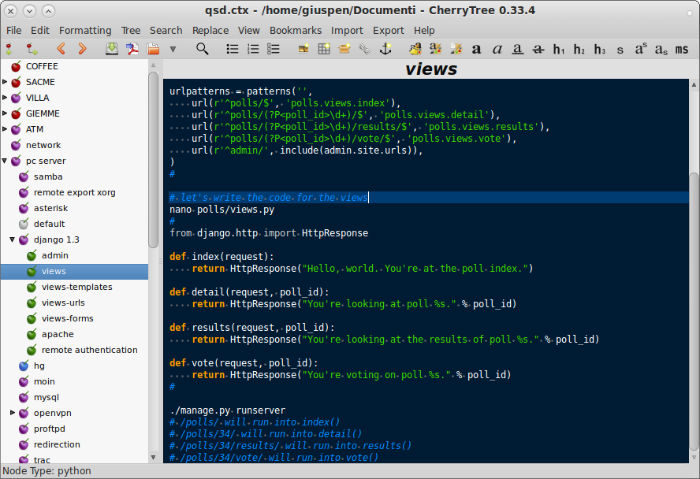
Cherrytree 0.35.11 has been released with few bug fixes and improvements:
- fixed bugs in export to HTML
- fixed bugs in import from HTML
- fixed bug in paste as plain text wrongly recognising and formatting links
- fixed bug applying formatting to a selection including already formatted subsets
- windows version now terminating dbus-daemon.exe at quit
- fixed errors in French and Chinese translations
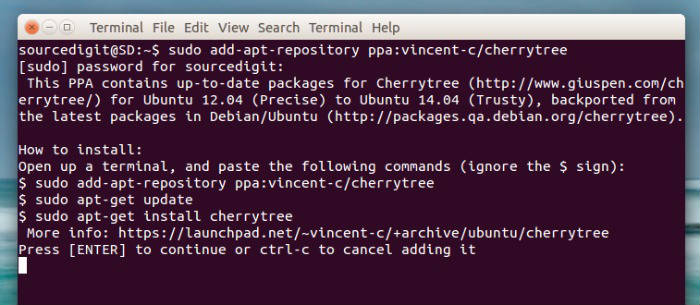
CherryTree 0.35.11 can be installed via PPA, on Ubuntu 15.04, Ubuntu 14.10, Ubuntu 14.04 and Derivatives. Open Terminal and run the following command to install:
$ sudo add-apt-repository ppa:vincent-c/cherrytree

$ sudo apt-get update

$ sudo apt-get install cherrytree
Cherrytree can also be installed on Debian 8 and Debian 7, via deb package. Run the following commands in Terminal to download deb file and install Cherrytree:
$ sudo apt-get install gdebi

$ wget giuspen.com/software/cherrytree_0.35.10-1_all.deb

$ sudo gdebi cherrytree_0.35.10-1_all.deb
If you wish to uninstall and remove Cherrytree, run:
$ sudo apt-get remove cherrytree