
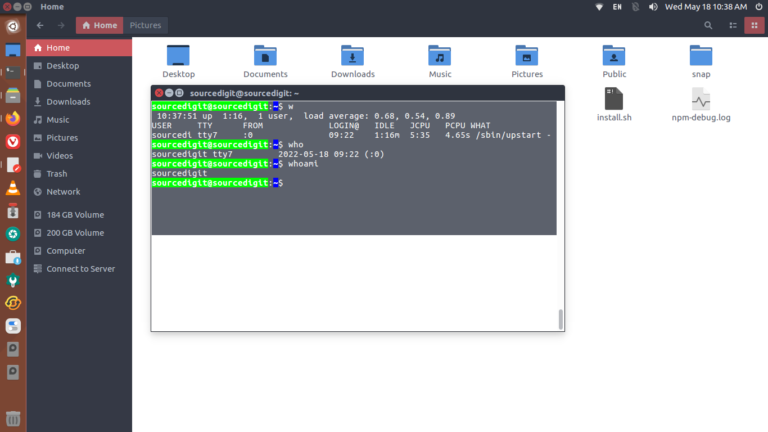
How to check command history in Linux with date? Not only this you can easily see users who are logged in; check user login history in Linux. If you want to see command history in Linux with timestamp, here is how to get all command history in Linux Ubuntu History Command The history command can […]
How To
How-to tutorials for Ubuntu, Linux, Android, WordPress, websites and more. Learn about Ubuntu Linux how to solve problems, errors, manage updates, fix issues and add functions & features.
Where To Find Repositories In Ubuntu

If you want to update Ubuntu repository list, you must know where to find repositories in Ubuntu Linux. This blog post explains how to list installed repositories in Ubuntu, Debian and Linux Mint Systems. In general, repositories contain sets of packages and Ubuntu’s repository is divided into four categories or components – main, restricted, universe […]
How To Use ChatGPT In Terminal Ubuntu Command Line

Want to chat with ChatGPT directly from your command line? ShellGPT—a Python-based CLI wrapper for OpenAI’s GPT—makes it easier to use ChatGPT In Terminal Ubuntu command line. With this tool users can seamlessly send prompts, generate shell commands, code snippets, documentation, and even chat interactively—all from their terminal. Before getting started, make sure you have: […]
Free AI Plugins For WordPress Website To Use

Here is the list of 10 free best AI Plugins for WordPress website. Download these free WordPress AI Plugins available for WordPress so you don’t spend money. Are you interested in taking your WordPress site to the next step? The secret is AI plugins! They can automate functions, analyze data and enhance user experience. Best […]
How To Check Difference Between Two Files In Linux Ubuntu
If you want to check difference between two files in Linux or compare 2 files in Linux and print difference, here is the blog post for you. After reading this tutorial you can easily compare two directories in Linux recursively. See The Diff Between Two Directories in Linux Meld is a tool for comparing two […]
How To Check Kernel Installed Date In Linux Command Line
Here are the terminal commands to check kernel installed date in Linux command line (Ubuntu). This was you can check all available kernel version in Linux. How To Check Kernel Version In Ubuntu 1. uname ‘uname’ prints information about the machine and operating system it is run on. If no options are given, ‘uname’ acts […]