
Install Virtualbox on Ubuntu Linux. Virtualbox 5.2.6 is a maintenance release which improves stability and fixes regressions. Here’s how to install virtualbox 5.2.6 in Ubuntu 17.10, Ubuntu 17.04, Ubuntu 16.10, Ubuntu 16.04, Ubuntu 15.04, Ubuntu 14.04 and other Ubuntu Derivatives. VirtualBox is a powerful x86 and AMD64/Intel64 virtualization product for enterprise as well as home […]
Ubuntu 14.04 Virtualbox
How To Install Virtualbox 5.2.2 in Ubuntu Linux
Virtualbox 5.2.2 released. Here’s how to install Virtualbox 5.2.2 in Ubuntu Linux. The post also describes changelog for VirtualBox 5.2.2. VirtualBox is a powerful x86 and AMD64/Intel64 virtualization product for enterprise as well as home use. This is a maintenance release. The following items were fixed and/or added: User interface: various improvements for high resolution […]
Oracle Virtualbox 5.1.16 Released – Install Virtualbox On Ubuntu Linux
Oracle Virtualbox 5.1.16 released. Install Oracle Virtualbox on Ubuntu Linux Systems. VirtualBox is a general-purpose full virtualizer for x86 hardware, targeted at server, desktop and embedded use. VirtualBox 5.1.16 (released 2017-03-08) is a maintenance release. The following items were fixed and/or added: VMM: don’t access the MSR_IA32_SMM_MONITOR_CTL MSR if dual-monitor treatment is not available (KVM […]
How To Install Virtualbox 5.1.10 In Ubuntu
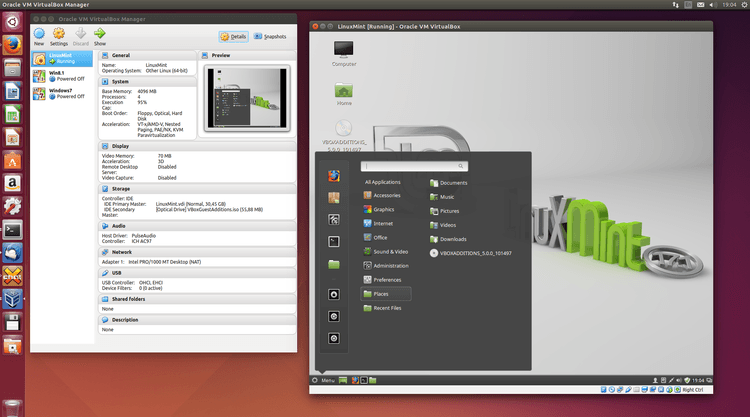
How to Install Virtualbox 5.1.10 in Ubuntu. Virtualbox is a full virtualizer for x86 hardware. Virtualbox 5.1.10 is the latest release which brings various GUI and API changes. VirtualBox 5.1.10 (released 2016-11-21) This is a maintenance release. The following items were fixed and/or added: GUI: the USB filter settings dialog should allow to specify the […]