

Install Komodo Edit 10.1 in Ubuntu 16.10 and Ubuntu 16.04. Komodo Edit is a free text editor for dynamic programming languages. Komodo Edit editor provides all the basic and powerful functionality that one needs for programming. It includes debugging, unit testing, collaboration, or integration with build systems. Komodo Edit is a powerful editor that brings […]
Ubuntu
Latest Ubuntu news updates, Ubuntu tutorials and tips for Ubuntu Linux. Learn to use one the most popular Linux distros. Get the updates and latest releases for Ubuntu.
Add a Screensaver On Ubuntu Linux – Install XScreenSaver on Ubuntu 16.10/16.04
Add a Screensaver in Ubuntu Linux. How to install XScreenSaver on Ubuntu 16.04 and Ubuntu 16.10. Learn how to install xScreenSaver-extras on Ubuntu. XScreenSaver is a collection of about two hundred free screensavers for Unix and Linux Systems. XScreenSaver is the standard screen saver collection shipped on most Linux and Unix systems running the X11 […]
Linux Kernel 4.8.6 Stable – How To Install Linux Kernel 4.8.6 On Ubuntu
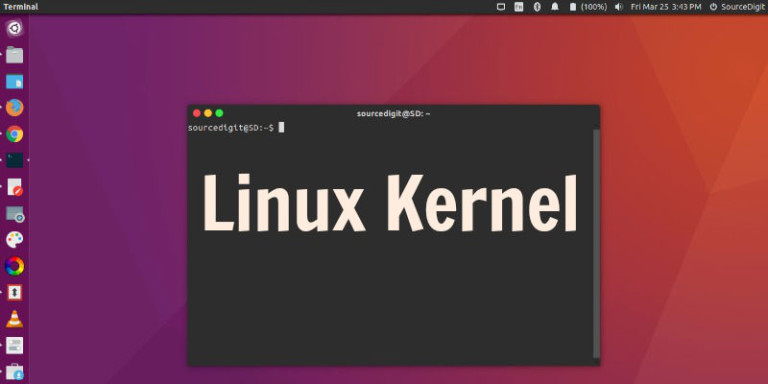
Linux Kernel 4.8.6 released. Here’s how to install Linux Kernel 4.8.6 in Ubuntu and Linux Mint Systems. Update to Kernel 4.8.6, which has been released with various networking fixes and driver updates. Kernel 4.8.6 is the latest Stable Kernel release. Install Linux Kernel 4.8.6 on 32 Bit Ubuntu Systems Run the following commands in Terminal […]
How to Change The Unity Dash Logo Icon in Ubuntu 16.04

Learn to change dash icon on Ubuntu. How to change the Unity Dash Icon in Ubuntu 16.04. One can change the Unity Dash icon by replacing the launcher_bfb.png file. On Ubuntu 16.04, change launcher icon using the method explained below: Unity Launcher Icon – BFB Icon The BFB icon or the Ubuntu logo (Unity Dash […]
Linux Kernel 4.9-RC4 Released – How To Install Linux Kernel 4.9-RC4 On Ubuntu
Linux Kernel 4.9-RC4 released. Here’s how to install Linux Kernel 4.9-RC4 in Ubuntu and Linux Mint Systems. Update to Kernel 4.9-RC4, which has been released with various networking fixes and driver updates. For example, the Git urls has been updated to use https over http and a scheduling domain for highest level cache is also […]
Install Flash For Chromium And Firefox On Ubuntu 16.10 And Ubuntu 16.04

Install Flash for Chromium and Firefox on Linux Ubuntu 16.10 and Ubuntu 16.04. Install pepperflashplugin-nonfree and browser-plugin-freshplayer-pepperflash. The pepperflashplugin-nonfree works for Chrome browser and browser-plugin-freshplayer-pepperflash works for Firefox browsers. Install pepperflashplugin-nonfree Ubuntu users can easily download and install pepperflashplugin-nonfree and browser-plugin-freshplayer-pepperflash. The plugin can be manually downloaded or can be installed via J Fernyhough PPA. […]