
How to install CherryTree Text Editor on Ubuntu 15.04, Ubuntu 14.04 and Derivatives. CherryTree is a text editor and a hierarchical note taking application featuring rich text and syntax highlighting features.
It comes with many exciting features such as syntax highlighting, spell check, export to html, password protection, rich text editing, syntax highlighting (supporting several programming languages), images handling, embedded files handling, intra application copy/paste, print & save as pdf file, export to html and others.
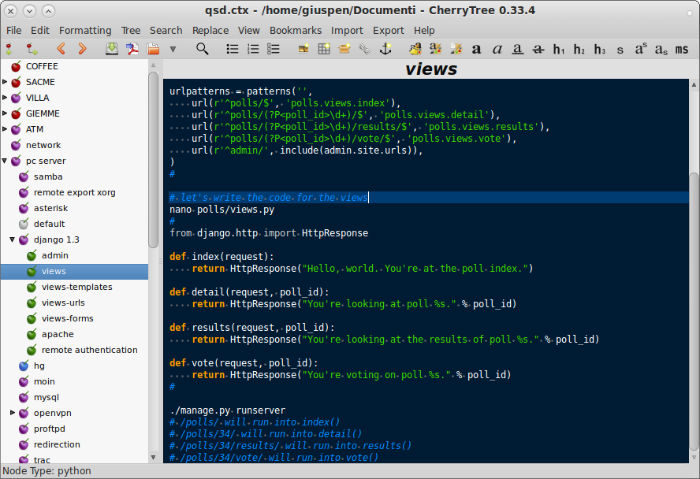
CherryTree 0.35.8, the latest version of CherryTree text editor has been released with the following changes:
- protected documents: better checks at extraction time to cope with 7zip extracting zero size files after a wrong password
- protected documents bugfix: windows 7za.exe wrong path detected causing wrong password error
- import from plain text file in WIN_OS allow user to select an extension different than txt (in linux any text file is automatically detected)
- changed behaviour of HOME and END key presses in text: at first press move the cursor to start or end of the line, at second go to smart start or end (start or end excluding spaces)
- dialog tablecolumnhandle: change active radiobutton with Tab and auto focus to text entry
- added support for Scala programming language (from gtksourceview-3.0/language-specs)
- bugfix in import from html and notecase and nested span tags
- bugfix: changing a node syntax highlighting from code to plain text and vice versa did not update the font
- bugfix: if a node has the read only property set, do not let the user change the node type
- bugfix: after changing node type from rich to non rich text, the undo removes all text
- bugfix: preferences dialog, the timestamp format help button was linked to a web page listing options not implemented in the python version; now the link goes to the exact python implementation
Install CherryTree 0.35.8 on Ubuntu Systems
CherryTree 0.35.8 can be installed on Ubuntu, Linux Mint and Derivatives via a third party PPA. Open Terminal and run the following commands in Terminal to install CherryTree 0.35.8:
sudo add-apt-repository ppa:vincent-c/cherrytree

sudo apt-get update

sudo apt-get install cherrytree
If you want to un-install or remove the newly installed CherryTree from Ubuntu and Ubuntu derivative system, run the following command:
sudo apt-get remove cherrytree