
• Skip to primary navigation
  • Skip to main content
  • Skip to primary sidebar
Source Digit

Source Digit

Linux, Ubuntu Tutorials & News, Technology, Gadgets & Gizmos

  • Home
  • How To
  • Ubuntu
  • Instagram
  • Blogging
  • Android
  • WordPress
  • +More
    • Cloud Computing
    • Gadgets
    • Social Media
    • Technology
  • Write for Us
Home / How To / Install Typhoon Weather Widget (Typhoon 0.8.9) on Ubuntu 15.04, Ubuntu 14.04 and Derivatives

Install Typhoon Weather Widget (Typhoon 0.8.9) on Ubuntu 15.04, Ubuntu 14.04 and Derivatives

By Sourabh / June 10, 2015 Category: How To, Ubuntu

Install Typhoon, the Best Weather Widget for Linux Ubuntu Systems. Terminal commands to install Typhoon Weather Widget on Ubuntu 15.04, Ubuntu 14.04 and Derivatives.

Typhoon is an open-source weather application which is inspired from Stormcloud 1.1. The Typhoon Weather Widget for Linux comes with many customizable settings. Users can change the colors and theme of the Typhoon Weather Widget. One can also adjust the Typhoon Weather Widget’s opacity.
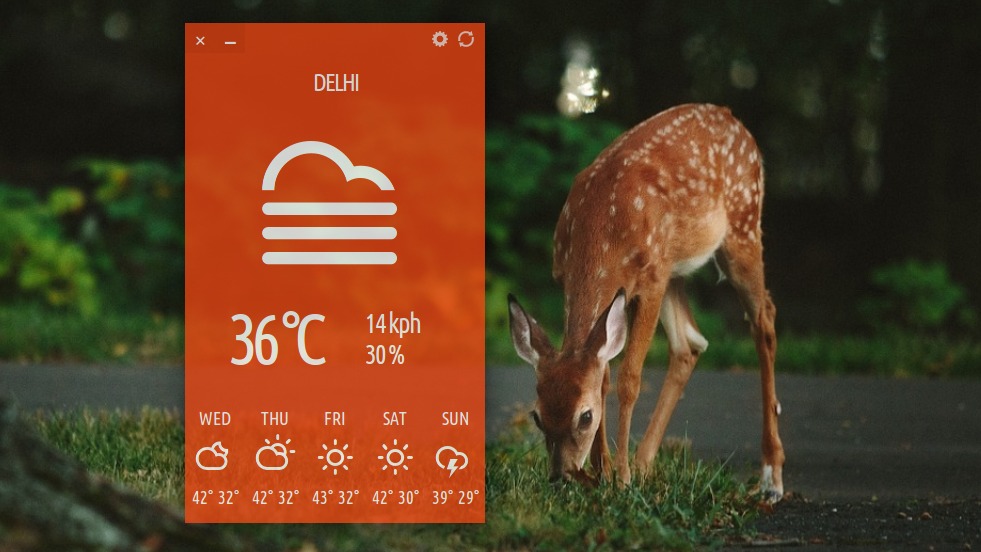
Typhoon-Linux-03

Install Typhoon Weather Widget (Typhoon 0.8.9)

Here’s how to install the latest release of the Typhoon Weather Widget (Typhoon 0.8.9). Open Terminal and run the following commands to install Typhoon Weather Widget on Linux Ubuntu Systems via third party PPA:


$ sudo add-apt-repository ppa:apandada1/typhoon
$ sudo apt-get update
$ sudo apt-get install typhoon

Once installed, open the Typhoon weather widget app from Ubuntu Dash. Open Dash and search for Typhoon. For the first time, users will have to set the city to fetch weather details. (see screenshot below).
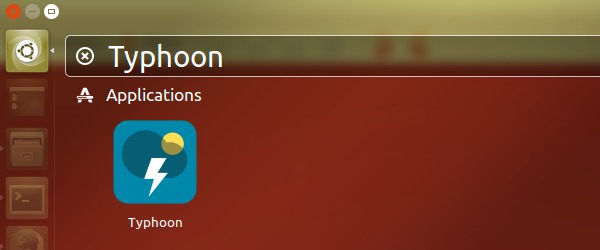
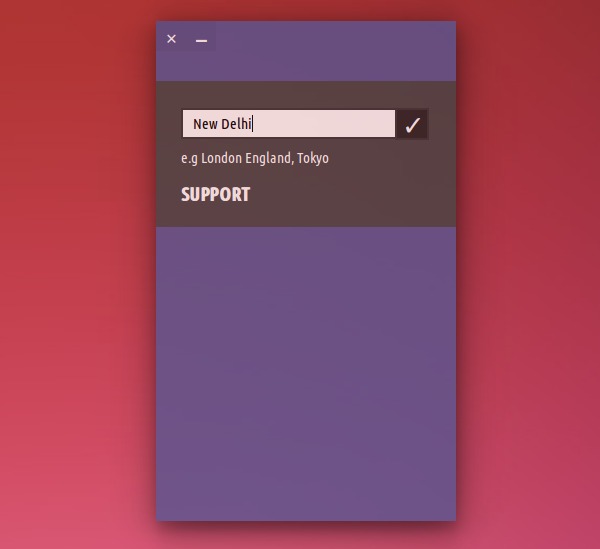
Typhoon-Linux-01


Typhoon-Linux-02


If you wish to making Typhoon visible in every workspace in Ubuntu System, follow the steps given below:

  • Install compizconfig-settings-manager if you haven’t already.
  • Install compiz-plugins.
  • Open up CompizConfig Settings Manager and enable the Window Rules plugin.
  • In the ‘Sticky’ field enter  class=Typhoon
  • Click back.
  • You are good to go!!

If  you wish to uninstall and remove Typhoon, run the below given command:

$ sudo apt-get remove typhoon

The same set of installation instructions can also be used for Ubuntu derivatives such as Linux Mint 17.2, Linux Mint 17.1, Linux Mint 17, Linux Mint 13, Pinguy OS 14.04, Elementary OS 0.3, Elementary OS 0.2, Deepin 2014, Peppermint 6, Peppermint 5 and LXLE 14.04.

Tags: Best Weather Widget for Ubuntu 14.04, Best Weather Widget For Ubuntu 15.04, Download Typhoon Weather Widget Linux Ubuntu, Install Typhoon Weather Widget (Typhoon 0.8.9), Install Typhoon Weather Widget (Typhoon 0.8.9) Linux, Install Typhoon Weather Widget (Typhoon 0.8.9) Ubuntu, Install Typhoon Weather Widget Linux Ubuntu, The Best Weather Widget For Linux, Typhoon Weather Widget Linux Ubuntu, Typhoon Weather Widget Ubuntu, Ubuntu 14.04, Ubuntu 15.04, Ubuntu Weather Widget, Weather Widget For Ubuntu

Primary Sidebar

Latest Posts

Using Linux Terminal How To Get Total Disk Size In GB

Count And Find Number Of Files In A Linux Directory Using Command

Check How Many Users Are Created In Linux Ubuntu

How To Check User Permissions In Linux Using Command

Check Which Folder Is Taking More Space In Ubuntu Linux

How to Install Claude Desktop App in Ubuntu Linux

Job Scheduling Using At Command In Linux With Examples

How To Check Permissions Of A Directory In Linux Command

Delete Directory And Contents Recursively Without Prompt On Linux

Check User Login History In Ubuntu Linux Command Line

© 2026 Source Digit • Linux, Ubuntu Tutorials & News, Technology, Gadgets & Gizmos

  • Home
  • About
  • Privacy Policy
  • Terms & Conditions
  • Contact Us
  • Sitemap