
Install Fotoxx 15.09 on Ubuntu 15.04, Ubuntu 14.04 and Linux Mint. Fotoxx image editor & viewer is an open source Linux program for editing photos or other images and managing a large collection. Fotoxx can import RAW images and perform all processing in deep color (24 bits per color are used internally). Edited images can be saved as JPEG, TIFF (8/16 bits/color), or PNG (8/16 bits).
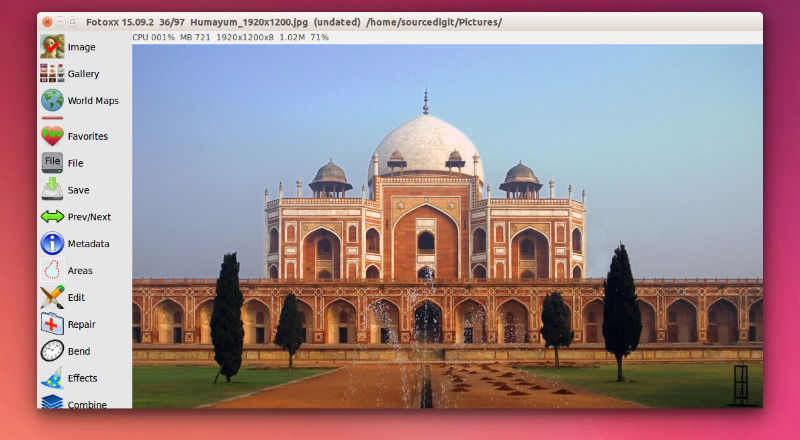
Fotoxx has many editing tools that go beyond changing brightness, contrast and color. Images with severe problems (underexposed, false colors, blurred, uneven lighting, hazy/foggy background) can be brought back to life. Several tools are available to change size and shape: crop, resize, rotate, fix perspective, flatten curved book pages, curve/warp the whole image or selected areas within the image.
The goal is to meet the needs of serious photographers while remaining fast and easy to use. Fotoxx 15.09 is the latest version available of the Fotoxx image editor. The Fotoxx 15.09 has been released with the following changes:
- Program code was revised for latest GTK API breakage (in Ubuntu 15.10).
- The font size used in menus and dialogs can now be set by the user.
- Panorama: about 20% faster (3 images x 7 megapixels, 2 GHz CPU, 18 secs).
- Paint Transparency: response lag with large images was eliminated.
- Area Copy and Paste was reinstated (faster and easier than file save and open).
- Use of alpha channel for vacated margins was extended to all bend functions.
- New: Calibrate Printer: tool to improve image print color accuracy.
Install Fotoxx 15.07 on Ubuntu 15.04, Ubuntu 14.04 & Derivatives
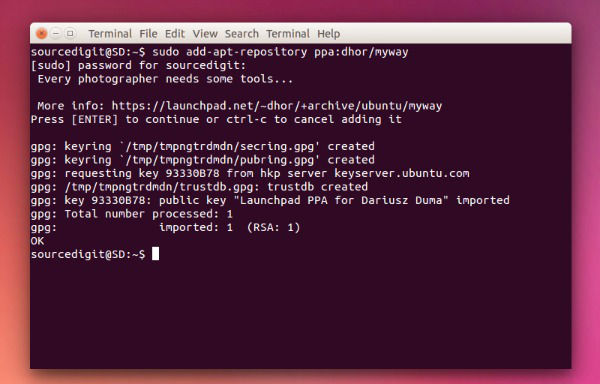
To install Fotoxx 15.07 on Ubuntu 15.04, Ubuntu 14.04 and Derivatives, run the following command in Terminal:
sudo add-apt-repository ppa:dhor/myway

sudo apt-get update

sudo apt-get install fotoxx
Downloads (for Linux only)
Fotoxx can be downloaded from many places. Watch out for very old releases. The current release is here:
Packages for many other Linux flavors: http://pkgs.org/search/fotoxx Instructions for Fedora: kornelix.com/fotoxx-fedora
To uninstall and remove Fotoxx 15.09 from Ubuntu Systems, run the following command:
sudo apt-get remove fotoxx