How to install SMPlayer 15.11.0 media player on Linux Ubuntu 15.10, Ubuntu 15.10, Ubuntu 15.04, Ubuntu 14.04 and Linux Mint Systems. SMPlayer media player for Ubuntu comes with built-in codecs and play all audio and video formats.
SMPlayer is a free media player for Windows and Linux with built-in codecs that can play virtually all video and audio formats. It doesn’t need any external codecs. Just install SMPlayer and you’ll be able to play all formats without the hassle to find and install codec packs. 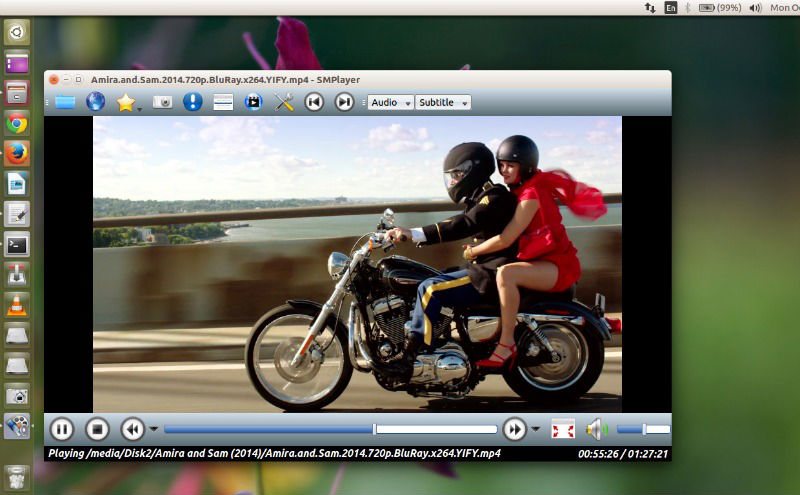
SMPlayer – The Most Powerful Media Player for Linux
- Play all media formats – SMPlayer supports the most known formats and codecs: avi, mp4, mkv, mpeg, mov, divx, h.264… you can play all of them, thanks to its built-in codecs. You don’t need to find and install third party codecs.
- Support for YouTube – SMPlayer can play YouTube videos and it’s also available an optional plugin to search for YouTube videos.
- Subtitles download – SMPlayer can search and download subtitles from opensubtitles.org.
Install SMPlayer 15.11.0 on Ubuntu
SMPlayer 15.11.0 has been released with the following changes and fixes:
- Fix for YouTube.
(Experimental) Support for YouTube live streams. - The thumbnail generator is much faster now.
- New options to seek to the previous or next subtitle (mpv only).
- New option to select the image format for the screenshots (mpv only).
- Fix a crash when changing the GUI.
- New option that allows to center the window automatically.
- A tooltip is now displayed in the time slider with the corresponding time of the mouse position.
(Find subtitles) New option to specify if the language code should be appended to the subtitle filename. - When adding files to the playlist the first item is moved to its correct place in the list.
(Experimental) New action to start/stop capturing the playback stream. The captured stream will be saved to the folder specified in the smplayer.ini option capture_directory with the name capture_NNNN.dump. It only works correctly with mpeg. With other formats the dumped stream won’t play back. - Disable the extrastereo and karaoke filters when using mpv.

Run the following commands in Terminal to install SMPlayer 15.9, via PPA, on Ubuntu:
$ sudo add-apt-repository ppa:rvm/smplayer

$ sudo apt-get update

$ sudo apt-get install smplayer
Once installed, you can open the SMPlayer from Ubuntu Dash.