• Skip to primary navigation
  • Skip to main content
  • Skip to primary sidebar
Source Digit

Source Digit

Linux, Ubuntu Tutorials & News, Technology, Gadgets & Gizmos

  • Home
  • How To
  • Ubuntu
  • Instagram
  • Blogging
  • Android
  • WordPress
  • +More
    • Cloud Computing
    • Gadgets
    • Social Media
    • Technology
  • Write for Us
Home / How To / Install HandBrake 0.10.5 – Video Converter For Linux Ubuntu Systems

Install HandBrake 0.10.5 – Video Converter For Linux Ubuntu Systems

By Sourabh / May 30, 2016 Category: How To, Ubuntu

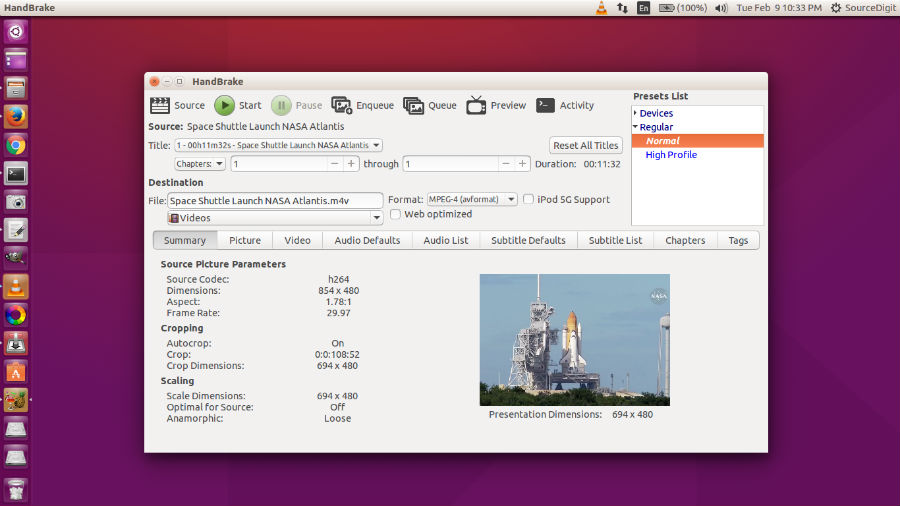
Convert videos on Linux Ubuntu, via HandBrake software. Install HandBrake on Ubuntu 15.10, Ubuntu 15.04, Ubuntu 14.04 and Ubuntu 14.10 Systems. HandBrake is a tool for converting video from nearly any format to a selection of modern, widely supported codecs.

HandBrake comes with many powerful features such as built-in device presets and large number of multimedia file format support. The HandBrake software supports various outputs such as:

  • File Containers: .MP4(.M4V) and .MKV
  • Video Encoders: H.264(x264 and QuickSync), H.265 MPEG-4 and MPEG-2, VP8 and Theora
  • Audio Encoders: AAC / HE-AAC, MP3, Flac, AC3, or Vorbis
  • Audio Pass-thru: AC-3, DTS, DTS-HD, AAC and MP3 tracks
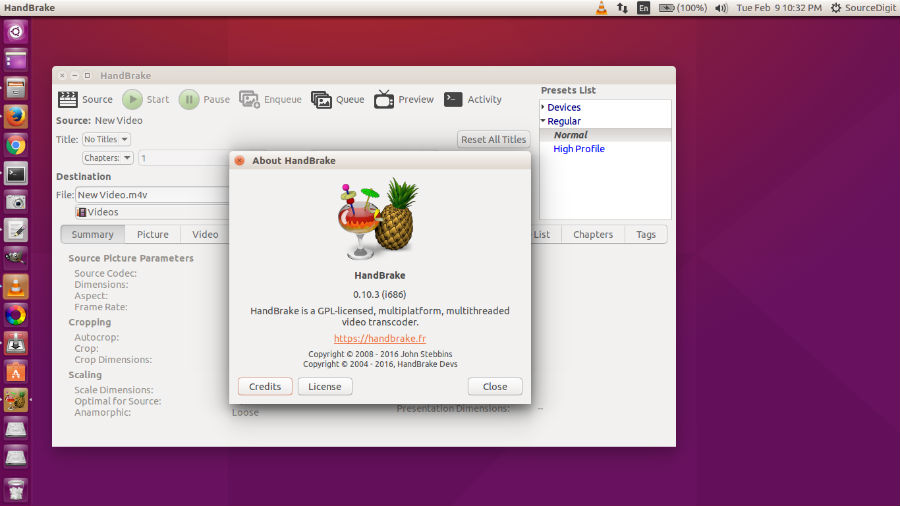
handbrake-about

handbrake-ubuntu-15

Even more features

  • Title / chapter and range selection
  • Queue up multiple encodes
  • Chapter Markers
  • Subtitles (VobSub, Closed Captions CEA-608, SSA, SRT)
  • Constant Quality or Average Bitrate Video Encoding
  • Support for VFR, CFR and VFR
  • Video Filters: Deinterlacing, Decomb, Denoise, Detelecine, Deblock, Grayscale, Cropping and scaling
  • Live Video Preview

HandBrake 0.10.5 Release Highlights

  • Removal of FDK AAC from our binary releases. –enable-fdk is required for “non-free” builds if compiling from source.
  • Updated x265 to 1.9 which brings bug fixes and performance improvements.
  • Few minor bug fixes since the 0.10.3 release. This includes improvements in large AVI file handling.

Install HandBrake on Ubuntu

Install Handbrake in Ubuntu
handbrake-cli

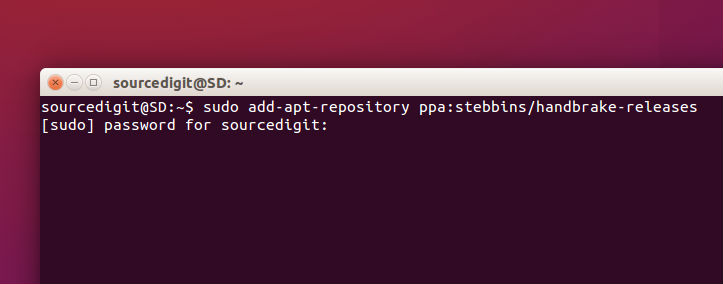
For Linux Ubuntu systems, Handbrake can be installed in CLI ( Command Line Interface) and GUI (Graphical User Interface) variants. Open Terminal and run the following commands in Terminal:

sudo add-apt-repository ppa:stebbins/handbrake-releases
sudo apt-get update
sudo apt-get install handbrake

Run the following commands to install Handbrake GUI:

sudo apt-get install handbrake-gtk

Run the following commands to install HandBrake CLI:

sudo apt-get install handbrake-cli

Once installed, open the Handbrake application from Ubuntu dash or menu.


Tags: Best Video Converter Ubuntu, CLI Video Converter Ubuntu, HandBrake 0.10.5, HandBrake 0.10.5 Install, HandBrake 0.10.5 Released, HandBrake 0.10.5 Ubuntu, HandBrake Ubuntu Install, HandBrake Ubuntu Install Wget, HandBrake Ubuntu PPA, Handbrake Ubuntu Video Converter, HandBrake Video Converter For Linux Ubuntu Systems, Handbrake Video Converter Ubuntu, Install HandBrake 0.10.5, Install HandBrake on Ubuntu, Install Handbrake On Ubuntu Systems, Install Handbrake Video Converter Ubuntu, Install Video Converter Ubuntu, Terminal Video Converter Ubuntu, Top Video Converter Ubuntu, Ubuntu HandBrake 0.10.5, Ubuntu Handbrake Video Converter, Ubuntu PPA Handbrake, Video Converter Ubuntu, Video Converter Ubuntu Handbrake, Video Converter Ubuntu Install

Primary Sidebar

Latest Posts

Delete Directory And Contents Recursively Without Prompt On Linux

Check User Login History In Ubuntu Linux Command Line

Use Locate Command To Find File In Linux Terminal By Name

How To Change Terminal Color In Ubuntu Command Line

How To Run Fsck Manually In Linux To Fix Unexpected Inconsistency

How To Fix Broken Packages On Ubuntu From Terminal

Re Execute The Previous Command In Linux Ubuntu Command Line

How Much RAM Is Needed For Ubuntu PC

How To Find Large Files And Directories In Linux Command Line

How To Use Clear Command History In Linux Terminal

© 2026 Source Digit • Linux, Ubuntu Tutorials & News, Technology, Gadgets & Gizmos

  • Home
  • About
  • Privacy Policy
  • Terms & Conditions
  • Contact Us
  • Sitemap