
GIMP Image Editor for Linux Ubuntu Systems. Install GIMP 2.9 on Ubuntu 16.04, Ubuntu 15.10, Ubuntu 14.04, Linux Mint and Derivatives. GIMP is a free and open source, cross-platform image editor available for GNU/Linux, OS X, Windows and more. GIMP enables high quality photo manipulation and original artwork creation.

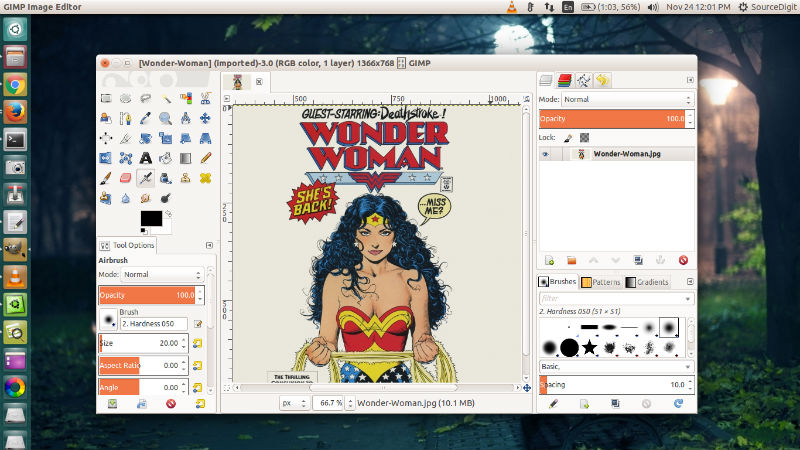
GIMP 2.9.2
GIMP 2.9.2 introduces various changes and fixes:
- Unified Transform, designed by Peter Sikking and implemented by Mikael Magnusson, combines rotation, scaling, skewing, and adjusting perspective in a single tool.
- Warp Transform, implemented by Michael Muré, replaces the old iWarp plugin and provides its features in a tool that works directly on images, without a preview window.
- Blend tool, worked on by Michael Henning, is now more interactive. After drawing with the tool to define the beginning and the end of the gradient fill, you can adjust start/end positions and change colors.
- Align tool now features vertical and horizontal fill modes thanks to João S. O. Bueno.
- Foreground Select tool can finally make subpixel selections in complex cases such as strays of hair on textured background. Two new masking methods for that were added by Jan Rüegg and Daniel Sabo, and the user interface was updated by Michael Natterer.
- Seamless Clone simplifies merging one image into another by adjusting brightness and colors of the pasted image to match the look of the image it is pasted to.
- MyPaint Brush tool.Apart from the newly added experimental MyPaint Brush tool, there are several major and minor changes:
- Canvas rotation and flipping have been added to facilitate users who need to paint from a different angle or check composition for errors.
- You can optionally lock brush size to zoom.
- All tools that use GIMP’s brush engine now have hardness and force sliders.
- File Format Support GIMP now features basic support for OpenEXR files, both loading and exporting. Additionally, GIMP 2.9.2 features initial support for WebP images, also both loading and exporting. Missing features so far are ICC profiles, metadata, and animation.
Please note that all the experimental tools are subject to performance optimizations, bugfixes, user interface redesign etc.
Install Gimp
Ubuntu, Mint, or Debian users can run apt-get install gimp to install GIMP. Ubuntu users may also install GIMP from Software Centre, this includes recent GIMP versions from PPAs. GIMP 2.9 can be installed on Ubuntu Systems via Otto’s PPA. Run the following commands in Terminal to install GIMP 2.9 on Ubuntu 15.10, Ubuntu 14.04, Linux Mint 17.x, Elementary OS and Derivatives:
$ sudo add-apt-repository ppa:otto-kesselgulasch/gimp

$ sudo apt-get update

$ sudo apt-get install gimp
Once installed, you can open the GIMP app from Ubuntu Dash.