
Install Ubuntu Weather Indicator, via PPA. How to install My Weather Indicator with (Weather Widget) on Ubuntu 16.04, Ubuntu 15.04, Ubuntu 14.04, Ubuntu 15.10 and Ubuntu 14.10 Systems. This tutorial explains how to install and setup ‘My Weather Indicator’ in Ubuntu.
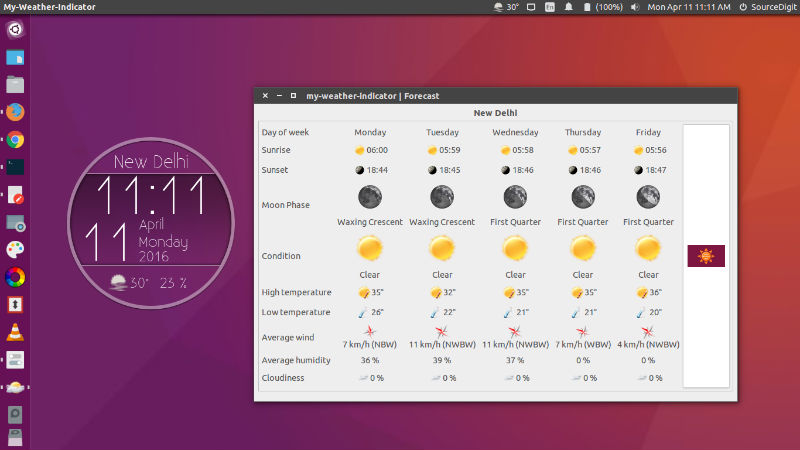
My Weather Indicator for Ubuntu is a leading indicator that lets you have at hand , the weather situation up two locations in the area of indicators. My Weather Indicator for Ubuntu can display the current weather situation and various weather data such as:
- Temperature
- Pressure
- Humidity
- Thermal sensation
- Dew point
- The speed and wind direction
- Cloudiness
- Time sunrise, sunset and twilight.
- Moon phase
Furthermore, this indicator allows us to forecast information for the next hours and days of the temperature, humidity and cloudiness. It also allows us to see a map of the current situation, in which we can select the parameters to display. It also have information for the following days of the most important parameters:
- Time of sunrise and sunset
- Moon phase
- The weather condition
- The maximum and minimum temperature
- The direction and speed of the medium
- Moisture and cloudiness
Besides all this , My- Weather- Indicator gives you the opportunity to put widgets on the desktop, depending on the configuration, can be above or below all windows. You have different designs, but you can create your own designs. Here you can see some examples of design.
Install My-Weather-Indicator in Ubuntu
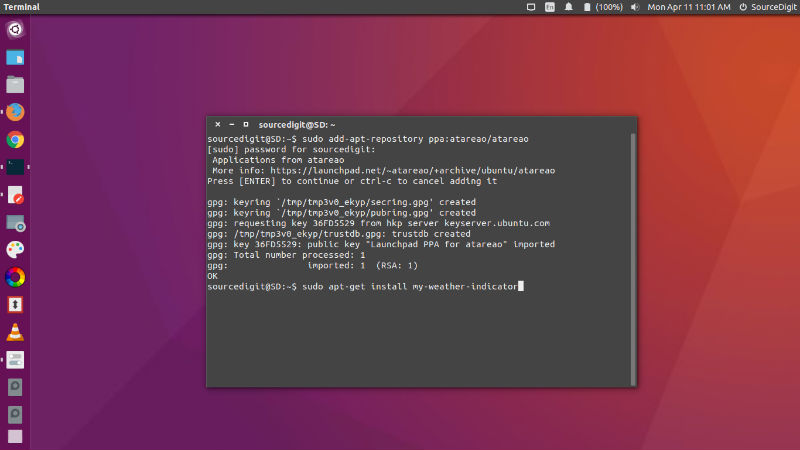
Run the following commands in Terminal to install My Weather Indicator in Ubuntu Systems:
sudo add-apt-repository ppa:atareao/atareao

sudo apt-get update

sudo apt-get install my-weather-indicator
Once installed, open the Weather widget from Ubuntu Dash or Terminal. To use it on the Ubuntu Desktop, you will have to configure it.
From the display menu you can access the application settings , where in addition to select the location where you are or leave it to the select the application itself, you can choose the widget, if display temperature and notifications. You can also choose the Service forecast, although currently works best OpenWeatherMap.
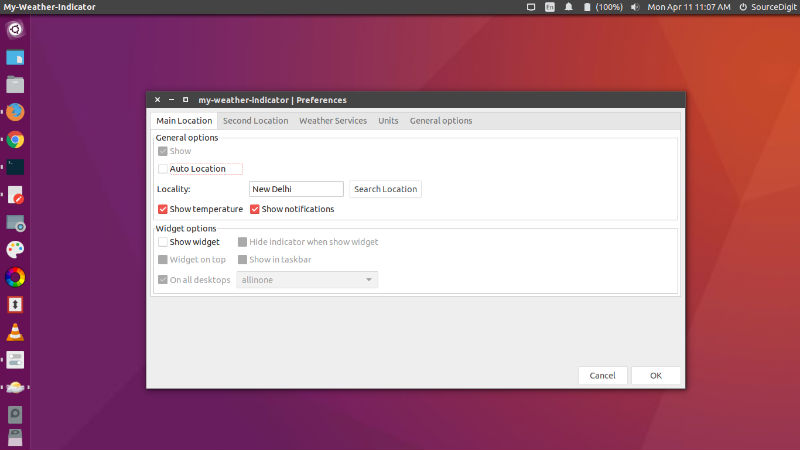
You can select the units in which see each meteorological parameters. And finally , some general options such as the possibility of automatic startup, the update frequency and the theme of the icons ( light and dark) , depending on the theme you have installed .
https://launchpad.net/~atareao