
• Skip to primary navigation
  • Skip to main content
  • Skip to primary sidebar
Source Digit

Source Digit

Linux, Ubuntu Tutorials & News, Technology, Gadgets & Gizmos

  • Home
  • How To
  • Ubuntu
  • Instagram
  • Blogging
  • Android
  • WordPress
  • +More
    • Cloud Computing
    • Gadgets
    • Social Media
    • Technology
  • Write for Us
Home / Ubuntu / How To Install GNU Emacs 25.1 Text Editor On Ubuntu 16.04

How To Install GNU Emacs 25.1 Text Editor On Ubuntu 16.04

By Sourabh / September 19, 2016 Category: How To, Ubuntu

How to install GNU Emacs 25.1 on Ubuntu 16.04. GNU Emacs text editor for Linux Ubuntu is the most popular Emacs text editor. Emacs is one of the oldest and most versatile text editors available for Linux and UNIX-based systems. It’s been around for a long time (more than twenty years for GNU emacs) and is well known for its powerful and rich editing features. It was created by GNU Project founder Richard Stallman.
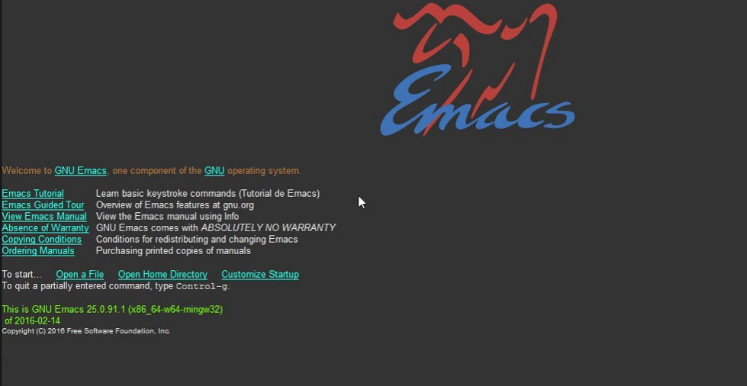
gnu-emacs

GNU Emacs 25.1

GNU Emacs text editor finally reached the 25.1 release last night. Here’s how you can install it in Ubuntu 16.04 and Ubuntu 16.10.

Emacs 25.1 release highlights:

  • Emacs can now load shared/dynamic libraries (modules)
  • Experimental support for Cairo drawing
  • Enhanced network security (TLS/SSL certificate validity and the like)
  • New minor mode ‘electric-quote-mode’ for using curved quotes as you type
  • Character folding support in isearch.el
  • Xwidgets: a new feature for embedding native widgets inside Emacs buffers
  • New and improved facilities for inserting Unicode characters

Install GNU Emacs 25.1 in Ubuntu

Before you install GNU Emacs 25.1 on Ubuntu, install dependencies using the following command:

sudo apt install build-essential checkinstall
sudo apt-get build-dep emacs24

Once the dependencies are installed, download and install GNU Emacs 25.1 on Ubuntu 16.04, Ubuntu 15.04, Ubuntu 14.04 and other Ubuntu Derivatives:

sudo apt-get update
sudo wget http://ftp.gnu.org/gnu/emacs/emacs-25.1.tar.gz
sudo tar xzvf emacs-25.1.tar.gz
cd ~/Downloads/emacs-25.1
./configure
make
sudo checkinstall

Once installed, open Emacs from Ubuntu Dash or run command emacs in Terminal to launch the app.

Remove Emacs

If you wish to uninstall and remove the Emacs from Ubuntu Systems, run the following command:

sudo dpkg -r emacs-25

Tags: Emacs Text Editor On Ubuntu, GNU Emacs 25.1 Text Editor, GNU Emacs 25.1 Text Editor Ubuntu, GNU Emacs 25.1 Text Editor Ubuntu 16.04, GNU Emacs Text Editor, GNU Emacs Text Editor Ubuntu, GNU Emacs Text Editor Ubuntu 16.04, GNU Emacs Text Editor Ubuntu 16.10, GNU Emacs Ubuntu, GNU Emacs Ubuntu 16.04, GNU Emacs Ubuntu 16.10, Install Emacs Text Editor On Ubuntu, Install Emacs Text Editor On Ubuntu 16.10, Install GNU Emacs 25.1 On Ubuntu, Install GNU Emacs 25.1 Text Editor On Ubuntu, Install GNU Emacs 25.1 Text Editor On Ubuntu 16.04, Install GNU Emacs On Ubuntu, Install GNU Emacs On Ubuntu 16.10, Ubuntu 16.04 GNU Emacs, Ubuntu 16.04 GNU Emacs 25.1 Text Editor, Ubuntu 16.04 GNU Emacs Text Editor, Ubuntu 16.10 GNU Emacs, Ubuntu 16.10 GNU Emacs Text Editor, Ubuntu 16.10 Install Emacs Text Editor, Ubuntu GNU Emacs, Ubuntu GNU Emacs 25.1 Text Editor, Ubuntu GNU Emacs Text Editor

Primary Sidebar

Latest Posts

Delete Directory And Contents Recursively Without Prompt On Linux

Check User Login History In Ubuntu Linux Command Line

Use Locate Command To Find File In Linux Terminal By Name

How To Change Terminal Color In Ubuntu Command Line

How To Run Fsck Manually In Linux To Fix Unexpected Inconsistency

How To Fix Broken Packages On Ubuntu From Terminal

Re Execute The Previous Command In Linux Ubuntu Command Line

How Much RAM Is Needed For Ubuntu PC

How To Find Large Files And Directories In Linux Command Line

How To Use Clear Command History In Linux Terminal

© 2026 Source Digit • Linux, Ubuntu Tutorials & News, Technology, Gadgets & Gizmos

  • Home
  • About
  • Privacy Policy
  • Terms & Conditions
  • Contact Us
  • Sitemap