
How to install Vuze BitTorrent Client on Ubuntu. Vuze is currently one of the top bittorrent clients for Linux devices, where users are going out of their way, overlooking the default Ubuntu torrent client, to download and enjoy file sharing via Vuze. Vuze is a Java-based torrent client which is also a multi-functional program. It not only allow users peer-to-peer sharing, it also enables to convert files and even playback completed audio or video directly from the platform itself.
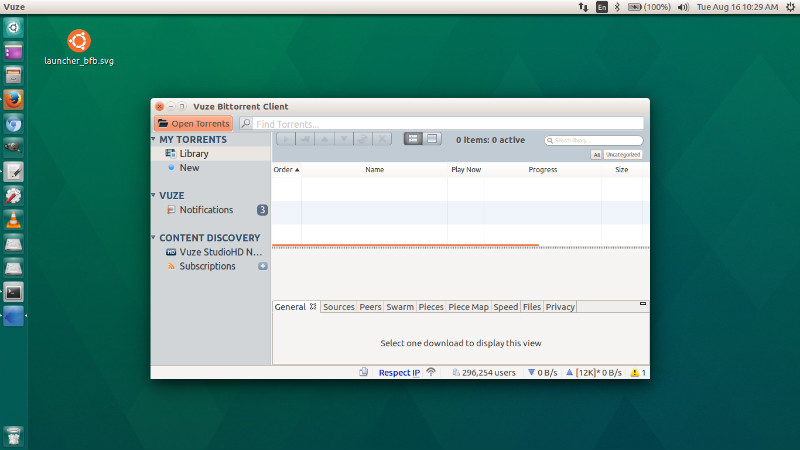
Vuze includes an HD video player plug-in as part of this torrent client for Ubuntu’s functionality. Users can play any video or audio files and even albums from the HD player seconds after download is complete, and with Vuze Plus you can even start playing the content while the content is downloading.
Vuze also comes with an inbuilt torrent download manager that lets you view the status of each of your bittorrent downloads. Once your downloaded torrents are finished Vuze makes it straightforward and simple to watch and listen to the content you downloaded. Vuze simply covers anything you’ll run into when downloading bittorrent torrents. Download the best torrent client and downloader in one today!
The Vuze Bittorrent client can download multiple torrents at the same time with priority control. The Vuze client automatically optimizes torrent downloads for your network. The Vuze client detects the network characteristics and adjusts settings to optimize torrent download performance.
Install Vuze in Ubuntu
To install the latest Vuze Bittorrent client on Ubuntu Systems, run the following commands in Terminal:
sudo sh -c 'echo "deb http://archive.getdeb.net/ubuntu xenial-getdeb apps" >> /etc/apt/sources.list.d/getdeb.list'

wget -q -O- http://archive.getdeb.net/getdeb-archive.key | sudo apt-key add -

sudo apt update

sudo apt install vuze
Please note to replace xenial in the first command as it is for Ubuntu 16.04. Which means to install Vuze on other Ubuntu Systems, you will have to change it to the respective Ubuntu code name. As Yakkety for Ubuntu 16.10.
Once installed, open the Vuze Torrent Client from Ubuntu Dash.