
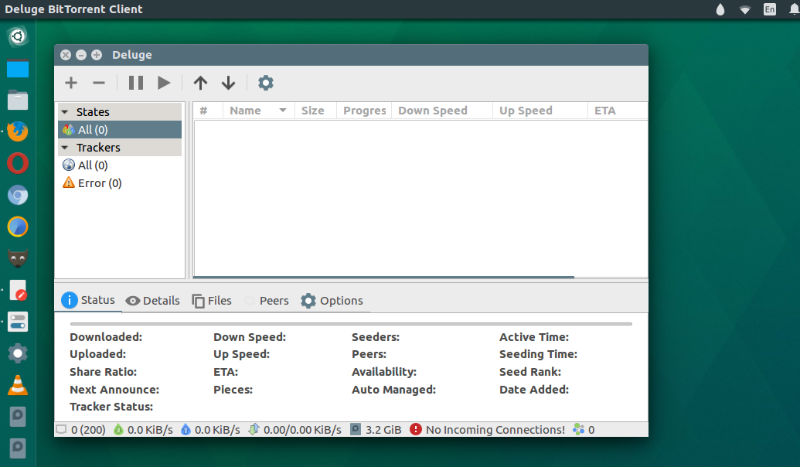
Deluge BitTorrent client 1.3.15 released. Install Deluge BitTorrent client on Ubuntu 17.04 and other Ubuntu Derivatives. Deluge 1.3.15 is a bug fix release that resolves a few issues introduced in 1.3.14 along with other minor fixes.
Deluge is a fully-featured cross-platform BitTorrent client. Deluge contains the common features to BitTorrent clients such as Protocol Encryption, DHT, Local Peer Discovery (LSD), Peer Exchange (PEX), UPnP, NAT-PMP, Proxy support, Web seeds, global and per-torrent speed limits.
Core
- #2991: Fix issues with displaying libtorrent single proxy.
- #3008: Fix libtorrent 1.2 trackers crashing Deluge UIs.
- #2990: Fix error in torrent priorities causing file priority mismatch in UIs.
GtkUI
- #3012: Configure gtkrc to use consistent button ordering on Windows.
- Fix column sort state not saved in Thinclient mode.
- #2786: Fix connection manager error with malformed ip.
- #2866: Rename SystemTray/Indicator? ‘Pause/Resume? All’ to ‘Pause/Resume? Session’.
- #2991: Workaround lt single proxy by greying out unused proxy types.
WebUI
- Security Fix: Check render template files exist otherwise raise 404.
Notification Plugin
- #2913: Fix webui passing string for int port value.
AutoAdd? Plugin
- Add WebUI preferences page detailing lack of configuration via WebUI.
Label Plugin
- Add WebUI preferences page detailing how to configure plugin.
Install Deluge BitTorrent Client
Open Terminal and run the following commands to install Deluge BitTorrent client on Ubuntu Systems:
sudo add-apt-repository ppa:deluge-team/ppa

sudo apt update

sudo apt install deluge
Once installed, open Deluge BitTorrent client from Ubuntu Dash or Terminal.
For whatever reason, you wish to remove and uninstall Deluge, run the commands given below to purge the PPA and remove Deluge BitTorrent client from Ubuntu Systems.
sudo apt install ppa-purge

sudo ppa-purge ppa:deluge-team/ppa