
Customize Ubuntu 15.04 – Download and install Ubuntu 15.04 Themes. Here’s the list of top 10 Ubuntu 15.04 Themes. Ubuntu Unity Themes collection for Ubuntu 15.04 (GTK+GNOME+UNITY).
Also Read:
- Transform Ubuntu into Mac OS X – MBuntu Y (MacBuntu) Transformation Pack for Ubuntu 15.04
- How To Install Themes In Ubuntu 15.04, Ubuntu 14.04 and Ubuntu 14.10
Ambiance & Radiance Flat Colors Theme
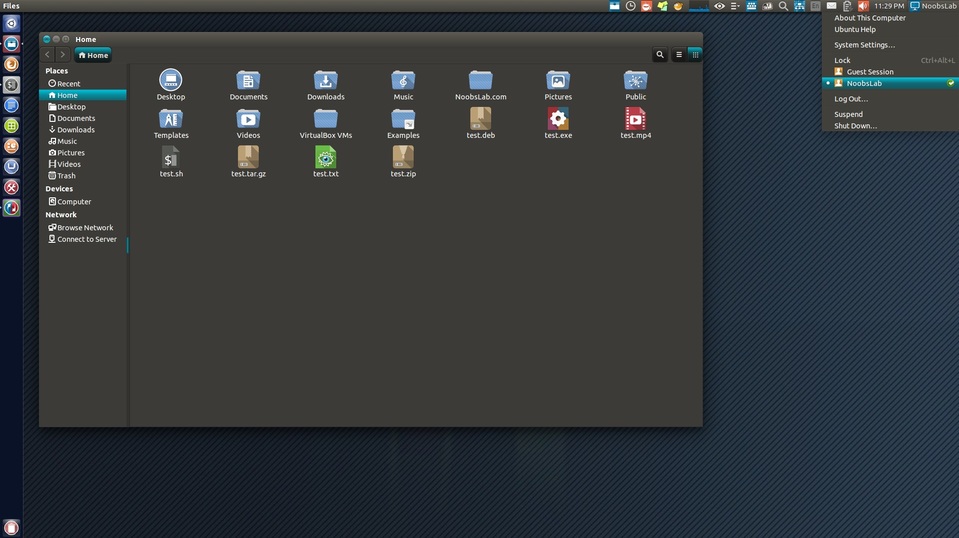
To install Ambiance & Radiance Flat Colors Theme in Ubuntu and Linux Mint, open Terminal and run the following commands:
sudo add-apt-repository ppa:ravefinity-project/ppa

sudo apt-get update

sudo apt-get install ambiance-flat-colors

sudo apt-get install radiance-flat-colors
Libra Ubuntu Theme

The Libra Ubuntu Theme is a beautiful theme for Ubuntu and Mint Systems. It can be installed on Ubuntu 15.04/14.10/14.04, Linux Mint 17.1/17 and Ubuntu derivatives. To install Libra Ubuntu Theme in Ubuntu and Linux Mint, open Terminal and run the following commands:
sudo add-apt-repository ppa:noobslab/themes

sudo apt-get update

sudo apt-get install libra-theme
Ambiance Dark Blue Theme
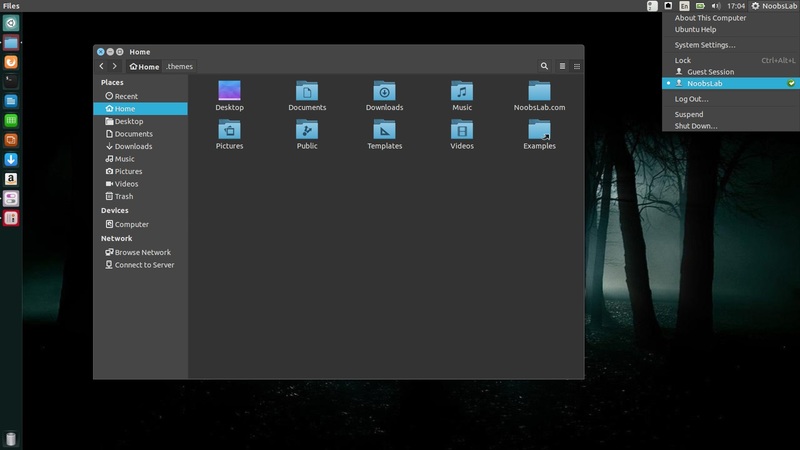
The Ambiance Dark Blue Theme is available for Ubuntu 15.04/14.1/14.04 and Linux Mint 17.1/17 Systems. To install Ambiance Dark Blue theme in Ubuntu/Linux Mint, open Terminal and run the following commands:
sudo add-apt-repository ppa:noobslab/themes

sudo apt-get update

sudo apt-get install ambiance-dark-blue
StylishDark Theme
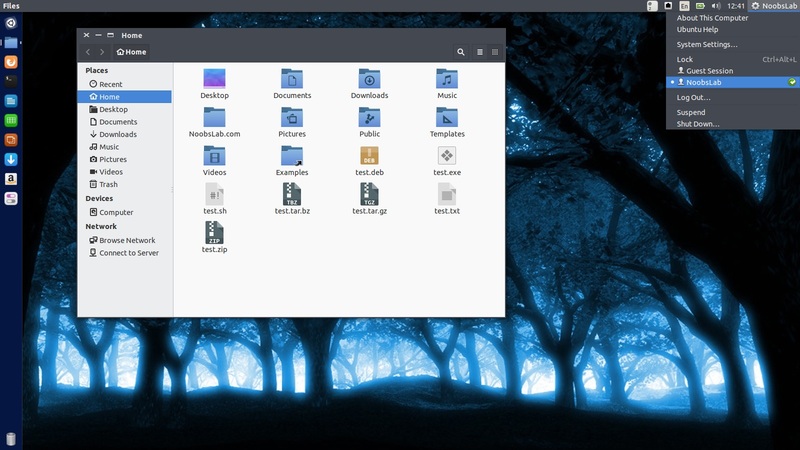
To install StylishDark theme in Ubuntu 15.04/14.10/14.04 and Linux Mint 17.1/17, run the following commands in the Terminal:
sudo add-apt-repository ppa:noobslab/themes

sudo apt-get update

sudo apt-get install stylishdark-theme
Ceti Theme
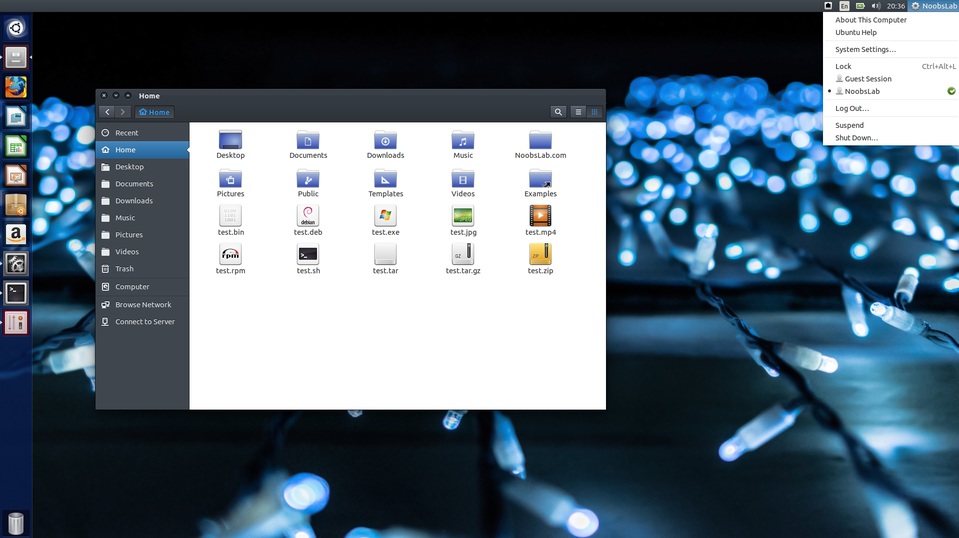
To install Ceti(2) theme in Ubuntu and Linux Mint, open Terminal and run the following commands:
sudo add-apt-repository ppa:noobslab/themes

sudo apt-get update

sudo apt-get install ceti-theme
Vertex Theme
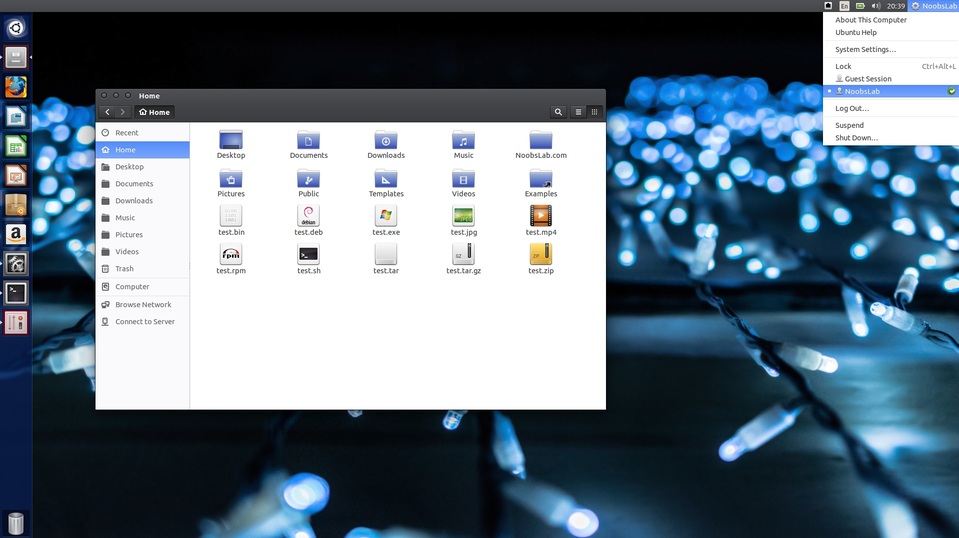
To install Vertex theme in Ubuntu and Linux Mint, open Terminal and run the following commands:
sudo add-apt-repository ppa:noobslab/themes

sudo apt-get update

sudo apt-get install vertex-theme
Zukitwo Theme
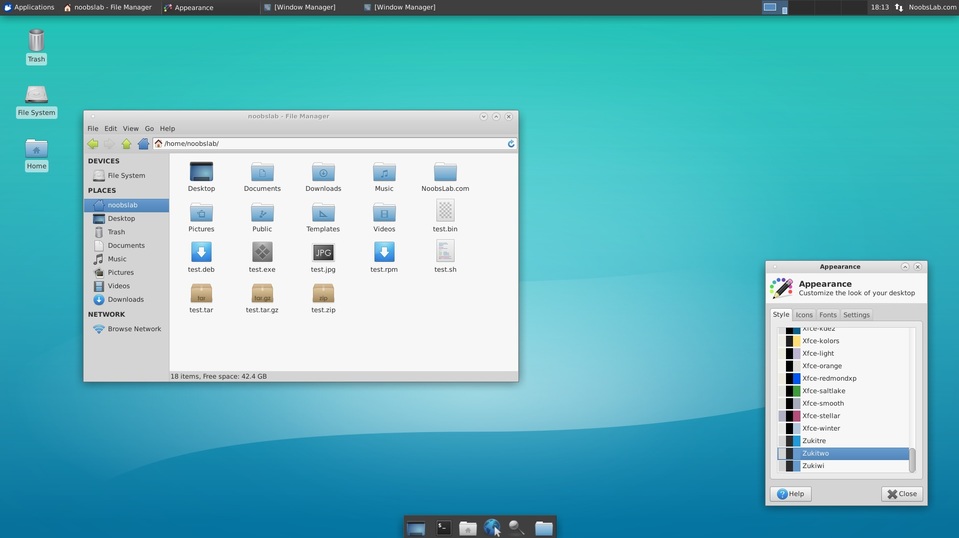
To install Zukitwo theme in Ubuntu and Linux Mint, open Terminal and run the following commands:
sudo add-apt-repository ppa:noobslab/themes

sudo apt-get update

sudo apt-get install zukitwo
Zukiwi Theme
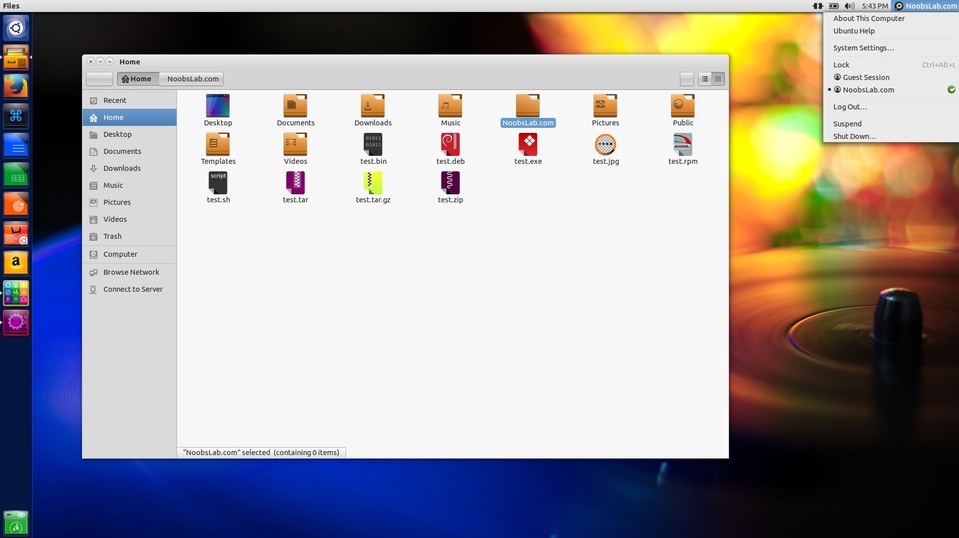
To install Zukiwi theme in Ubuntu and Linux Mint, open Terminal and run the following commands:
sudo add-apt-repository ppa:noobslab/themes

sudo apt-get update

sudo apt-get install zukiwi
Zukitre Theme
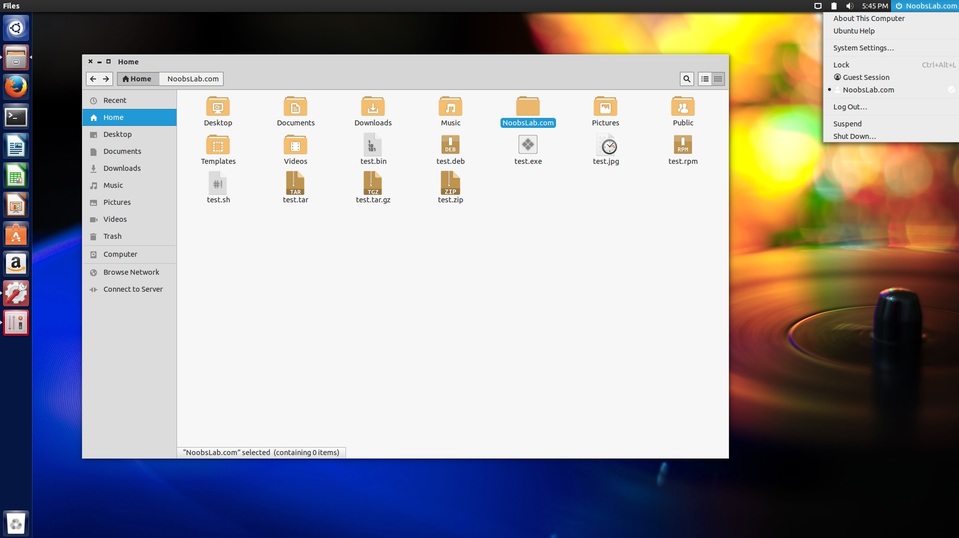
Available for Ubuntu 15.04 Vivid/other Ubuntu derivatives
To install Zukitre theme in Ubuntu and Linux Mint, open Terminal and run the following commands:
sudo add-apt-repository ppa:noobslab/themes

sudo apt-get update

sudo apt-get install zukitre
Ambiance Blackout Flat Colors Theme
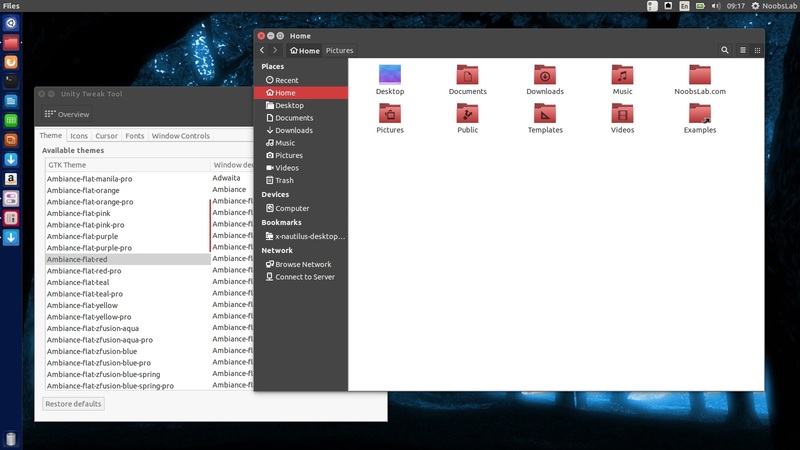
To install Ambiance Blackout Flat Colors Theme in Ubuntu and Linux Mint, open Terminal and run the following commands:
sudo add-apt-repository ppa:ravefinity-project/ppa

sudo apt-get update

sudo apt-get install ambiance-blackout-flat-colors
Images via NoobsLab