
Install qBittorrent on Ubuntu 15.10, Ubuntu 14.04 and Derivatives. qBittorrent 3.3.1 Bit Torrent Client has been released with various changes and improvements. qBittorrent, similar to µTorrent is a powerul torrent client for Linux Ubuntu Systems. qBittorrent has built-in search engine, supports torrent queueing and download prioritizing features. qBittorrent also comes with torrent creation tool.
qBittorrent 3.3.1 is the latest version of the qBittorrent software. It has been been released with the following changes:
FEATURE: New “Set as default label” option in Add torrent dialog.
FEATURE: Support wildcards for filtering torrent list and torrent content.
BUGFIX: Fix -1 is displayed instead of the infinity symbol.
BUGFIX: Fix scan dirs settings saving.
BUGFIX: Exported torrents now use name instead of hash.
BUGFIX: Improve upgrade to v3.3.0. Now undownloaded magnets will be migrated too.
BUGFIX: Fix wrong encoding for listen failed error message.
BUGFIX: Fix RSS not automarking articles as read.
BUGFIX: Fix possible deadlock during application exit.
WEBUI: Cookies support on WebUI when downloading torrent from a URL.
WEBUI: Modified download and upload windows to allow autocompletion of browsers.
WEBUI: Fixed the spinner in the WebUI upload page.
WEBUI: Modified height of the WebUI download page.
WEBUI: Fixed all the JavaScript functions for download and upload pages.
WEBUI: Add seeds tab to WebUI.
WEBUI: Bump WebUI API_VERSION.
COSMETIC: Cleanup “Trackers”, “Peers”, “HTTP Sources”, “Speed” and “Content” page layout.
COSMETIC: Reduce mainwindow border width.
COSMETIC: Use QLineEdit built-in ClearButton (Qt5 only).
COSMETIC: Change text description for half-open connection.
OTHER: Change update URL to FossHub.
Install qBittorrent on Ubuntu
Run the following commands in Terminal to install qBittorrent 3.2.4 on Ubuntu 15.04, Ubuntu 14.04 and Ubuntu 14.10 and Ubuntu Derivative Systems.
$ sudo add-apt-repository ppa:qbittorrent-team/qbittorrent-stable

$ sudo apt-get update

$ sudo apt-get install qbittorrent
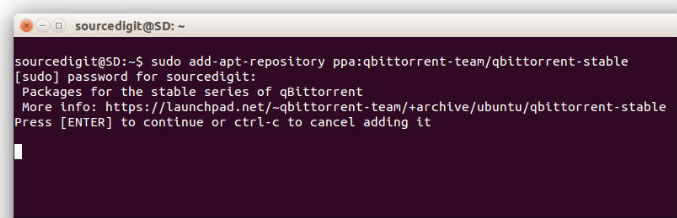
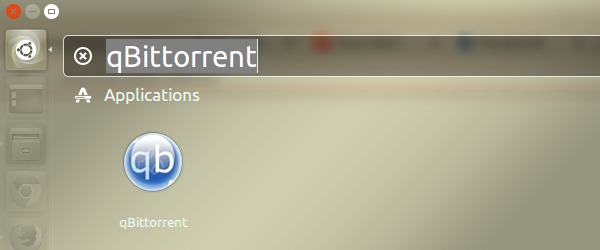
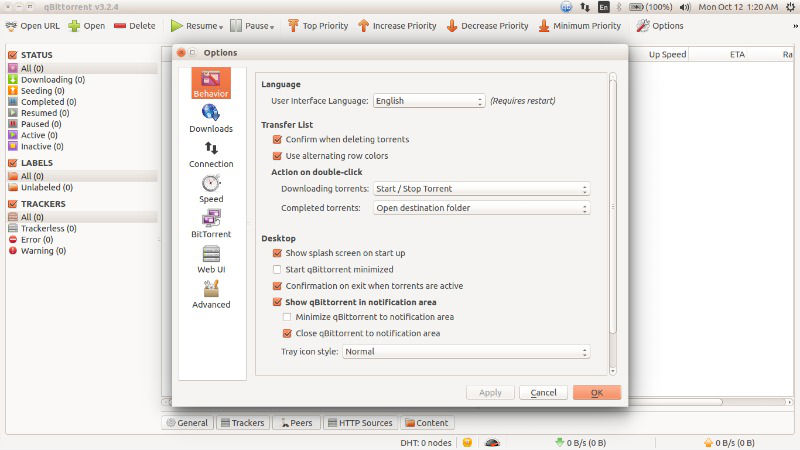
Once installed, open qBittorrent client via Ubuntu Dash (see screenshot blow).
If you don’t want to uninstall and remove qbittorrent from Ubuntu Systems, run the command given below:
$ sudo apt-get remove qbittorrent