
• Skip to primary navigation
  • Skip to main content
  • Skip to primary sidebar
Source Digit

Source Digit

Linux, Ubuntu Tutorials & News, Technology, Gadgets & Gizmos

  • Home
  • How To
  • Ubuntu
  • Instagram
  • Blogging
  • Android
  • WordPress
  • +More
    • Cloud Computing
    • Gadgets
    • Social Media
    • Technology
  • Write for Us
Home / How To / How To Install Vivaldi Web Browser On Ubuntu 16.04

How To Install Vivaldi Web Browser On Ubuntu 16.04

By Sourabh / July 19, 2016 Category: How To, Ubuntu

Terminal commands to install Vivaldi web browser on Ubuntu 16.04. Install Vivaldi Stable 1.2.490 or Vivaldi Snapshot 1.3.537 on Linux Ubuntu Systems.

Vivaldi 1.2.490.43 is the Stable release. Vivaldi Snapshot 1.3.537.5 is the Snapshot release. Vivaldi Snapshot 1.3.537.5 brings an improved proprietary media support on Linux. Which means, on Ubuntu Linux, you simply needed to install the chromium-codecs-ffmpeg-extra package (which provides a suitable library) and restart Vivaldi. The previous Vivaldi Snapshot 1.3.534.3 was released with better privacy features, more mouse gestures and an improved hibernation on Linux.

  • WebRTC IP Handling allows for easier implementation of voice, video chat and file sharing applications in the web browser, using HTML technologies (no plugins).
  • Tab Hibernation places tabs you don’t use into hibernation and frees up system resources. Just right-click on a tab or a tab stack to open the context menu. Choose Hibernate Tab to hibernate the selected tab or Hibernate Background Tabs to hibernate all other tabs in the window.
  • Mouse Gestures, included the ability to jump to the top of a page. To use the new gestures you need to activate them through the Mouse menu in Vivaldi Settings.

Install Vivaldi Web Browser
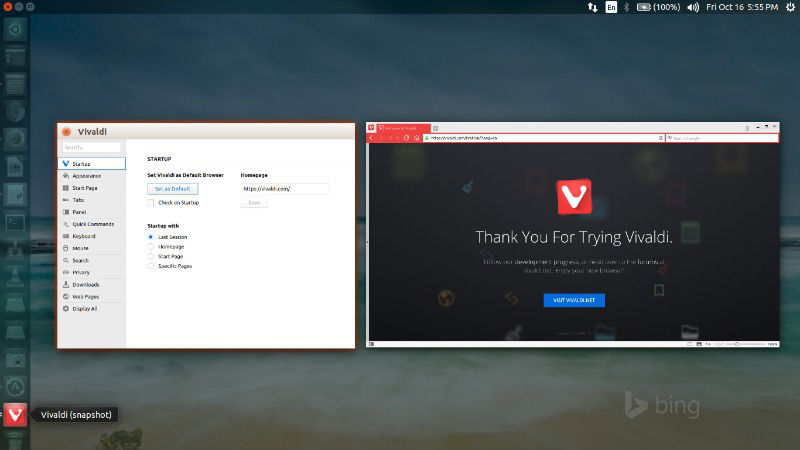
vivaldi-2015-2

Ubuntu users can download the Vivaldi deb/rpm package from Vivaldi website (https://vivaldi.com/download/) and directly install it with Ubuntu Software Center or Terminal commands.

Once downloaded, simply click the deb file to install or run the following commands to install via commandline:

$ sudo dpkg -i install vivaldi-stable*.deb

Install Chromium Codecs

Run the following commands in Terminal to install chromium-codecs for Vivaldi:

sudo apt-get install chromium-codecs-ffmpeg-extra pepperflashplugin-nonfree

Once installed, open Vivaldi web browser from Ubuntu Dash or Terminal. Run “vivaldi” command in Terminal. (without quotes).

Tags: DEB Vivaldi Web Browser, How To Install Vivaldi on Ubuntu 16.04, How To Install Vivaldi Web Browser On Ubuntu 16.04, Install Vivaldi on Ubuntu 16.04, Install Vivaldi Web Browser On Linux, Install Vivaldi Web Browser on Ubuntu, Install Vivaldi Web Browser On Ubuntu 16.04, Ubuntu 16.04 Download Vivaldi Web Browser, Ubuntu 16.04 Install Vivaldi Web Browser, Ubuntu Download Vivaldi Web Browser, Ubuntu Install Vivaldi Web Browser, Ubuntu PPA Vivaldi Web Browser, Vivaldi Snapshot 1.3.537, Vivaldi Snapshot 1.3.537.5, Vivaldi Stable 1.2.490, Vivaldi Web Browser DEB, Vivaldi Web Browser Ubuntu PPA

Primary Sidebar

Latest Posts

Delete Directory And Contents Recursively Without Prompt On Linux

Check User Login History In Ubuntu Linux Command Line

Use Locate Command To Find File In Linux Terminal By Name

How To Change Terminal Color In Ubuntu Command Line

How To Run Fsck Manually In Linux To Fix Unexpected Inconsistency

How To Fix Broken Packages On Ubuntu From Terminal

Re Execute The Previous Command In Linux Ubuntu Command Line

How Much RAM Is Needed For Ubuntu PC

How To Find Large Files And Directories In Linux Command Line

How To Use Clear Command History In Linux Terminal

© 2026 Source Digit • Linux, Ubuntu Tutorials & News, Technology, Gadgets & Gizmos

  • Home
  • About
  • Privacy Policy
  • Terms & Conditions
  • Contact Us
  • Sitemap