
How to install the latest qBitTorrent release on Ubuntu 16.04, qBittorrent 3.3.7 is a software alternative to µTorrent for Linux Ubuntu Systems. The latest release has removed KickassTorrents search engine, BTDigg search engine and update Torrentz search engine.
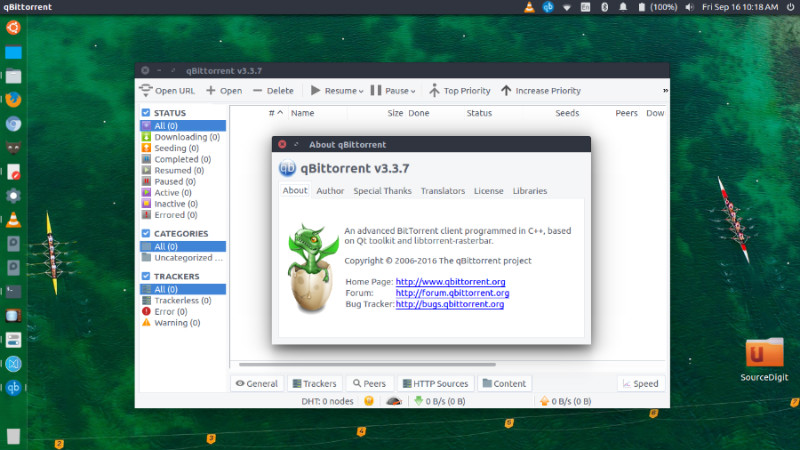
qBittorrent Features
- Polished µTorrent-like User Interface
- Well-integrated and extensible Search Engine
- Simultaneous search in most famous BitTorrent search sites
- Per-category-specific search requests (e.g. Books, Music, Movies)
- All Bittorrent extensions
- DHT, Peer Exchange, Full encryption, Magnet/BitComet URIs, …
- Remote control through a Web user interface
- Nearly identical to the regular UI, all in Ajax
- Advanced control over trackers, peers and torrents
- Torrents queueing and prioritizing
- Torrent content selection and prioritizing
- UPnP / NAT-PMP port forwarding support
- Available in ~41 languages (Unicode support)
- Torrent creation tool
- Advanced RSS support with download filters (inc. regex)
- Bandwidth scheduler
- IP Filtering (eMule and PeerGuardian compatible)
- IPv6 compliant
- Sequential downloading (aka “Download in order”)
- Available on most platforms: Linux, Mac OS X, Windows, OS/2, FreeBSD
qBittorrent v3.3.7
qBittorrent v3.3.7 was released. Minor bugfixes of v3.3.6. Mac OS X builds will be delayed a little bit because Qt 5.6.1 doesn’t play nice and I’ll need to rebuild 5.6.0.
- FEATURE: Delete torrent+files with Shift+Delete (pieniacy)
- BUGFIX: Fix 6-hour speedplot point push rate. Close #5545 (Daniel Segesdi)
- BUGFIX: Avoid spawning a new explorer.exe process when selecting “Open containing folder”. Closes #5564. (Chocobo1)
- BUGFIX: Fix loading of new geoip db due to an artificial size limit. (SagePtr)
- BUGFIX: Better error handling and logging with smtp communication. (Brian Kendall)
- SEARCH: Remove KickassTorrents search engine (ngosang)
- SEARCH: Remove BTDigg search engine (ngosang)
- SEARCH: Update Torrentz search engine (ngosang)
Install qBittorrent v3.3.7 on Ubuntu
qBittorrent is now available in official Ubuntu repositories. Run the following commands in terminal to install qBittorrent 3.3.7 on Ubuntu Systems:
sudo add-apt-repository ppa:qbittorrent-team/qbittorrent-stable

sudo apt-get update

sudo apt-get install qbittorrent
Please note that the stable PPA supports Ubuntu 12.04 LTS, 14.04 LTS, 14.10 and 15.04. The unstable PPA supports Ubuntu 14.04 LTS, 14.10 and 15.04.
Once installed, open the qBittorrent from Ubuntu Dash or Terminal.