

Install Flatpak on Ubuntu 19.10 and Ubuntu 19.04 system. Here are the terminal commands to install and add FlatPak Repository on Ubuntu and Linux Mint systems. Flatpak can be used with a total of 21 distros. Features of Flatpak 1. Create one app and distribute it to the entire Linux desktop market. 2. Runtimes provide […]
Calibre 4.0 Released – Install Calibre On Ubuntu Linux
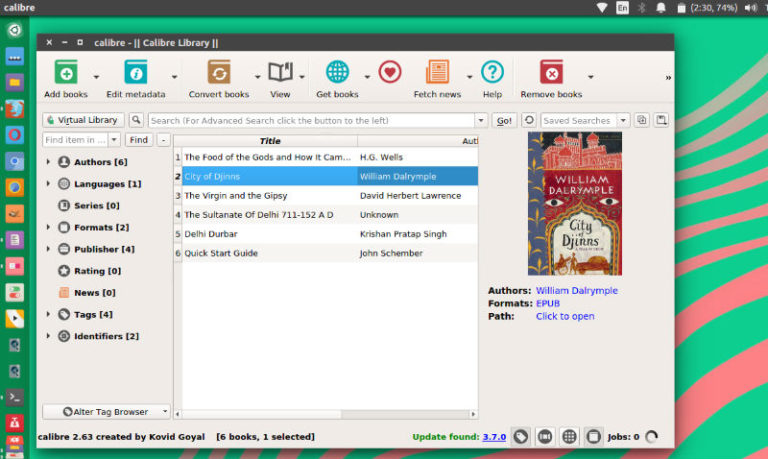
How to install Calibre on Ubuntu Linux. Calibre is free and open source e-book manager for Linux Ubuntu. Calibre gets first major release in 2 years, adds new ebook viewer. It brings a completely re-written E-book viewer with an emphasis on presenting the book text, distraction free. Install Calibre open source e-book manager Calibre is […]
Install Battery Saver On Ubuntu To Improve Battery Life

Install slimbook app, battery saver for Ubuntu. This app helps to improve battery life in Ubuntu Linux Systems. Slimbook Battery 3 is the application developed by Slimbook to optimize battery of laptops. The app comes with the integration with other applications, services and drivers like TLP, intel_pstate, AMD and NVIDIA. This means that this application […]
Best WordPress Speed Plugin and WordPress Site Speed Optimization Plugin

Use WordPress plugin to increase website speed. Here are the best WordPress speed plugin and WordPress speed optimization plugin; including WordPress SEO plugins and cache plugins. 1. Jetpack by WordPress.com The plugin is all about enabling hassle-free design, marketing, and security. Jetpack offers design and customization services, marketing and performance services and security and backups […]
Install Peek GIF Screen Recorder for Linux Ubuntu
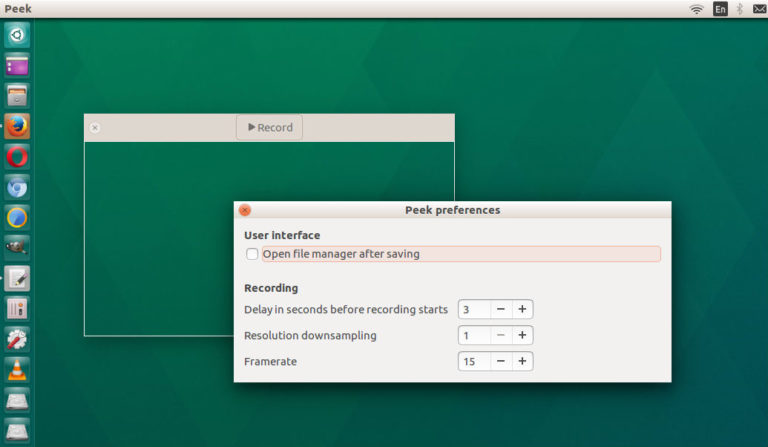
Install Peek GIF Screen Recorder for Linux Ubuntu. How to install animated GIF recorder Peek 1.4.0 on Linux Ubuntu. Peek makes it easy to create short screencasts of a screen area. It was built for the specific use case of recording screen areas, e.g. for easily showing UI features of your own apps or for […]
How to Delete Old Kernels in Ubuntu
How to delete old Kernels in Ubuntu; Remove old Kernels in Ubuntu Linux. On Ubuntu, first list the installed Kernels and then remove old Kernels via CLI/Terminal. Remove Leftover Temp Files Run the following command to delete leftover temporary files. sudo rm -rv ${TMPDIR:-/var/tmp}/mkinitramfs-* Step 1 Find out the current version of Linux kernel being […]