
Linux Kernel 5.2 RC7 Released – Update Kernel on Ubuntu – Users can install and update Linux Kernel on Ubuntu Systems. With the release of Linux Kernel 5.2 RC7, there’s a “Fix the microcode load on CPU hotplug for real” and “Fix out-of-bounds read when setting fail state” for those using CPU hot-plugging. There are […]
Best Tools To Convert Speech To Text – Voice To Text Tools

Best tools to convert speech to text. These are the best speech to text translator applications – voice to text conversion tools which allows you to type automatically while you say the respective word. 1. Google Docs Voice to Text https://support.google.com/docs/answer/4492226?hl=en You can type and edit by speaking in Google Docs or in Google Slides […]
10 Best Free Linux Games 2019 – Open Source Linux Games
10 Best free Linux games 2019; open source Linux games that you must play. These are the best Linux multiplayer games, including best free Linux games on Steam. Counter-Strike: Global Offensive https://store.steampowered.com/app/730/CounterStrike_Global_Offensive/ Counter-Strike: Global Offensive (CS: GO) expands upon the team-based action gameplay that it pioneered when it was launched 19 years ago. CS: GO […]
How To Check Memory Usage On Ubuntu Via Command Line
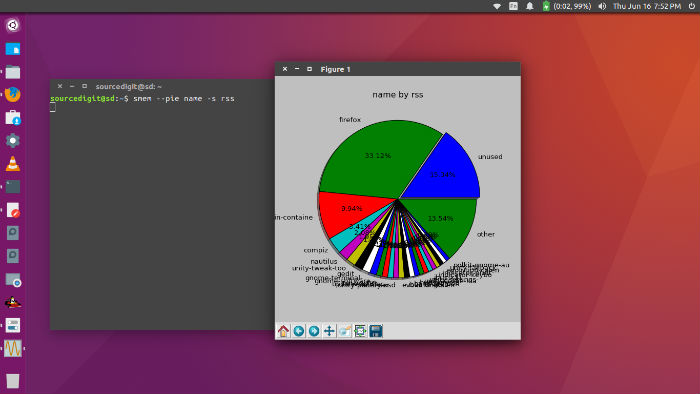
How to check memory usage on Linux Ubuntu. Install and use Smem memory reporting tool to show Memory usage on Linux Ubutnu systems. Smem is a commandline tool to check memory usage in Linux, per process, in percentage or in charts. smem is a tool that can give numerous reports on memory usage on Linux […]
How To Install Shutter – Ubuntu Screenshot Tool
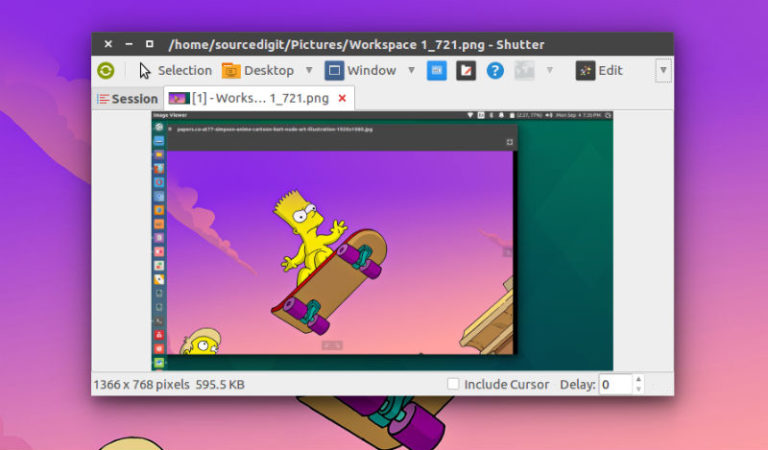
How to install Shutter via Ubuntu command line; how to use Shutter on Ubuntu. Ubuntu screen capture tool Shutter can be used to take screenshot on Linux Ubuntu Systems. Shutter 0.94 release brings Dropbox upload and Imgur upload function.\ Shutter is a feature-rich screenshot program. You can take a screenshot of a specific area, window, […]
Best Apps For Creating Instagram Stories

Best apps for Instagram stories 2019. Download these apps for creating Instagram stories. These Instagram story editor app acts as a Instagram story collage maker, Instagram story video editor and Instagram story template app. Download these apps immediately: Unfold Download Unfold is a toolkit for storytellers. Create beautiful and engaging stories with minimal and elegant […]