

Linux x64 (AMD64/EM64T) Display Driver for Linux Ubuntu. Here’s how to install Nvidia Linux Display Driver 370.23 Beta on Ubuntu Linux Systems. The latest Nvidia Driver 370.23 Beta has been released with the following features: Added the ability to over- and under-clock certain GeForce GPUs in the GeForce GTX 1000 series and later. For GPUs […]
How To Fix Sound Problem In Ubuntu

How to fix sound problem in Ubuntu? Fix sound icon missing in Ubuntu (no sound indicator in Ubuntu). Fix no sound in Ubuntu (Linux Ubuntu no sound HDMI). Fix Missing Sound Indicator & Icons In Ubuntu Learn how to fix missing sound volume icon on screen top, Panel Bar in Ubuntu. Read below to fix […]
How to Tap Into China’s Online Market

China’s online market has proven to bring fortune to online shop owners, including Jack Ma of Alibaba, as well as others. It’s not a surprise why these people have become successful. The primary reason for this is that China’s online market is massive. With 650 million internet users, China is the largest e-commerce market in […]
Sudo Apt-Get Command To Install Tor Browser On Linux Ubuntu
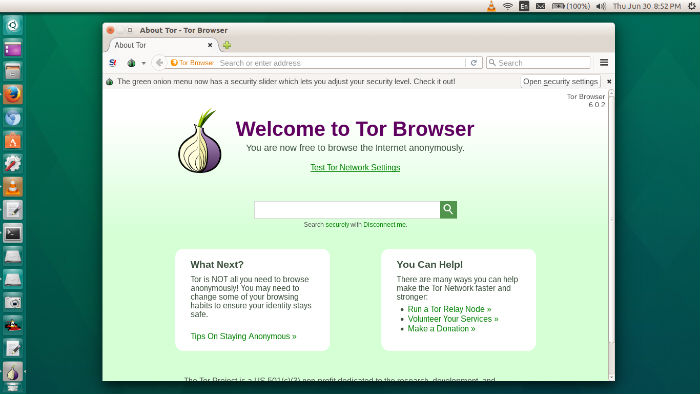
Tor Browser 6.0.4 is released. Install Tor Browser 6.0.4 on Ubuntu Linux Systems, via WebUpd8 PPA. Apt-get command to download and install Tor Browser on Ubuntu 16.04/16.10. The Tor software protects you by bouncing your communications around a distributed network of relays run by volunteers all around the world: it prevents somebody watching your Internet […]
How To Install MPV Media Player (FFmpeg Version) On Ubuntu 16.04
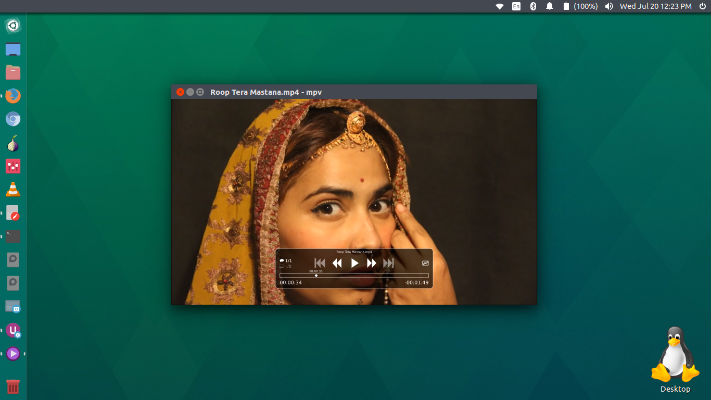
MPV media player (FFmpeg version). How to Install the Latest MPV Media Player in Ubuntu 16.04. MPV is a fork of mplayer2 and MPlayer. It shares some features with the former projects while introducing many more. Some of the most interesting features are: Streamlined CLI options – MPlayer’s options parser was improved to behave more […]
Install Whatsie on Ubuntu 16.04 – Whatsapp Desktop Linux Client

Use WhatsApp on Linux Ubuntu Desktop. How to install Whatsie on Ubuntu 16.04. Whatsie, the Whatsapp Desktop Linux Client is a simple & beautiful desktop client for WhatsApp Web. Using Whatsie, Ubuntu users can use Whatsapp as they do on their smartphones. Users can send photos & videos, share locations or access group chats. Whatsie […]