

Install DeadBeeF Music Player on Ubuntu, via PPA. Install DeadBeeF 0.7.1.2 on Ubuntu 15.10, Ubuntu 15.04, Ubuntu 14.04 and Ubuntu 14.10 Systems. DeadBeef lightweight music player is written in C and C++ to work with the X.org display server. DeadBeeF music player supports various audio file formats, including .cue and .m3u files. The music player […]
How To Install Clementine 1.3 Music Player In Ubuntu 16.04
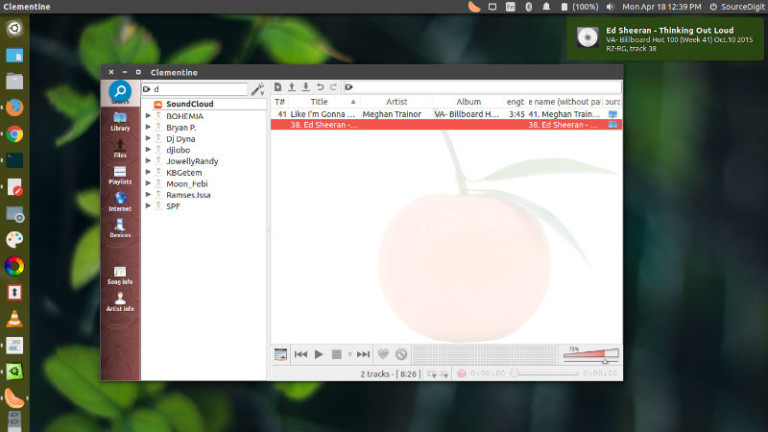
Clementine 1.3 (Amarok like) music player for Ubuntu Linux Systems. How to install Clementine 1.3 in Ubuntu 16.04, Ubuntu 14.04, Ubuntu 15.04 and Ubuntu Derivatives. New features in Clementine 1.3 The latest version of Clementine music player has been released with more than 150 changes. Some of the most notable features are: Support for Vk.com […]
How To Make Ubuntu Linux Look Like Windows
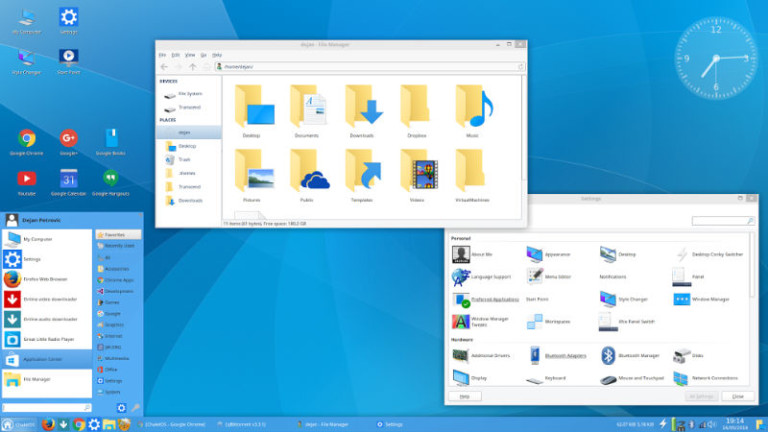
How to make Ubuntu Linux look like Windows. Use Windows 10 icon pack for Linux Ubuntu System. and make Ubuntu look like Windows OS. ChaletOS 16.04 transformation pack easily transforms Ubuntu 16.04 LTS into a Windows 10 System. Using the ChaletOS 16.04 transformation pack is easy. All you have to do is to download this […]
Install Geary 0.11.0 Email App In Ubuntu 16.04

Upgrade and install the latest version of Linux email app Geary in Ubuntu. Terminal commands to install Geary 0.11.0 email app in Ubuntu 16.04. Geary is a powerful email app with the following systems: Features Modern and straightforward interface Quick account setup Supports Gmail, Yahoo! Mail, Outlook.com, and popular IMAP servers (Dovecot, Cyrus, Zimbra, etc.) […]
How To Install Linux Kernel 4.6 In Ubuntu 16.04
Upgrade to the latest Linux kernel in Ubuntu Systems. Install Linux Kernel 4.6 in Ubuntu 16.04. Terminal commands to install Linux Kernel 4.6 in 32 Bit/64 Bit Ubuntu 16.04 Systems. 32-bit Ubuntu Systems Run the following commands to install Linux Kernel 4.6 in 32 Bit Ubuntu 16.04 Systems. cd /tmp/ wget http://kernel.ubuntu.com/~kernel-ppa/mainline/v4.6-yakkety/linux-headers-4.6.0-040600_4.6.0-040600.201605151930_all.deb wget http://kernel.ubuntu.com/~kernel-ppa/mainline/v4.6-yakkety/linux-headers-4.6.0-040600-generic_4.6.0-040600.201605151930_i386.deb wget […]
Install Timekpr (Parental Control Software) in Ubuntu 16.04

Timekpr (Parental Control Software) will track and control the computer usage of your user accounts. You can limit their daily usage based on a timed access duration and configure periods of day when they can or cannot log in. With this application, administrators can limit account login time duration or account access hours. The application […]