

If you believe that spending time and money on creating a flawlessly engaging video will help you reach your goals, I hate to break it to you that you are mistaken. Every day, YouTube broadcasts almost 100 million videos. With such a massive beehive, it’s difficult for your video to reach people. The only method […]
How to Check Linux Kernel Version in Ubuntu?
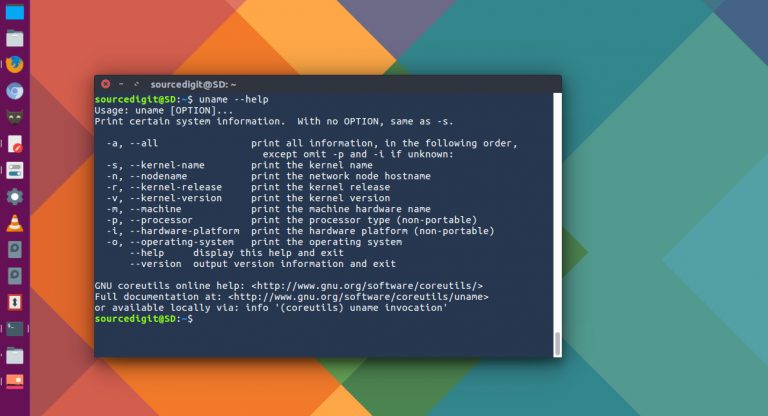
Kernel commands in Linux Ubuntu. Learn how to check Kernel version Ubuntu. Which is the terminal command to check Kernel version in Linux Ubuntu. 1. uname ‘uname’ prints information about the machine and operating system it is run on. If no options are given, ‘uname’ acts as if the ‘-s’ option were given. If multiple […]
How To Check Total Hard Disk Size In Ubuntu Terminal
How to check hard drive in Ubuntu terminal? Command to check total hard disk size in Ubuntu – df command to check disk space in gb. The “df” command is for “disk filesystem” and is a great tool to know about the disk space usage on Linux Systems. The df command displays the amount of […]
Best Hashtag App For Instagram 2022

Using these best hashtag apps for Instagram you can find the best Instagram hashtags for your business or personal page. Regarded as the best hashtag generator app for Instagram followers, each one of these apps are worth exploring. 1. All Hashtag All Hashtag is a hashtag generator which generate top, random or live hashtags and […]
Ubuntu Linux Command to Check Battery Status & Battery Health
How to check battery status in Linux terminal using commandline. Here is how to use Linux laptop battery tool to monitor battery usage in Ubuntu Linux systems. Using upower command and acpi command in Linux one can easily view the information about the system battery in terminal. upower upower is a command line tool to […]
Fix “username is not in the sudoers file” Error in Ubuntu

Fixing error – username is not in the sudoers file. this incident will be reported. Fix username is not in the sudoers file in Ubuntu or Debian. Reason for the error “Username is not in the sudoers file. This error is reported in Ubuntu when: The permission on /etc/sudoers file is not set to 0440. […]