
• Skip to primary navigation
  • Skip to main content
  • Skip to primary sidebar
Source Digit

Source Digit

Linux, Ubuntu Tutorials & News, Technology, Gadgets & Gizmos

  • Home
  • How To
  • Ubuntu
  • Instagram
  • Blogging
  • Android
  • WordPress
  • +More
    • Cloud Computing
    • Gadgets
    • Social Media
    • Technology
  • Write for Us
Home / Archives for Corebird Ubuntu 17.10

Corebird Ubuntu 17.10

Corebird 1.7.3 Released : Install Corebird 1.7.3 In Ubuntu

Install Corebird on Ubuntu via Corebird PPA. Corebird 1.7 Twitter client comes with various translation updates and stability fixes. Changes – Corebird 1.7.3: Increase maximum tweet length to 280 characters Increase maximum name length to 50 characters Improve certain parts of the UI to cope better with longer names Fix the emoji button not showing […]

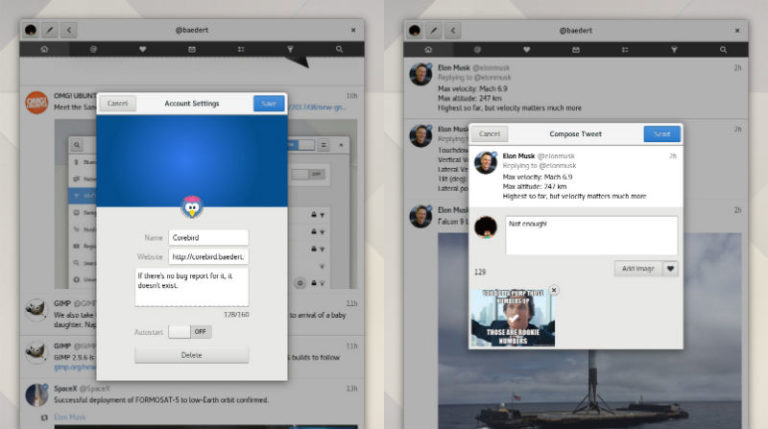
Corebird 1.7 Is Out – How to Install Corebird Twitter Client on Ubuntu 17.10

Corebird 1.7 is out – How to install Corebird Twitter Client on Ubuntu 17.10 and Derivatives. Corebird is a Twitter Client for Ubuntu Linux Systems. Using Corebird users can manage their Twitter account from Ubuntu Desktop.   Corebird 1.7 Changelog: Hashtags and Mentions in profile desriptions are now clickable The mention-completion when composing a new […]

Corebird 1.4 Released; Install Corebird Twitter Client On Ubuntu
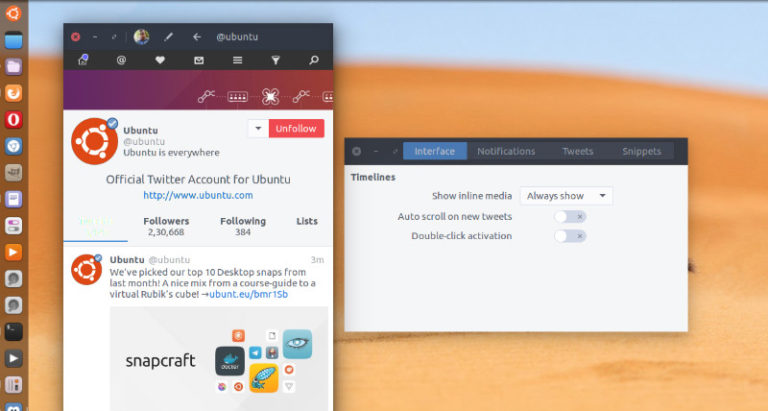
Corebird 1.4 Twitter Client for Linux Ubuntu is released. Install Corebird 1.4 on Ubuntu 16.10 and Ubuntu 16.04 Systems. Corebird 1.4 Twitter Client now allows deleting tweets from the tweet info page and not just from timelines. Also the images in quoted tweets now look more like they actually belong to the quoted tweet instead […]

Primary Sidebar

Latest Posts

Job Scheduling Using At Command In Linux With Examples

How To Check Permissions Of A Directory In Linux Command

Delete Directory And Contents Recursively Without Prompt On Linux

Check User Login History In Ubuntu Linux Command Line

Use Locate Command To Find File In Linux Terminal By Name

How To Change Terminal Color In Ubuntu Command Line

How To Run Fsck Manually In Linux To Fix Unexpected Inconsistency

How To Fix Broken Packages On Ubuntu From Terminal

Re Execute The Previous Command In Linux Ubuntu Command Line

How Much RAM Is Needed For Ubuntu PC

© 2026 Source Digit • Linux, Ubuntu Tutorials & News, Technology, Gadgets & Gizmos

  • Home
  • About
  • Privacy Policy
  • Terms & Conditions
  • Contact Us
  • Sitemap