

Pale Moon is a Firefox based web browser for Linux Ubuntu. Install Pale Moon 25.8.0 on Ubuntu 15.10, Ubuntu 14.04 and Derivatives. It is claimed to be up to 25% faster then the original. Palemoon browser supports the official Firefox extensions, but does not support all of the Firefox features. Pale Moon: Release notes (25.8.0 […]
Ubuntu
Latest Ubuntu news updates, Ubuntu tutorials and tips for Ubuntu Linux. Learn to use one the most popular Linux distros. Get the updates and latest releases for Ubuntu.
Install Atom 1.2.4 (Stable Release) On Ubuntu 15.10
Install Atom 1.2.4 stable release on Ubuntu 15.10 and Ubuntu 14.04. Atom 1.2.4 is now available for both 32bit and 64bit Linux Ubuntu Systems. Atom is a text editor application built with HTML, JavaScript, CSS, and Node.js integration. It runs on Electron, a framework for building cross platform apps using web technologies. Atom is a […]
Install Audacity 2.1.1 (Audio Recorder & Editor) Ubuntu 15.10
Audacity media player for Ubuntu. Install Audacity 2.1.1 Ubuntu 15.10, Ubuntu 14.04 and Derivatives. Audacity is an audio editor and recorder for Linux Ubuntu Systems. The Audacity audio recorder/music player for Linux is also available for Windows and Mac OS X. Audacity has easy-to-use interface, translated into many languages. Audacity can be used to record […]
Install “Terminator” Terminal Emulator On Ubuntu 15.10
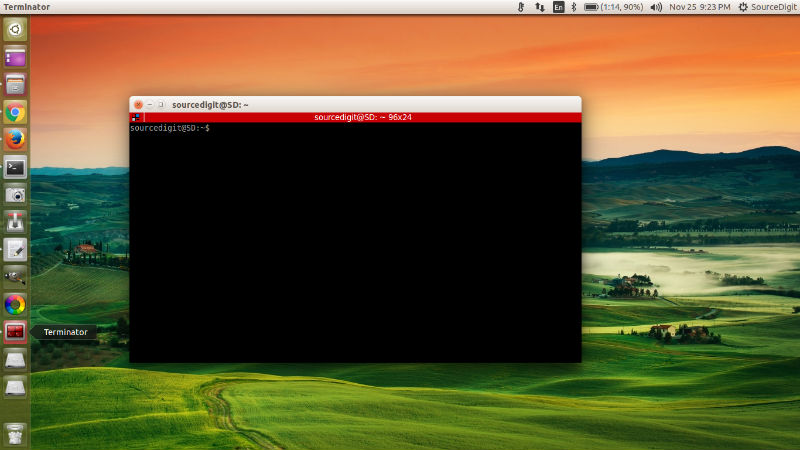
Install Terminal emulator on Ubuntu 15.10, Ubuntu 14.04 and Derivatives. Terminator is a Terminal Emulator for Linux Ubuntu Systems which enables multiple Terminal in one window on Ubuntu Desktop. Features: Arrange terminals in a grid Tabs Drag and drop re-ordering of terminals Lots of keyboard shortcuts Save multiple layouts and profiles via GUI preferences editor […]
Install Clementine Music Player On Ubuntu 15.10

Install Clementine music player on Ubuntu 15.10, Ubuntu 14.04 and Derivatives. Clementine is a modern music player and library organizer. Clementine is a multiplatform music player. It is inspired by Amarok 1.4, focusing on a fast and easy-to-use interface for searching and playing your music. Clementine can play music stored in online accounts such as […]
How To Backup & Restore Ubuntu Desktop With Aptik
How to backup Ubuntu Desktop with Aptik. Install Aptik 1.6.6 Backup Software on Ubuntu. Easily backup and restore Ubuntu 15.10 and Ubuntu 14.04 Desktop. Aptik 1.6.6 is a Backup Software for Linux Ubuntu Systems. Aptik enables to easily perform and restore backups of PPAs, aplications and packages in Ubuntu, Linux Mint, Elementary OS and Ubuntu […]