
Source Digit

Latest Technology, Gadgets & Gizmos

  • Home
  • How To
  • Ubuntu
  • Android
  • Blogging
  • Windows
  • WordPress
  • +More
    • Cloud Computing
    • Gadgets
    • Social Media
    • Technology

How To Fix Failed To Start Session At Ubuntu Login

By Sourabh / June 25, 2015 Category: How To, Ubuntu

Failed start to start session in Login – Ubuntu 15.04, Ubuntu 14.04 or Ubuntu 14.10. Ubuntu LightDM fails to start session unless user selects a session.

Here’s how to fix “failed to start session” at login in Ubuntu Systems:

First Method

Open Terminal (CTRL+ALT+T) and run the following command:

$ sudo apt-get install ubuntu-desktop
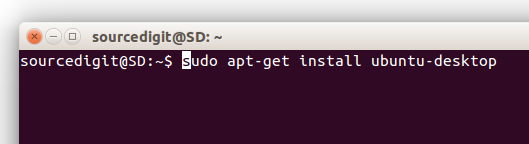
Screenshot-19-35

For users who have it already installed, run the command to reinstall it again:


$ sudo apt-get install --reinstall ubuntu-desktop
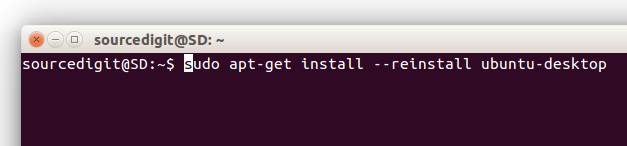
Screenshot-19-16

Once installed, restart the system. You can use the following command to restart the system or do it manually:


sudo reboot

Second Method

If the first method doesn’t work, try the second alternative method. Run the following command to reconfigure the packages:


sudo dpkg-reconfigure -a

At times, run the below command to install Gnome:


sudo apt-get install gnome-shell ubuntu-gnome-desktop

Once installed, restart the system. You can use the following command to restart the system or do it manually:


sudo reboot

This fix should resolve the session and you should be able to log in.


Tags: Failed To Load Session Ubuntu, Failed To Load Session Ubuntu Gnome, Failed To Load Session Ubuntu Linux Mint, Reinstall Ubuntu Desktop, Unable To Load Session Ubuntu, Xrdp Failed To Load Session Ubuntu

Source Digit

Latest Posts

Sayonara Music Player 1.0 – Install Sayonara Audio Player for Linux Ubuntu

LibreOffice 5.4.4 Available For Download – Install LibreOffice On Linux

Tilix 1.7.3 Terminal Emulator – Install Terminix On Ubuntu

Install Avidemux Video Editor 2.7 on Ubuntu Linux

Kdenlive 17.12.0 Released – Install Kdenlive Video Editor On Linux Ubuntu

GIMP 2.9.8 Released – Install GIMP Image Editor on Linux Ubuntu

MPV Player 0.28 Released – Install MPV Video Player on Linux Ubuntu

PyCharm 2017.3.2 – Install Python IDE for Linux Ubuntu

Fix E: Could not get lock /var/lib/dpkg/lock – Unable to lock the directory

How To Use Task Manager In Ubuntu

© 2018 Source Digit • Latest Technology, Gadgets & Gizmos

  • Home
  • About
  • Privacy Policy
  • Terms & Conditions
  • Contact Us
  • Sitemap