
How to install Tor Browser on Ubuntu 15.04, Ubuntu 14.04 and Ubuntu Derivatives. Install Tor Browser on Ubuntu, via PPA or via official Tor archive.
Tor is free software and an open network that helps you defend against traffic analysis, a form of network surveillance that threatens personal freedom and privacy, confidential business activities and relationships, and state security. Tor protects you by bouncing your communications around a distributed network of relays run by volunteers all around the world: it prevents somebody watching your Internet connection from learning what sites you visit, and it prevents the sites you visit from learning your physical location.
Individuals use Tor to keep websites from tracking them and their family members, or to connect to news sites, instant messaging services, or the like when these are blocked by their local Internet providers. Tor’s hidden services let users publish web sites and other services without needing to reveal the location of the site. Individuals also use Tor for socially sensitive communication: chat rooms and web forums for rape and abuse survivors, or people with illnesses.
Install Tor Browser on Ubuntu
You can install Tor Browser on Ubuntu, via PPA or via official Tor archive.
Method 1: Install Tor Browser on Linux Ubuntu, via TOR Package

Run the following commands in Terminal to install Tor Browser on 32 bit Linux Ubuntu systems:
$ cd ~

$ wget https://dist.torproject.org/torbrowser/5.0.4/tor-browser-linux32-5.0.4_en-US.tar.xz

$ tar -xJvf tor-browser-linux32-*_en-US.tar.xz

$ cd tor-browser_en-US/

$ ./start-tor-browser.desktop
Install Tor Browser on 64 bit Linux Ubuntu Systems
Run the following commands in Terminal to install Tor Browser on 64 bit Linux Ubuntu systems:
$ cd ~

$ wget https://dist.torproject.org/torbrowser/5.0.4/tor-browser-linux64-5.0.4_en-US.tar.xz

$ tar -xJvf tor-browser-linux64-*_en-US.tar.xz

$ cd tor-browser_en-US/

$ ./start-tor-browser.deskto
Install Tor Browser on Linux Ubuntu Systems, via PPA
Run the following commands in Terminal to install Tor Browser on Linux Ubuntu systems, via Webupd8 PPA:
$ sudo add-apt-repository -y ppa:webupd8team/tor-browser

$ sudo apt-get update

$ sudo apt-get install tor-browser
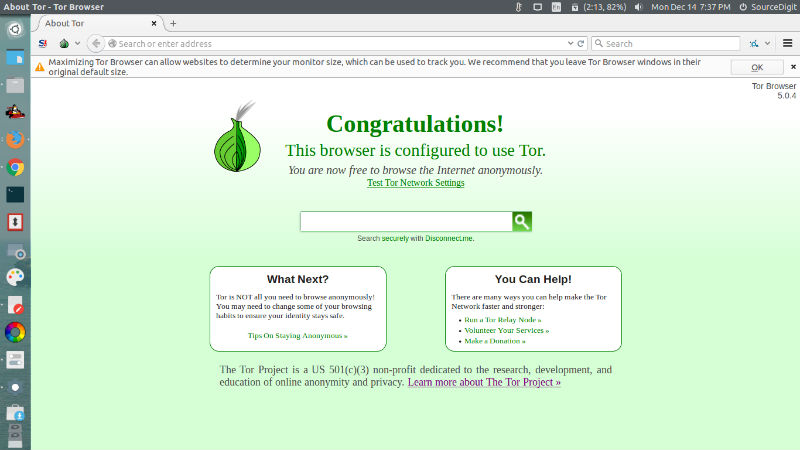
Once installed, open TOR browser via Ubuntu Dash or Terminal.(see screenshot below).

To start tor, just open a terminal, type tor and hit enter. If it doesn’t work, use ./start-tor-browser.desktop command (look above) or tor-browser-en.sh command to open Tor.
Open & Use Tor Browser on Ubuntu
Once the Tor browser window is active, to use Tor, press connect to the Tor network. It may take few moments and once you are connected to the Tor network, you are ready to go.

Uninstall Tor Browser From Linux Ubuntu Systems
Run the following commands in Terminal to uninstall Tor Browser from Linux Ubuntu systems:
$ sudo apt-get remove tor-browser

$ rm -r ~/.tor-browser-en
The Tor Project is a US 501(c)(3) non-profit dedicated to the research, development, and education of online anonymity and privacy.