
• Skip to primary navigation
  • Skip to main content
  • Skip to primary sidebar
Source Digit

Source Digit

Linux, Ubuntu Tutorials & News, Technology, Gadgets & Gizmos

  • Home
  • How To
  • Ubuntu
  • Instagram
  • Blogging
  • Android
  • WordPress
  • +More
    • Cloud Computing
    • Gadgets
    • Social Media
    • Technology
  • Write for Us
Home / How To / How to Install Xtreme Download Manager in Ubuntu 15.04, Ubuntu 14.10 & Ubuntu 14.04

How to Install Xtreme Download Manager in Ubuntu 15.04, Ubuntu 14.10 & Ubuntu 14.04

By Sourabh / May 16, 2015 Category: How To, Ubuntu

Install Xtreme Download Manager in Ubuntu 15.04, Ubuntu 14.10 & Ubuntu 14.04. You can also install Xtreme Download Manager in Ubuntu 12.04, Linux Mint 17 and other Ubuntu Derivatives.

Xtreme download manager is very powerful download manager for Ubuntu systems which has ability to increase download speed up-to 500% (depend on connection). It can download files at maximum possible speed, 5-6 times faster. It can pause and resume downloads, even broken downloads are resume-able. It can also grab videos from around the internet and offers schedule downloads.
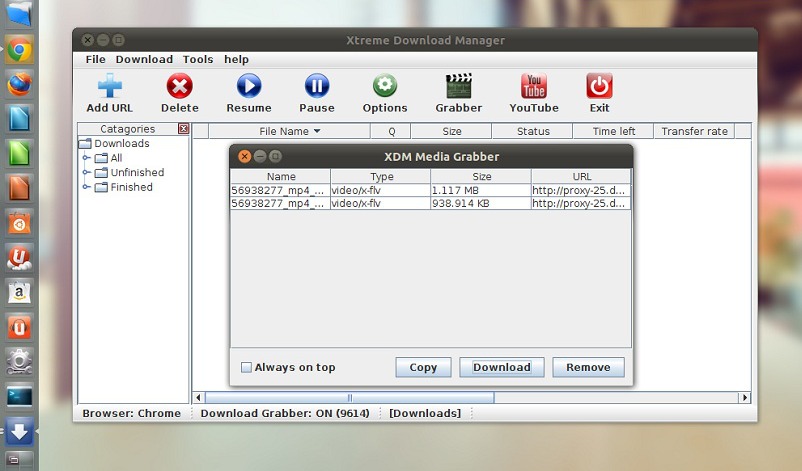
Xtreme-Download-Manager-Ubuntu-02

Xtreme Download Manager supports HTTP, HTTPS and FTP protocols, firewalls, proxy servers, file redirects, cookies, authorization etc. Xtreme Download Manager integrates with any browser to handle downloads automatically using Advanced browser integration.

Install Xtreme Download Manager

To install Xtreme Download Manager in Ubuntu/Linux Mint open Terminal (Press Ctrl+Alt+T) and copy the following commands in the Terminal:

sudo add-apt-repository ppa:noobslab/apps
sudo apt-get update
sudo apt-get install xdman

Setup Integration for Browsers

For Firefox: Install Xtreme Download Manager extension. Open (run) the Xtreme Download Manager and enter this url in browser:
http://localhost:9614/xdmff.xpi

For Google Chrome/other browsers: Go to System Settings > Network > Network Proxy > Select Automatic in Method and paste following code in configuration URL.
http://localhost:9614/proxy.pac

For Opera: Goto Preferences > Advanced > Network > Proxy Servers > select automatic proxy configuration and pate the code given below.
http://localhost:9614/proxy.pac

Tags: Best Download Manager Ubuntu 14.10 & Ubuntu 14.04, Download Manager Ubuntu, How to Install Download Manager in Ubuntu, How to Install Xtreme Download Manager in Linux, How to Install Xtreme Download Manager in Ubuntu 14.04, How to Install Xtreme Download Manager in Ubuntu 14.10, Ubuntu 14.04, Ubuntu 14.10

Primary Sidebar

Latest Posts

How To Run Fsck Manually In Linux To Fix Unexpected Inconsistency

How To Fix Broken Packages On Ubuntu From Terminal

Re Execute The Previous Command In Linux Ubuntu Command Line

How Much RAM Is Needed For Ubuntu PC

How To Find Large Files And Directories In Linux Command Line

How To Use Clear Command History In Linux Terminal

Linux Command To Check RAM Size In Ubuntu Terminal In GB

How To Install Proprietary Drivers In Linux Ubuntu Using Terminal

How To Shutdown Linux With A 15 Minute Delay And Message

Free AI Courses With Certificate For Beginners In India

© 2026 Source Digit • Linux, Ubuntu Tutorials & News, Technology, Gadgets & Gizmos

  • Home
  • About
  • Privacy Policy
  • Terms & Conditions
  • Contact Us
  • Sitemap