
• Skip to primary navigation
  • Skip to main content
  • Skip to primary sidebar
Source Digit

Source Digit

Linux, Ubuntu Tutorials & News, Technology, Gadgets & Gizmos

  • Home
  • How To
  • Ubuntu
  • Instagram
  • Blogging
  • Android
  • WordPress
  • +More
    • Cloud Computing
    • Gadgets
    • Social Media
    • Technology
  • Write for Us
Home / How To / How To Install WeeChat Client On Ubuntu 15.04, Ubuntu 14.04 and Ubuntu 14.10

How To Install WeeChat Client On Ubuntu 15.04, Ubuntu 14.04 and Ubuntu 14.10

By Sourabh / May 25, 2015 Category: How To, Ubuntu

Terminal commands to install WeeChat PPA on Ubuntu. Install WeeChat chat client on Ubuntu 15.04, Ubuntu 14.04 and Ubuntu 14.10.

WeeChat is a fast, light and extensible chat client. It runs on many platforms like Linux, Unix, BSD, GNU Hurd, Mac OS X and Windows (cygwin).
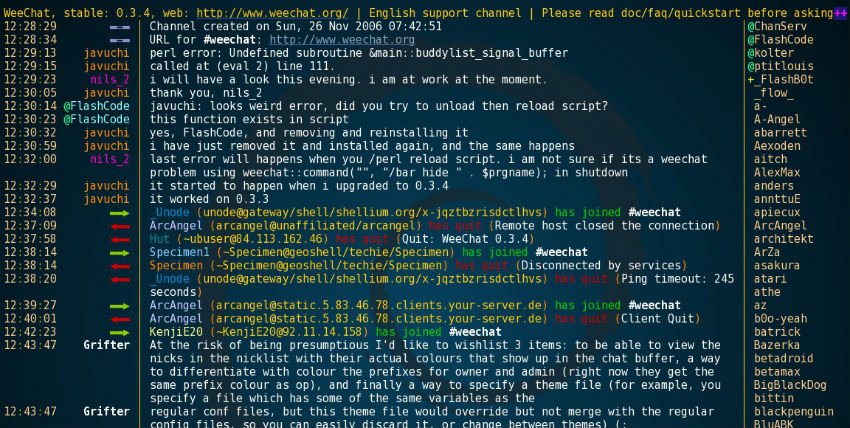
weechat_ubuntu_screen

WeeChat is:

  • modular: a lightweight core with optional plugins
  • multi-protocols architecture (mainly IRC)
  • extensible with C, Python, Perl, Ruby, Lua, Tcl, Scheme and Javascript
  • fully documented and translated into several languages
  • a free program released under the GPLv3 license
  • an active project with a large community for scripts.

Latest stable version of WeeChat is 1.2, released on May 10, 2015.

Install WeeChat Client

Open Terminal and run the following commands to istall WeeChat via official PPA:
sudo add-apt-repository ppa:nesthib/weechat-stable
sudo apt-get update
sudo apt-get install weechat

(or “sudo apt-get upgrade” if an older version of weechat is already installed)

You can also install WeeChat via Ubuntu Software Center. Open Ubuntu Software Center and search for and install WeeChat.

Tags: Download WeeChat On Ubuntu, How To Install WeeChat On Ubuntu, Install WeeChat Client on Ubuntu, Install WeeChat On Ubuntu 14.04, Install WeeChat On Ubuntu 14.10, Install WeeChat On Ubuntu 15.04, Ubuntu 14.04, Ubuntu 14.10, Ubuntu 15.04, Ubuntu Install WeeChat Client, WeeChat PPA Ubuntu, WeeChat Ubuntu, WeeChat Ubuntu PPA

Primary Sidebar

Latest Posts

How To Run Fsck Manually In Linux To Fix Unexpected Inconsistency

How To Fix Broken Packages On Ubuntu From Terminal

Re Execute The Previous Command In Linux Ubuntu Command Line

How Much RAM Is Needed For Ubuntu PC

How To Find Large Files And Directories In Linux Command Line

How To Use Clear Command History In Linux Terminal

Linux Command To Check RAM Size In Ubuntu Terminal In GB

How To Install Proprietary Drivers In Linux Ubuntu Using Terminal

How To Shutdown Linux With A 15 Minute Delay And Message

Free AI Courses With Certificate For Beginners In India

© 2026 Source Digit • Linux, Ubuntu Tutorials & News, Technology, Gadgets & Gizmos

  • Home
  • About
  • Privacy Policy
  • Terms & Conditions
  • Contact Us
  • Sitemap