• Skip to primary navigation
  • Skip to main content
  • Skip to primary sidebar
Source Digit

Source Digit

Linux, Ubuntu Tutorials & News, Technology, Gadgets & Gizmos

  • Home
  • How To
  • Ubuntu
  • Instagram
  • Blogging
  • Android
  • WordPress
  • +More
    • Cloud Computing
    • Gadgets
    • Social Media
    • Technology
  • Write for Us
Home / Uncategorized / How To Solve 3 Common Problems With VLC in Ubuntu

How To Solve 3 Common Problems With VLC in Ubuntu

By Sourabh / February 18, 2016 Category: Uncategorized

Problems with VLC in Ubuntu 15.04/14.04/14.10. Cannot start VLC in Ubuntu – VLC is installed but doesn’t run properly in Ubuntu. Ubuntu VLC has no sound and other VLC installation problems in Ubuntu.

Delete VLC Profile

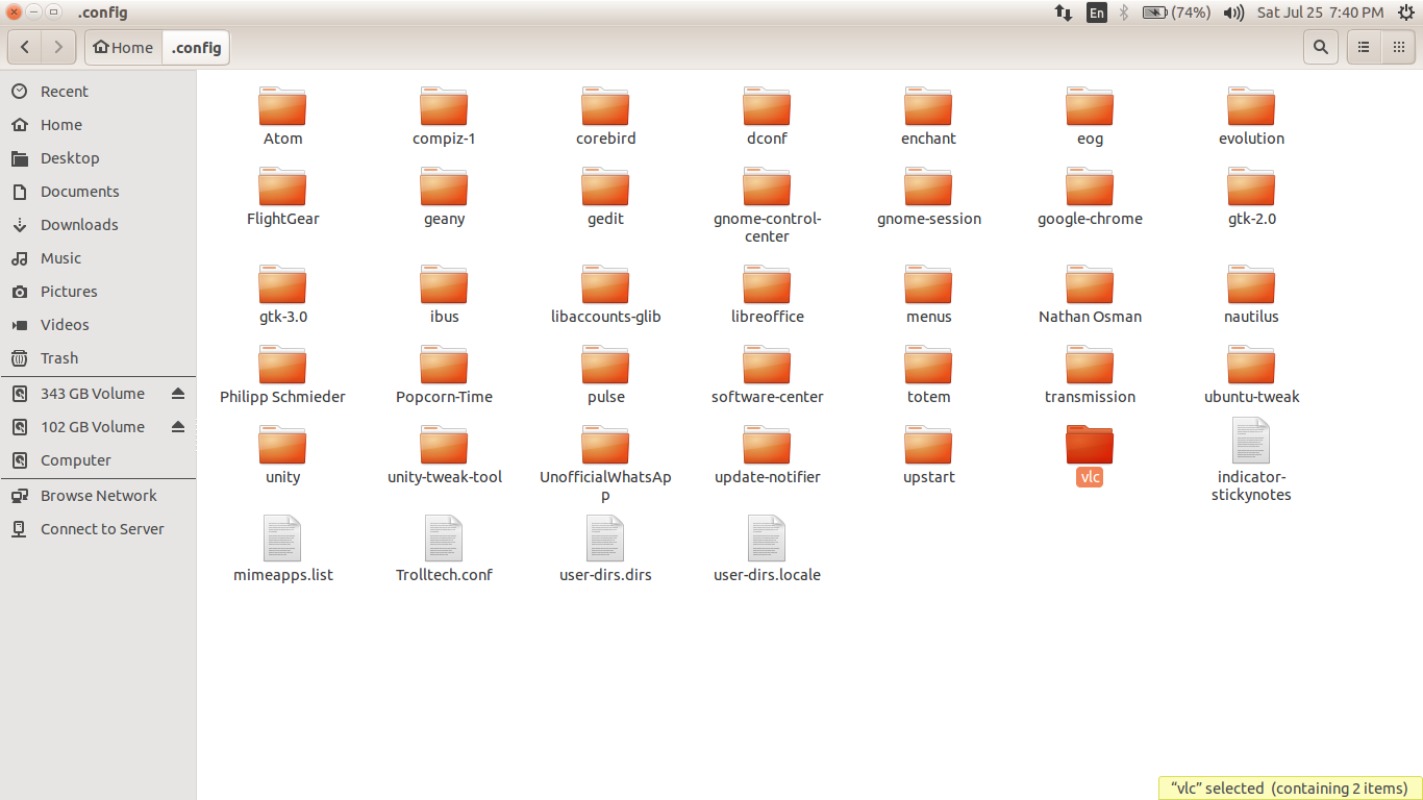
The easiest way to reset VLC is deleting the VLC profile folder. Each time when VLC is installed it makes a VLC config folder. Below are the steps to delete VLC profile folder:

  • Open Files and go to Home folder
  • Press CTRL & H (show hidden files)

screen-1

  • Open the folder .config
  • Search for VLC folder, right click on VLC folder and delete
  • Close Files window
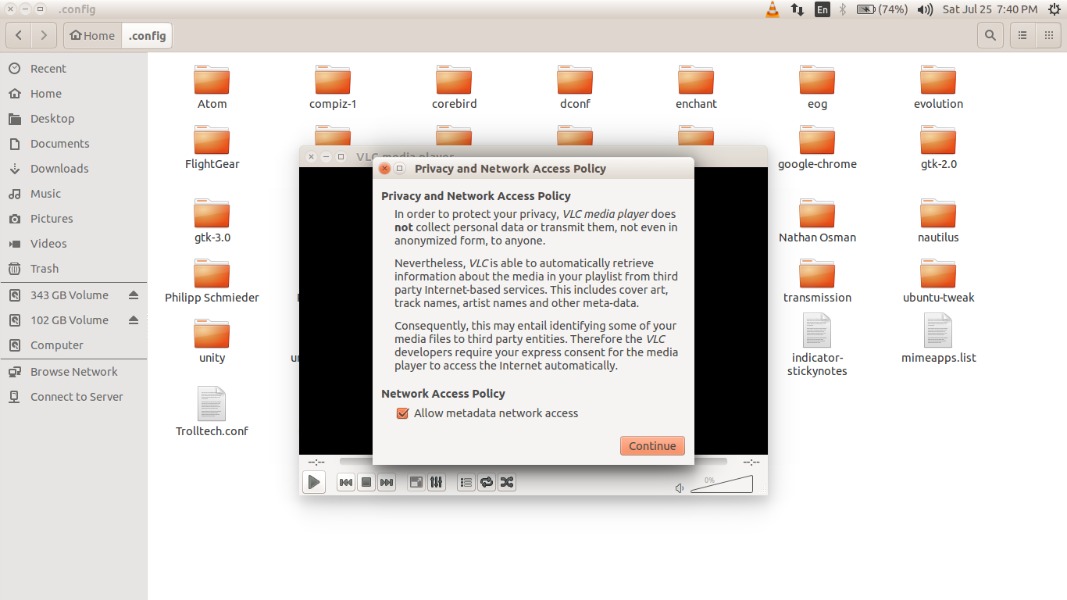
  • Restart VLC

vlc-02

After these steps, I hope VLC works. If you still aren’t able to open VLC, try running the command:

$ mv ~/.config/vlc ~/.config/vlc.old

After executing the above command, restart VLC.

Second Method: Downgrading (purge) the VLC folder (installed) is another method. Here is how to purge the VLC and then re-install it.

Commands to purge VLC:

$ sudo apt-get remove --purge vlc

Comamnds to reinstall VLC:

$ sudo apt-get install vlc

After executing the above steps, run the following commands to get the latest updates for the system:

$ sudo apt-get update
$ sudo apt-get dist-upgrade

VLC has no sound

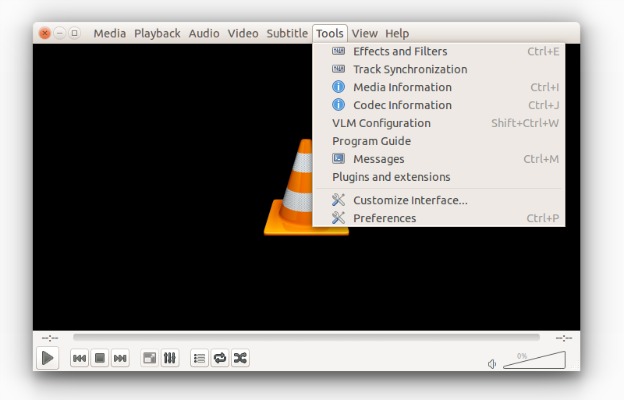
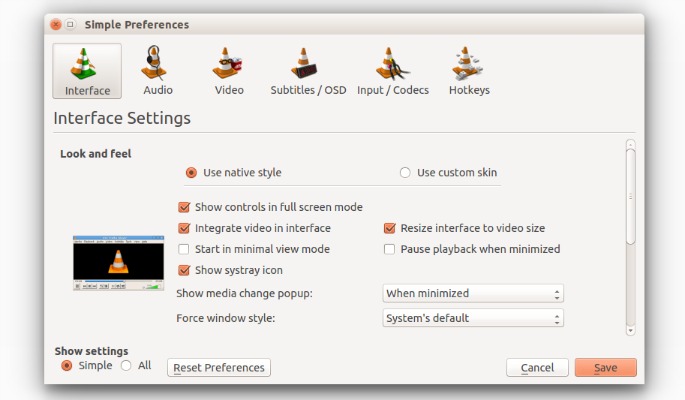
If VLC player is facing Audio trouble – VLC doesn’t have audio or sound – try resetting VLC. This method is useful when you are facing sound problem in VLC in Ubuntu. To reset VLC:

  • Open VLC
  • Go to Preferences

vlc-screen-01

  • Click on ‘reset preferences’

vlc-screen-02

  • Exit VLC


Tags: Cannot start VLC in Ubuntu, No sound on VLC Ubuntu, Problems with VLC in Ubuntu 14.04, Ubuntu VLC no sound, Ubuntu VLC Sound not working, Ubuntu VLC sound problem, VLC installation problem on Ubuntu, VLC is installed but doesn't run properly, VLC Problems on Ubuntu

Primary Sidebar

Latest Posts

Delete Directory And Contents Recursively Without Prompt On Linux

Check User Login History In Ubuntu Linux Command Line

Use Locate Command To Find File In Linux Terminal By Name

How To Change Terminal Color In Ubuntu Command Line

How To Run Fsck Manually In Linux To Fix Unexpected Inconsistency

How To Fix Broken Packages On Ubuntu From Terminal

Re Execute The Previous Command In Linux Ubuntu Command Line

How Much RAM Is Needed For Ubuntu PC

How To Find Large Files And Directories In Linux Command Line

How To Use Clear Command History In Linux Terminal

© 2026 Source Digit • Linux, Ubuntu Tutorials & News, Technology, Gadgets & Gizmos

  • Home
  • About
  • Privacy Policy
  • Terms & Conditions
  • Contact Us
  • Sitemap