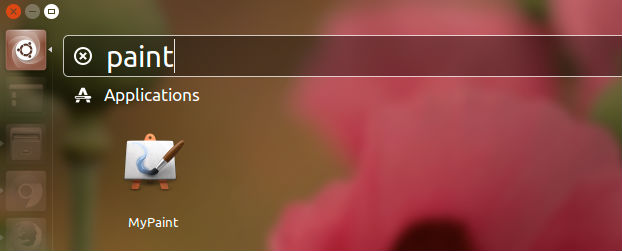
MyPaint is the Ubuntu equivalent of MS Paint software. Install MyPaint on Ubuntu 15.10, Ubuntu 14.04 and Derivatives. MyPaint app is the MS Paint equivalent for Ubuntu Systems. MyPaint is a simple drawing and painting program that works well with Wacom-style graphics tablets.
MyPaint v1.2.0 (2016-01-15) Changes:
- New intuitive Inking tool for smooth strokes.
- New Flood Fill tool.
- Automated backups of your working docs, with recovery on startup.
- Improved symmetry-setting and frame-setting modes.
- New workspace UI: two sidebars, with dockable tabbed panels.
- Smoother scrolling and panning.
- New brush pack.
- New brush and color history panel.
- New layer trimming command in frame options.
- Added layer groups.
- New layer modes: several masking modes added.
- Add display filters: greyscale, simulate dichromacy for trichromats.
- New color wheel options: Red/Yellow/Blue, Red-Green/Blue-Yellow.
- Uses dark theme variant by default.
- Clearer icons, prettier freehand cursors.
- Device prefs allow glitchy devices to be restricted.
- Eraser mode no longer changes the size of the brush.
- New vector layers, editable in an external app (Inkscape recommended).
- New fallback layer types: non-PNG image, data.
- More kinds of images now work as backgrounds.
- Improved Windows support
- Ported to GTK3.
- Accelerator map editor has moved to preferences.
- Many other bugfixes, translations, and code quality improvements.
Source code
The official source tarball for this release is mypaint-1.2.0.tar.xz. Ubuntu PPA builds are available from the MyPaint-testing PPA, and other distributions for Linux or OS X will doubtless pick up the new release in due course. This PPA currently publishes packages for Xenial, Wily, Vivid, Utopic, and Trusty.
Install MyPaint on Ubuntu

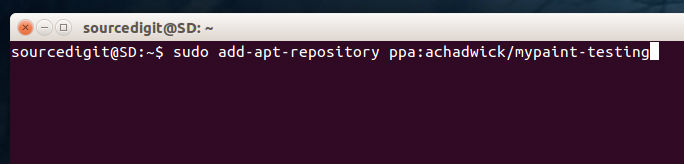
MyPaint app can be installed via PPA on Ubuntu 15.10, Ubuntu 15.04, Ubuntu 14.04 and Ubuntu Derivative Systems. Run the following commands in Terminal to install MyPaint in Ubuntu:
$ sudo add-apt-repository ppa:achadwick/mypaint-testing

$ sudo apt-get update

$ sudo apt-get install mypaint
Once installed, you can open the MyPaint app from Ubuntu Dash.