
Install the latest SMPlayer in Ubuntu 16.04/16.10. Linux Ubuntu users can download and install SMPlayer in Ubuntu, via PPA:rvm/smplayer. SMPlayer is a free media player for Linux with built-in codecs that can play virtually all video and audio formats without needing any external codecs.
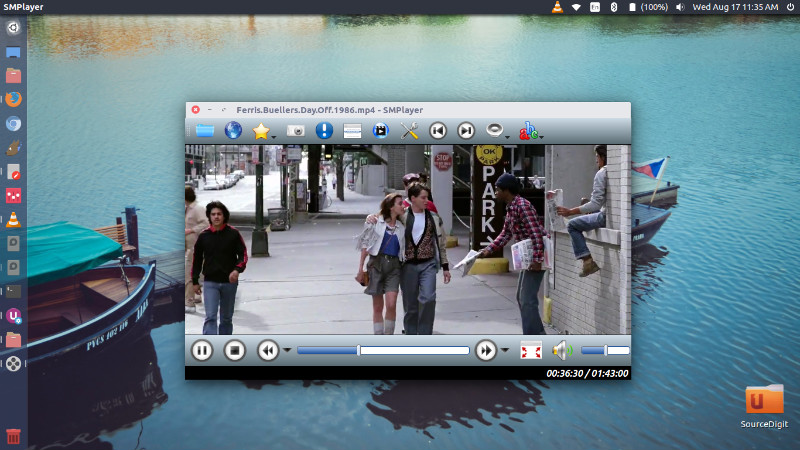
SMPlayer supports the most known formats and codecs: avi, mp4, mkv, mpeg, mov, divx, h.264… you can play all of them, thanks to its built-in codecs. You don’t need to find and install third party codecs. SMPlayer can also play YouTube videos and it’s also available an optional plugin to search for YouTube videos.
One of the most interesting features of SMPlayer: it remembers the settings of all files you play. So you start to watch a movie but you have to leave… don’t worry, when you open that movie again it will be resumed at the same point you left it, and with the same settings: audio track, subtitles, volume…
Major changes in SMPlayer:
- SMPlayer includes now a ‘tablet mode’, available in the menu Options.
- Users can use new secondary screen with the new menu “send video to screen.”
- It brings support for high DPI screens.
- Brings new global shortcuts. Now it’s possible to use the media keys (play/pause, stop, volume+/-, etc.) as global shortcuts.
- Settings are remembered for online streams too.
Changes in SMPlayer 16.8:
- The playlist has been improved. [More info]
- Bug fixes.
Changes in SMPlayer 16.7:
- Fix for YouTube.
Other changes in SMPlayer 16.6:
- New themes: Masalla, Papirus and PapirusDark.
- Built by default with Qt 5.
Install SMPlayer on Ubuntu
Open Terminal and run the following commands in Terminal to install SMPlayer on Ubuntu and Linux Mint systems:
$ sudo add-apt-repository ppa:rvm/smplayer

$ sudo apt-get update

$ sudo apt-get install smplayer smplayer-themes smplayer-skins
Once installed, start the SMPlayer from Ubuntu Dash or by running the following command in Terminal.
$ smplayer