
• Skip to primary navigation
  • Skip to main content
  • Skip to primary sidebar
Source Digit

Source Digit

Linux, Ubuntu Tutorials & News, Technology, Gadgets & Gizmos

  • Home
  • How To
  • Ubuntu
  • Instagram
  • Blogging
  • Android
  • WordPress
  • +More
    • Cloud Computing
    • Gadgets
    • Social Media
    • Technology
  • Write for Us
Home / How To / Install XED XML text Editor On Ubuntu Linux

Install XED XML text Editor On Ubuntu Linux

By Sourabh / March 25, 2017 Category: How To, Ubuntu

Install xed text editor for Ubuntu 16.10 and Ubuntu 16.04 Systems. xed is a small and lightweight text editor. xed supports most standard editing features, plus several not found in your average text editor (plugins being the most notable of these).

Although new features are always under development, currently xed has:

  • Complete support for UTF-8 text
  • Syntax highlighting
  • Support for editing remote files
  • Search and Replace
  • Printing and Print Previewing Support
  • File Revert
  • A complete preferences interface
  • Configurable Plugin system, with optional python support
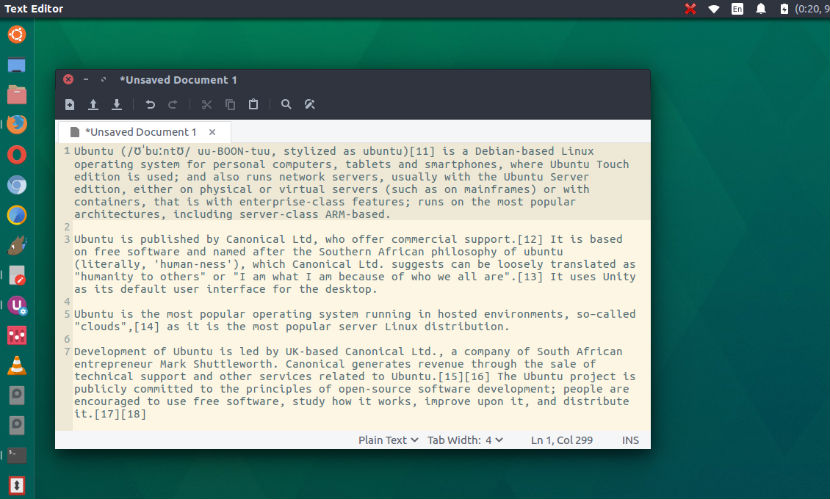
Some of the plugins, packaged and installed with xed include, among others:

  • Word count
  • Spell checker
  • Change case of selected text
  • File Browser
  • Sort
  • Insert Date/Time
  • Tag list

xed is released under the GNU General Public License (GPL) version 2.

Install XML text Editor On Ubuntu

Run the following commands in Terminal to install XML text Editor on Ubuntu 16.10, Ubuntu 16.04 and other Ubuntu Derivatives:

$ git clone https://github.com/linuxmint/xed.git
$ cd xed/
$ ./autogen.sh
$ make
$ sudo make install

Once installed, open the XML editor from Ubuntu Dash.

https://github.com/linuxmint/xed

Tags: Best Text Editor Linux, Best Text Editor Ubuntu, Linux Xed Text Editor, Linux XML text EDitor, Text Editor Ubuntu 17.04, Ubuntu 17.04 Text Editor, Ubuntu Xed Text Editor, Ubuntu XML text EDitor, Xed (XML text EDitor), Xed Text Editor, Xed Text Editor Linux, Xed Text Editor Ubuntu, XML text Editor Linux, XML text Editor Ubuntu

Primary Sidebar

Latest Posts

Delete Directory And Contents Recursively Without Prompt On Linux

Check User Login History In Ubuntu Linux Command Line

Use Locate Command To Find File In Linux Terminal By Name

How To Change Terminal Color In Ubuntu Command Line

How To Run Fsck Manually In Linux To Fix Unexpected Inconsistency

How To Fix Broken Packages On Ubuntu From Terminal

Re Execute The Previous Command In Linux Ubuntu Command Line

How Much RAM Is Needed For Ubuntu PC

How To Find Large Files And Directories In Linux Command Line

How To Use Clear Command History In Linux Terminal

© 2026 Source Digit • Linux, Ubuntu Tutorials & News, Technology, Gadgets & Gizmos

  • Home
  • About
  • Privacy Policy
  • Terms & Conditions
  • Contact Us
  • Sitemap