
HandBrake 1.0.7 is released with support for Ubuntu 17.04. Install Handbrake Ubuntu video converter (command line) from PPA in Ubuntu. Use Ubuntu Handbrake CLI to convert video files to mp4 in Ubuntu System. HandBrake is a media conversion tool to rip and convert audio and video files. It can rip DVDs/CDs or create .iso images.
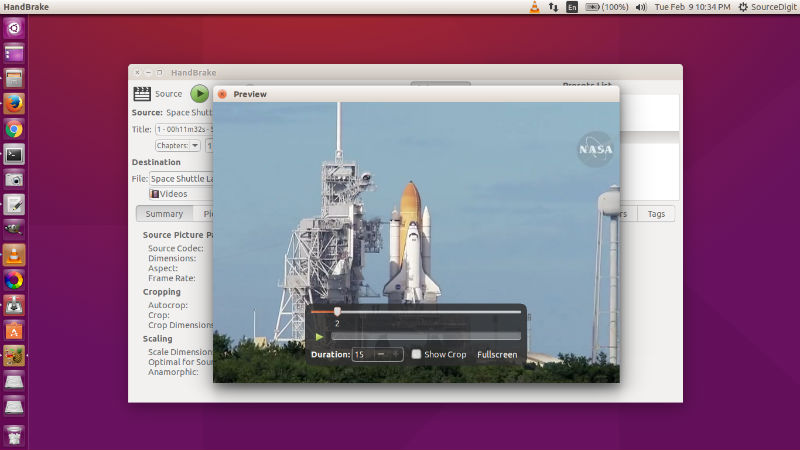
Features:
- Convert Video from any format
- Built-in device presets e.g. iPhone, iPad, AppleTV, Android etc
- Ability to process DVD and BlueRay sources
- File Containers: .MP4(.M4V) and .MKV
- Video Encoders: H.264(x264), H.265(x265) MPEG-4 and MPEG-2 (libav), VP8 (libvpx) and Theora
- Audio Encoders: AAC, CoreAudio AAC/HE-AAC (OS X Only), MP3, Flac, AC3, or Vorbis
- Audio Pass-thru: AC-3, DTS, DTS-HD, AAC and MP3 tracks
- Title / Chapter selection
- Subtitles (VobSub, Closed Captions CEA-608, SSA, SRT)
- Video Filters: Deinterlacing, Decomb, Denoise, Detelecine, Deblock, Grayscale, Cropping and scaling
Handbrake 1.0 : Changes
General
– New online documentation at https://handbrake.fr/docs
– Completely overhauled the official presets
– New general use presets for broad compatibility
– New device presets, now more up-to-date for common devices
– New web presets
– New Matroska (MKV) presets, including VP9 video with Opus audio
– Official presets from HandBrake 0.10.x are still available under “Legacy”
– New JSON-based preset system including command line support
– New JSON-based API for interacting with libhb
– Improvements to audio/video sync engine to better handle difficult sources
– Many miscellaneous bug fixes and improvements (over 1700 code commits!)
Video
– VP9 video encoding via libvpx
– Intel QuickSync Video H.265/HEVC encoder
– Requires Intel Skylake or newer CPU
– Ultra HD / 4K color pass through (support for BT.2020)
– Additional standard frame rate selections in the graphical interfaces
– New Auto anamorphic mode maximizes storage resolution, replaces Strict anamorphic mode
– New Pad filter (command line only for now)
– New Decomb/Deinterlace filter settings and improved defaults
– Rotate filter now available in all graphical interfaces
– New NLMeans filter tunes Tape and Sprite for analog tape recordings and vintage video games, respectively
– Assembly optimizations NLMeans filter improve performance up to 10%
– Assembly optimizations in x264 encoder improve performance for faster presets by 5-10%
– x265 encoder quality improvements, especially when using tune grain
– High bit depth encoding support via external shared libraries (video pipeline is still 8-bit 4:2:0)
– x264 10-bit
– x265 10-bit and 12-bit
Audio
– Opus audio encoding/decoding via libopus
– Passthru now supports E-AC-3, FLAC, and TrueHD audio formats
Install Handbrake in Ubuntu
For Linux Ubuntu systems, Handbrake can be installed in CLI ( Command Line Interface) and GUI (Graphical User Interface) variants. Open Terminal and run the following commands in Terminal:
sudo add-apt-repository ppa:stebbins/handbrake-releases

sudo apt-get update

sudo apt-get install handbrake
Run the following commands to install Handbrake GUI:
sudo apt-get install handbrake-gtk
Run the following commands to install HandBrake CLI:
sudo apt-get install handbrake-cli
Once installed, open the Handbrake application from Ubuntu dash or menu.