
What is the difference between du and df command in Linux. Learn what is df command in Linux Ubuntu and what is du command in Linux Ubuntu? See available disk space Linux using df command.
You can easily get the info about the remaining disk space in Linux Ubuntu System using this command.
See how:
df command in Linux
If no file name is given, the space available on all currently mounted file systems is shown. Disk space is shown in 1K blocks by default, unless the environment variable POSIXLY_CORRECT is set, in which case 512-byte blocks are used.
If an argument is the absolute file name of a disk device node containing a mounted file system, df shows the space available on that file system rather than on the file system containing the device node (which is always the root file system).
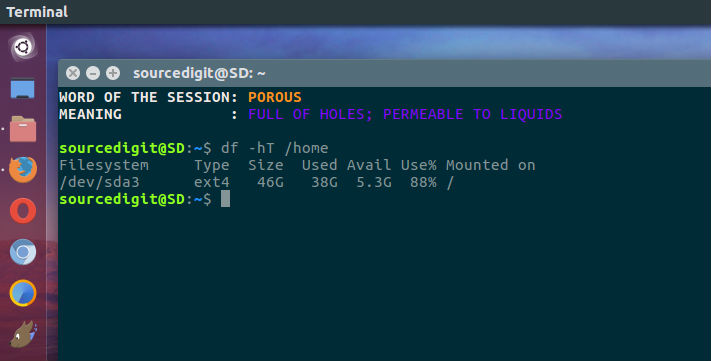
Example-1:
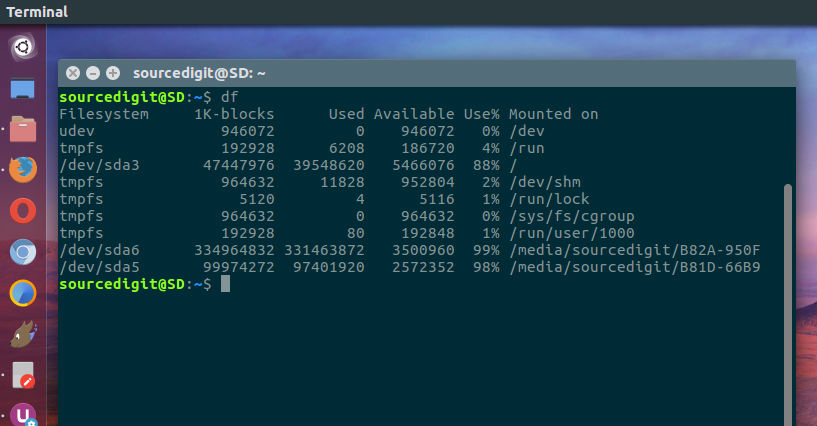
The simplest df command is by itself. Without any command parameters. When executed the df command displays the information about the file system disk space usage. It shows the device name, total blocks, total disk space, used disk space, free disk space and mount points.
df
Example-2:
Using the df command with -a or –all it shows dummy file systems information along with all the basic file system disk usage info:
df -a
Example-3:
As the disk space is shown in 1K blocks by default, users can use “-h” command parameter to show the file system disk space usage data in “human readable” format.
df -h
du command in Linux
‘du’ reports the amount of disk space used by the set of specified files and for each subdirectory (of directory arguments). With no arguments, ‘du’ reports the disk space for the current directory. Normally the disk space is printed in units of 1024 bytes, but this can be overridden (*note Block size::).
When you use du command with ‘-a’ or ‘–all’ argument it show counts for all files, not just directories. And using the du command with ‘-c’ or ‘–total’ will print a grand total of all arguments after all arguments have been processed. This can be used to find out the total disk usage of a given set of files or directories.
If you want to show time of the most recent modification of any file in the directory, or any of its subdirectories. use the command with ‘–time’ argument.
Difference Between Du and Df Command
df is a standard Unix command used to display the amount of available disk space for file systems on which the invoking user has appropriate read access.
du is a standard Unix program used to estimate file space usage—space used under a particular directory or files on a file system. The du command summarizes disk space used for each FILE and/or directory. Disk space is printed in units of 1024 bytes.
Some More Examples of Df Command
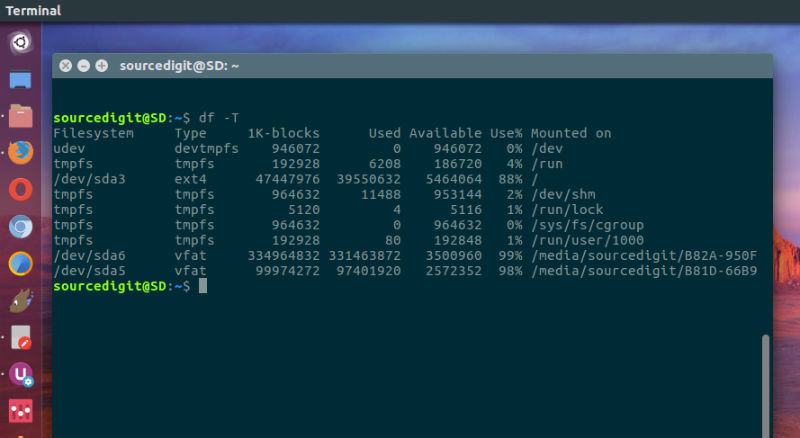
Display Info in 1024 Byte Blocks:
Use the command argument -k to display all file system information in 1024-byte blocks:
df -k
Display Info in GB or MB:
Similarly you can use the command argument -m to display all file system information in MB (Mega Byte) and -h to see the info in GB (Gigabyte):
df -mdf -h