
How to check system hardware information like bios version vendor in Linux? Ubuntu system info command and Linux command to see for hardware information.
The easiest method to check system hardware information in Linux Ubuntu is via GUI. Simply open the System Setting and you can get all the information. You can easily get info about Device, Memory, Processor, Graphics, OS Type and Disk.
Another tool to get Linux hardware information is HardInfo.
HardInfo is a system profiler and benchmark for Linux systems. It is able to obtain information from both hardware and basic software, and organize it in a simple to use GUI.
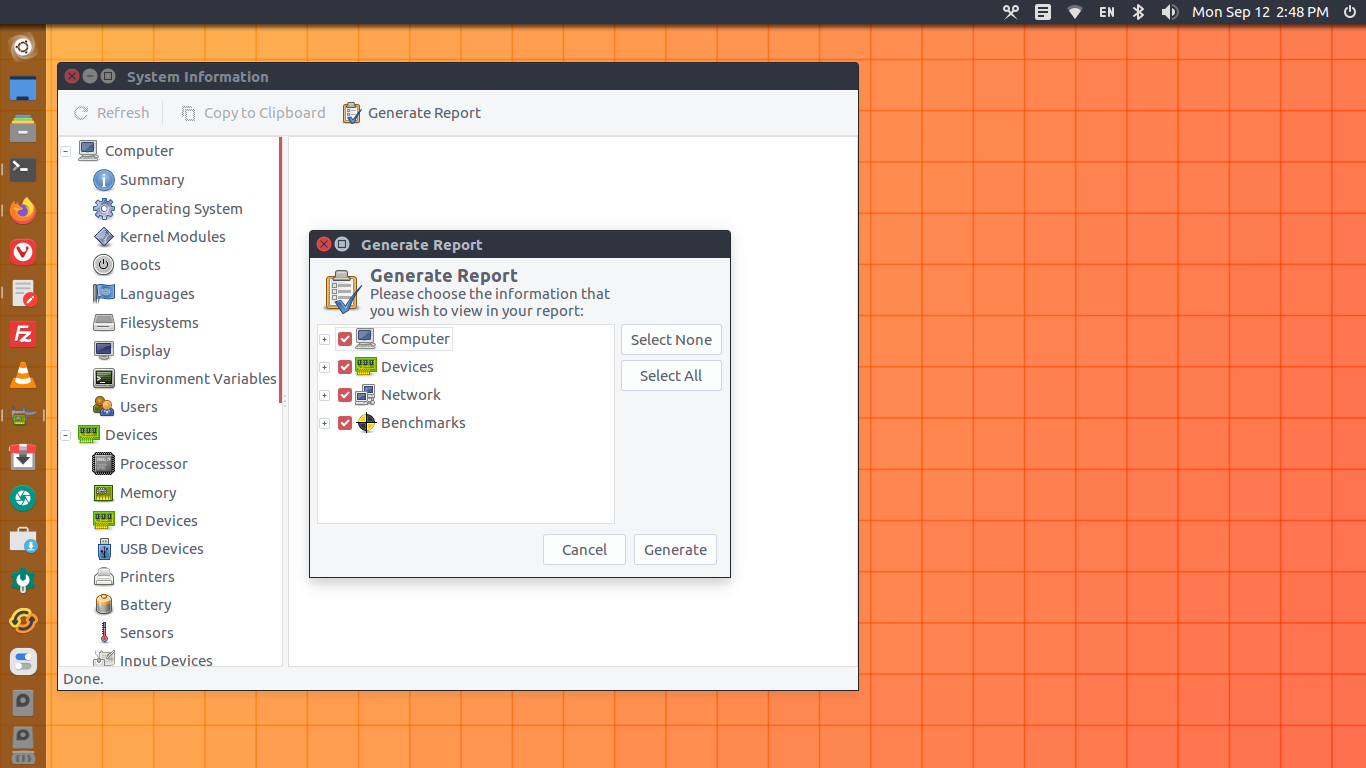
HardInfo Features include:
- Report generation (in either HTML or plain text)
- Benchmark result synchronization
- Ability to explore the information on remote computers
Run the following terminakls to install HardInfo application in Linux Ubuntu Systems:
$ sudo apt-get install hardinfo
Once installed, open the application from Ubuntu Dash.
Most hardware is detected automatically by HardInfo, however, some hardware needs manual set up. They are:
lm-sensors: If your computer is compatible with lm-sensors module, use by example the sensors-detect program included with the lm-sensors package of Debian based distros, and be sure to have the detected kernel modules loaded.
hddtemp: To obtain the hard disk drive temperature, be sure to run hddtemp in daemon mode, using the default port.
Memory Speed: The module eeprom must be loaded to display info about your currently installed memory. Load with modprobe eeprom and refresh the module screen.