
• Skip to primary navigation
  • Skip to main content
  • Skip to primary sidebar
Source Digit

Source Digit

Linux, Ubuntu Tutorials & News, Technology, Gadgets & Gizmos

  • Home
  • How To
  • Ubuntu
  • Instagram
  • Blogging
  • Android
  • WordPress
  • +More
    • Cloud Computing
    • Gadgets
    • Social Media
    • Technology
  • Write for Us
Home / How To / Rhythmbox 3.4.3 Released – Rhythmbox Music Player for Linux Ubuntu

Rhythmbox 3.4.3 Released – Rhythmbox Music Player for Linux Ubuntu

By Sourabh / January 9, 2019 Category: How To, Ubuntu

Rhythmbox 3.4.3 released. Install Rhythmbox music player for Linux Ubuntu.

Rhythmbox 3.4.3

Rhythmbox 3.4.3 brings an improved Android plugin to work better with Samsung and Android 9 devices and a replaced status bar with floating bar as used by Nautilus. It also fixes many crash issue and stability issues – fixed crash when store request processing fails, fixed crashes when editing auto playlist sorted by Location / Bitrate, fixed crashes when insert a cd and fixed issue that can not transfer songs to phone over MTP

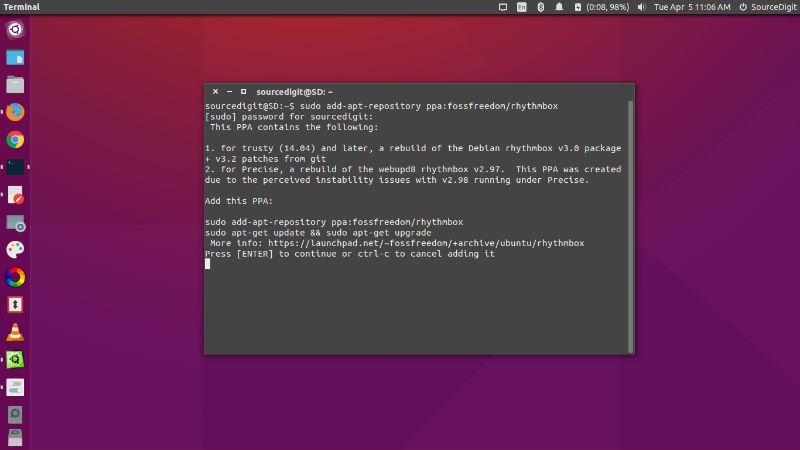
Install Rhythmbox 3.4.3 On Ubuntu
rhythmbox-3-cli

Run the following commands in Terminal to install Rhythmbox 3.4 on Linux Ubuntu Systems:

sudo add-apt-repository ppa:ubuntuhandbook1/apps
sudo apt-get update
sudo apt-get install rhythmbox

Once installed, open the Rhythmbox 3 music player from Ubuntu Dash or Terminal.

Tags: Rhythmbox 3.4.3, Rhythmbox Linux, Rhythmbox Music Player Linux, Rhythmbox Music Player Ubuntu, Rhythmbox Ubuntu

Primary Sidebar

Latest Posts

Delete Directory And Contents Recursively Without Prompt On Linux

Check User Login History In Ubuntu Linux Command Line

Use Locate Command To Find File In Linux Terminal By Name

How To Change Terminal Color In Ubuntu Command Line

How To Run Fsck Manually In Linux To Fix Unexpected Inconsistency

How To Fix Broken Packages On Ubuntu From Terminal

Re Execute The Previous Command In Linux Ubuntu Command Line

How Much RAM Is Needed For Ubuntu PC

How To Find Large Files And Directories In Linux Command Line

How To Use Clear Command History In Linux Terminal

© 2026 Source Digit • Linux, Ubuntu Tutorials & News, Technology, Gadgets & Gizmos

  • Home
  • About
  • Privacy Policy
  • Terms & Conditions
  • Contact Us
  • Sitemap