
• Skip to primary navigation
  • Skip to main content
  • Skip to primary sidebar
Source Digit

Source Digit

Linux, Ubuntu Tutorials & News, Technology, Gadgets & Gizmos

  • Home
  • How To
  • Ubuntu
  • Instagram
  • Blogging
  • Android
  • WordPress
  • +More
    • Cloud Computing
    • Gadgets
    • Social Media
    • Technology
  • Write for Us
Home / How To / How to Install GNU Emacs 26.3 in Ubuntu Linux

How to Install GNU Emacs 26.3 in Ubuntu Linux

By Sourabh / August 30, 2019 Category: How To, Ubuntu

How to install GNU Emacs 26.3 in Ubuntu 18.04 and other Linux Ubuntu Derivatives. Terminal commands to install GNU Nano Text Editor on Ubuntu Linux. GNU Emacs 26.3 is a maintenance release and it brings a new GPG key for GNU ELPA package signature checking.

GNU nano was designed to be a free replacement for the Pico text editor, part of the Pine email suite from The University of Washington. It aimed to “emulate Pico as closely as is reasonable and then include extra functionality”.
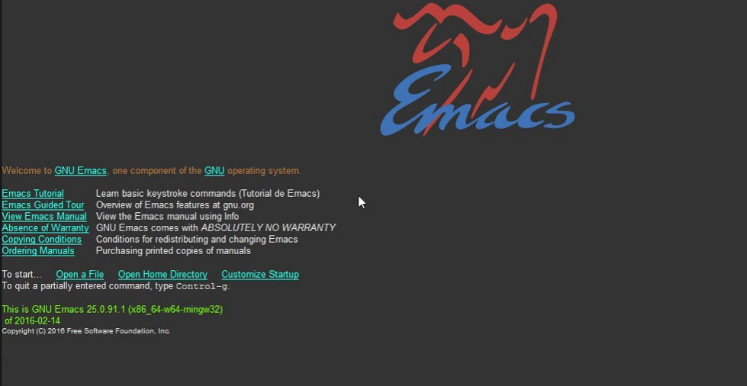
GNU Emacs – Features

  1. Content-aware editing modes, including syntax coloring, for many file types.
  2. Complete built-in documentation, including a tutorial for new users.
  3. Full Unicode support for nearly all human scripts.
  4. Highly customizable, using Emacs Lisp code or a graphical interface.
  5. An entire ecosystem of functionality beyond text editing, including a project planner, mail and news reader, debugger interface, calendar, and more.
  6. A packaging system for downloading and installing extensions.

Where to get GNU Nano

1. Web sites

The nano source tarballs can be downloaded from the following web sites:

  • https://nano-editor.org/dist/
  • https://ftp.gnu.org/gnu/nano/

2. RPM packages (RedHat, OpenSuse, and derivatives)

  • https://kojipkgs.fedoraproject.org//packages/nano/
  • https://software.opensuse.org/package/nano

3. Deb packages (Debian and derivatives):

Debian users can check out the current nano packages for:

  • stable
  • testing
  • unstable

You can also have a look at the Package Pool to see all the available binary and source packages.

Primary Sidebar

Latest Posts

Delete Directory And Contents Recursively Without Prompt On Linux

Check User Login History In Ubuntu Linux Command Line

Use Locate Command To Find File In Linux Terminal By Name

How To Change Terminal Color In Ubuntu Command Line

How To Run Fsck Manually In Linux To Fix Unexpected Inconsistency

How To Fix Broken Packages On Ubuntu From Terminal

Re Execute The Previous Command In Linux Ubuntu Command Line

How Much RAM Is Needed For Ubuntu PC

How To Find Large Files And Directories In Linux Command Line

How To Use Clear Command History In Linux Terminal

© 2026 Source Digit • Linux, Ubuntu Tutorials & News, Technology, Gadgets & Gizmos

  • Home
  • About
  • Privacy Policy
  • Terms & Conditions
  • Contact Us
  • Sitemap